DESCRIPTION:
When Installing the Strategy App 11 in an iPad the sort feature does not work if the grid has more than one attribute.
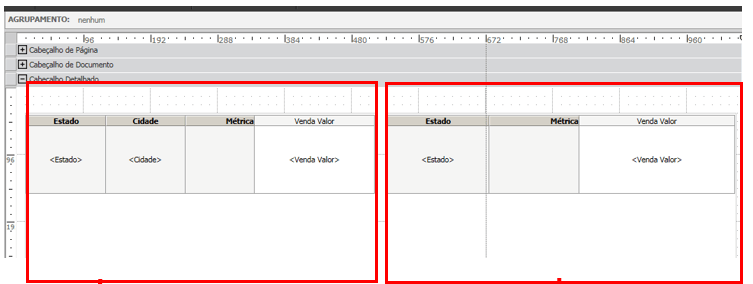
Document design that where the sort error occurs in the Mobile application
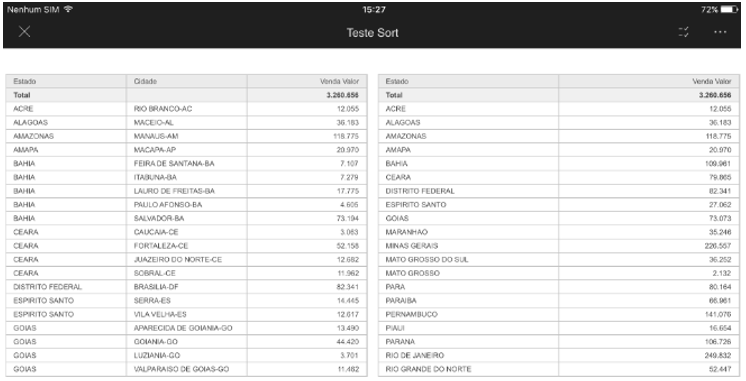
Opening the document in Mobile v11 (Without applying sort).
Applying the sort on the metric, the ordering is done based on the first attribute
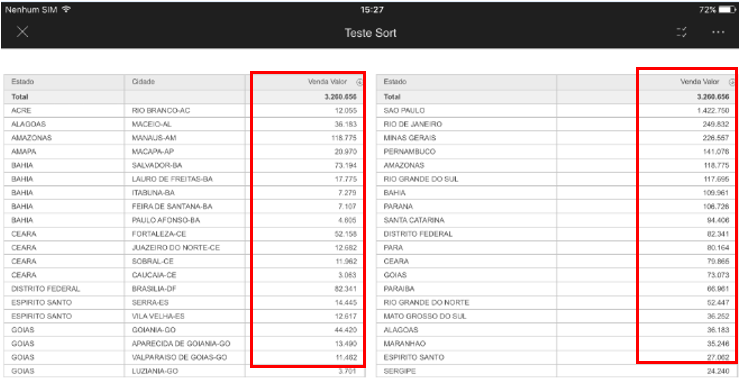
The issue does not happen in web

STEPS TO REPRODUCE:
On Strategy Tutorial Project:
1 - Create a new Document and insert a Grid.
2 - In the Grid Add Category, Subcategory, and Revenue.
3 - Enable the Total over the Revenue.
4 - Save and run on the iPad.
5 - When applying the sort over the Revenue, the sort is performed over the Category then the metric.
CAUSE:
This is an identified defect in Strategy App version 11 where the sort feature does not work properly when using more than one attribute in the grid.
ACTION:
This issue has been addressed in Strategy App version 11.1, please update to this hotfix version to receive this fix.
KB442451
