SYMPTOM
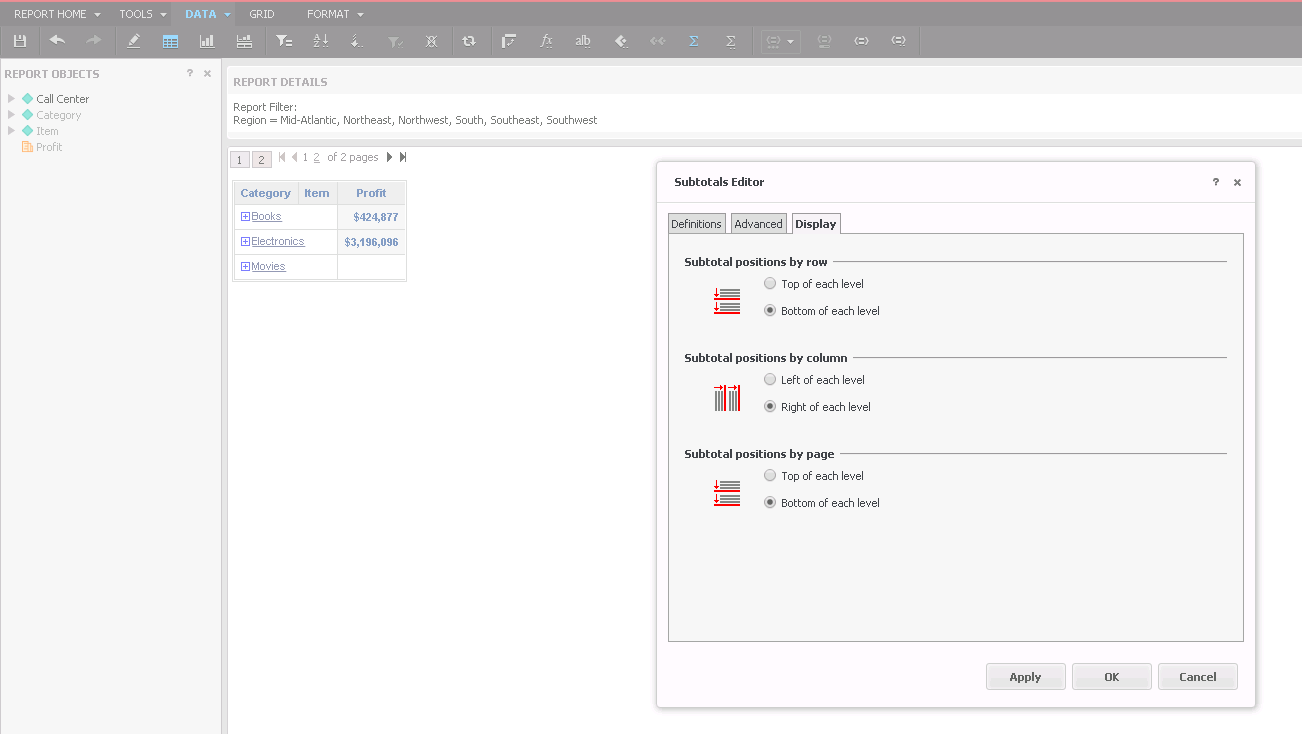
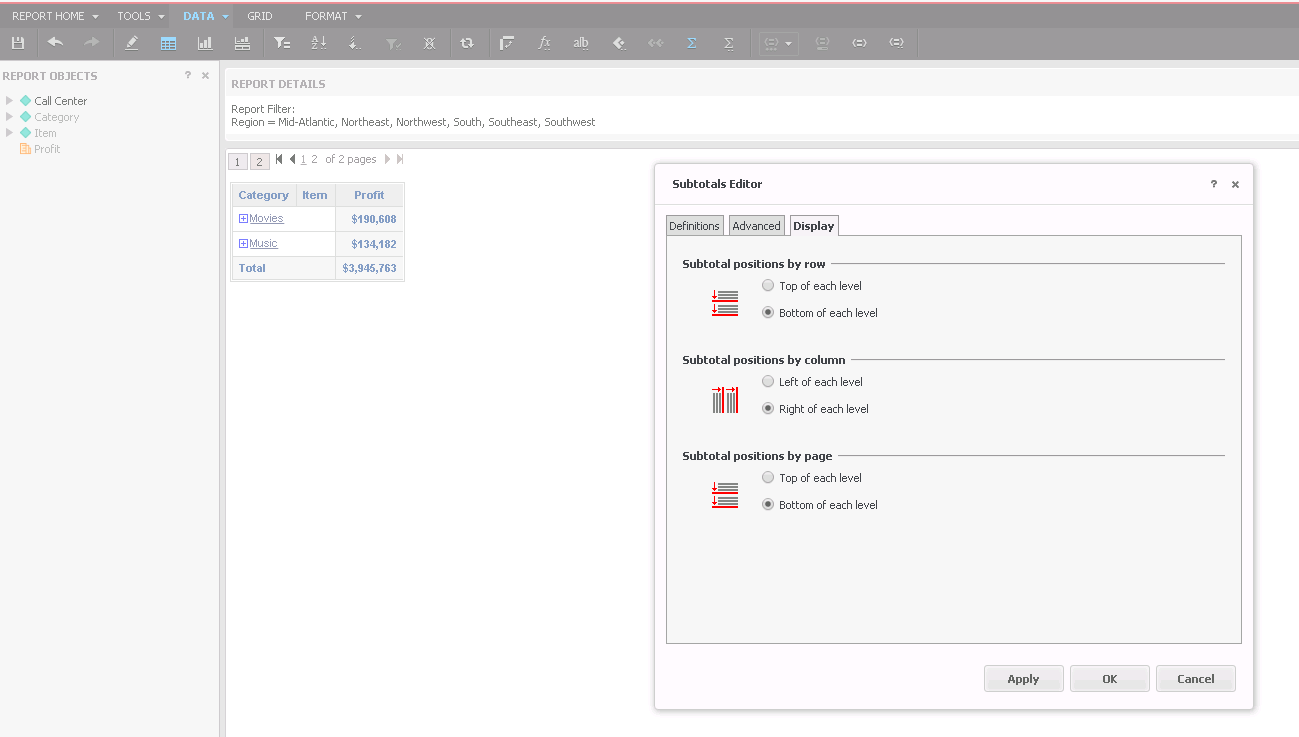
When creating a report having the outline mode enabled, in case a level is displayed in more than one page, e.g., because it has too many values to display that do not fit within a page, the subtotal value does only appear in one page, either at the top of the level or at the bottom, but not in all pages.
The following example shows that behavior for the Category “Movies”.
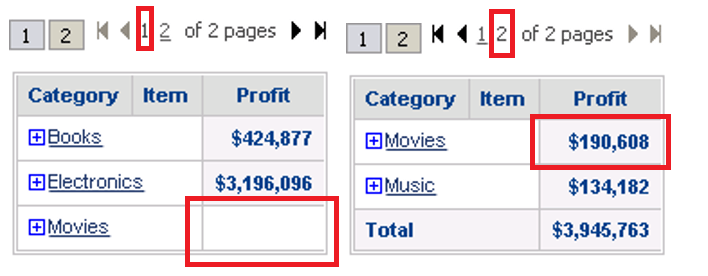
Thus, when the outline mode is enabled, users cannot see the subtotal value of a level in all pages, but just a blank value. This behavior is only observed from Strategy Web.
From Developer, the output is as follows:
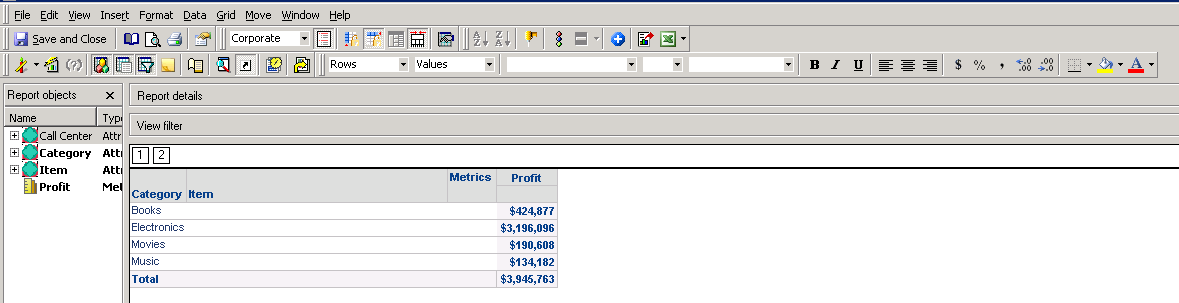
NOTE: In case an export is done either to PDF or Microsoft Excel, both from Developer or Strategy Web, the total value is correctly export to all pages. Therefore, is just a designed behavior within a visualization from Strategy Web.
STEPS TO REPRODUCE
The following steps are performed for a specific scenario. However, it works the same with other datasets.
From Strategy Web.
1. Create a report with data from the Strategy Tutorial Project.
2. Include certain “Region” values as a report view filter.
3. Include, as datasets, the attributes “Category” and “Item” in the rows and the metric “Profit” in the columns.
4. Enable the Outline mode by going to Tools -> Report Options -> “General” tab -> Outline
5. Show the Subtotals by going to Data -> Show Totals.
6. Edit the manner the Subtotals are displayed, e.g., at the top of the row and page.
7. The page 1 does display all Subtotals.
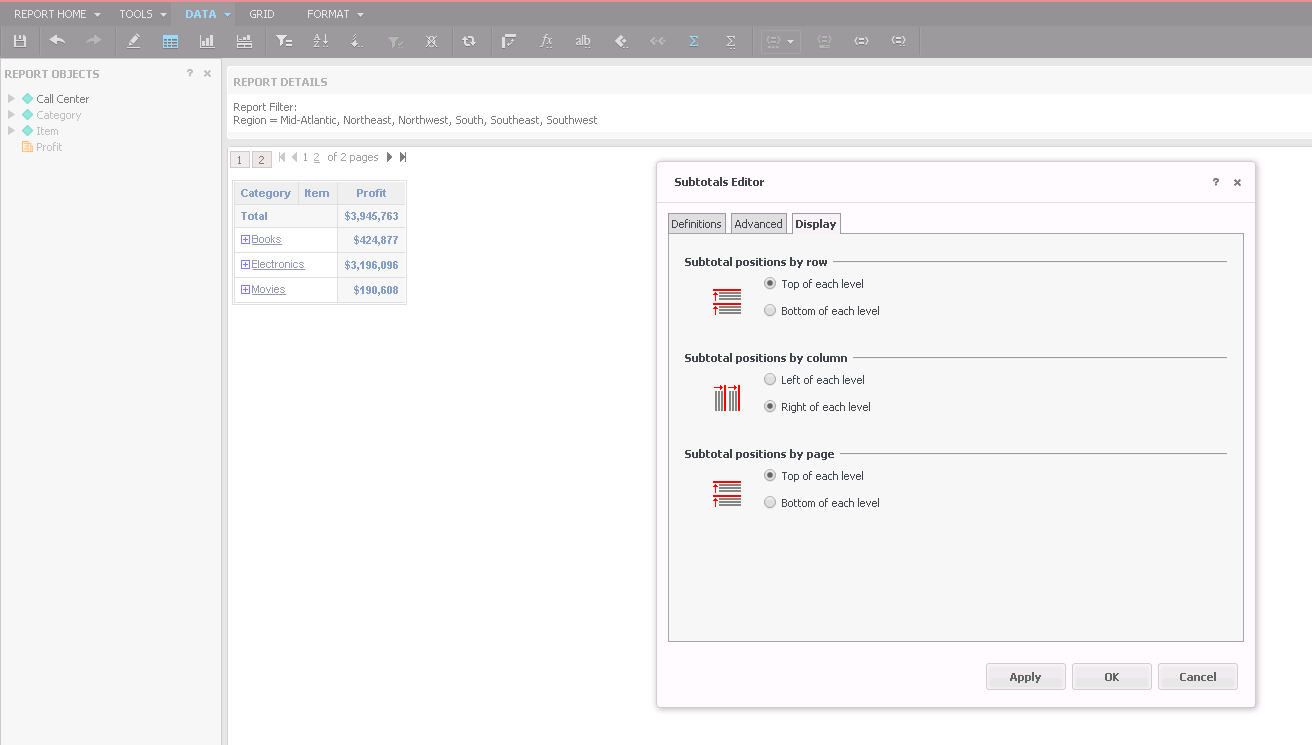
8. The page 2 does not display all Subtotals.
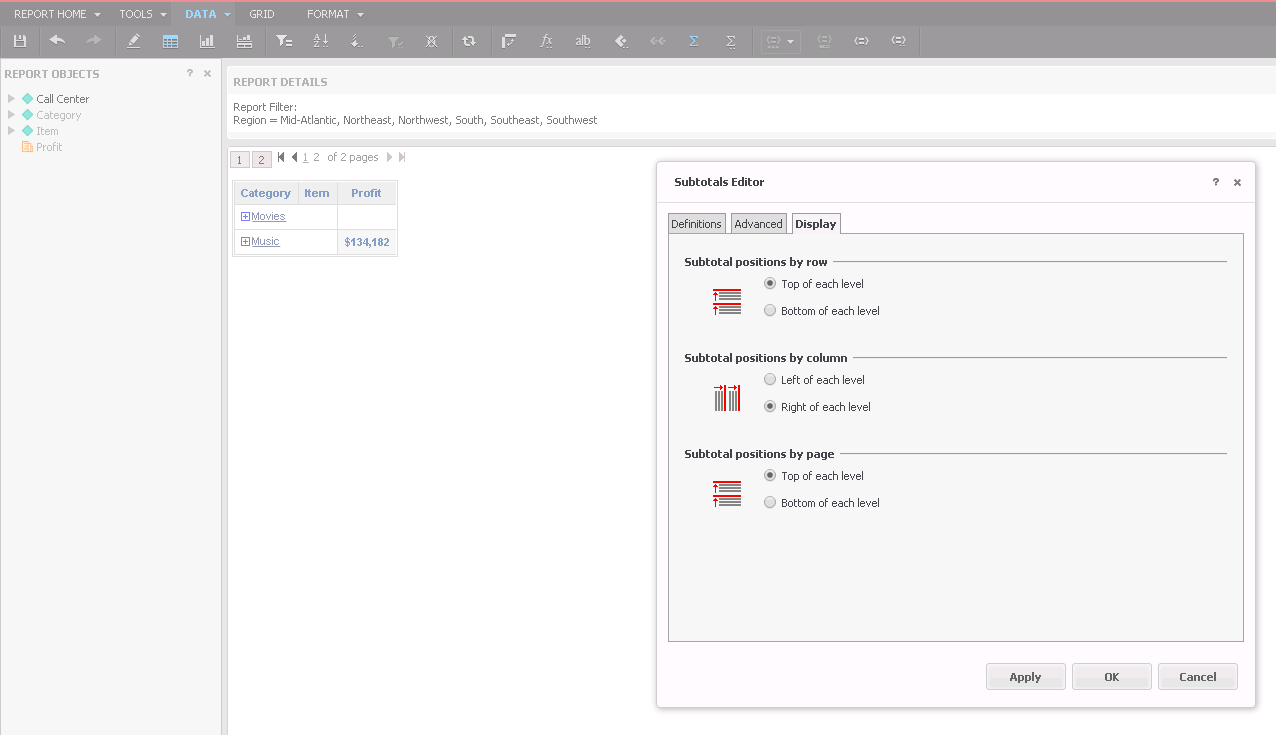
9. Edit the subtotals to be displayed at the bottom of the row and page.
10. The page 1 does not display all Subtotals.
11. The page 2 does display all Subtotals.
CAUSE
This is known behavior which is working as designed. Currently, there is no option to display the value of a Subtotal, if the level it belongs to exceeds the dimension of a page, in all pages of a grid, from Strategy Web.
ACTION
There is no action to be taken. Customers may want to get the value of a Subtotal shown in all pages within a report regardless of the dimension of the level the Subtotal belongs to.
For that, Strategy encourages to post this implementation in our Idea Exchange platform.
https://community.strategy.com/ideas KB440050
