Starting with the release of Strategy ONE (March 2024), dossiers are also known as dashboards.
Why did we build the new Strategy app?
We have many customers that are using the current Library Web product. From large banks to marketing executives using the product to get the insights for their next campaign decision, there's one thing we know: our customers need want data and they want data fast. In the past few quarters, our teams have worked to develop an app designed specifically with our business users in mind. During this critical time, we want to ensure users get the insights they need when they need them, enhancing overall productivity and operational efficiency across the enterprise.
The new Strategy app leverages much of the same functionality as the Library Web, but has a few additional features that make it our premiere viewing tool. From initial testing done by our teams, the new app is much faster than viewing content in Library Web. Fun fact? Page or Chapter navigation actually proves to be 60-70% faster than Library Web. We've also introduced a few more components to the app enhance the overall productivity of the app. Let's make sure you have all the information you need.
What are the top 5 features?
We're biased, but we love the new Strategy app.
Check out the top five features from the Product team:
We load the Dossier content and have it ready before you even think to open it. With features like Smart Download and Automatic Refresh, the app predicts and proactively downloads content to meet the need of individuals user preferences, all the while capitalizing on the power of the desktop to cache the latest data updates and integrate them across the pages. The caching functionality provides impressive speed both online and offline. That's right, no more waiting, no more loading--we provide you with an instant response experience.
Note: Smart Download and Automatic Refresh are only available for Dossiers.
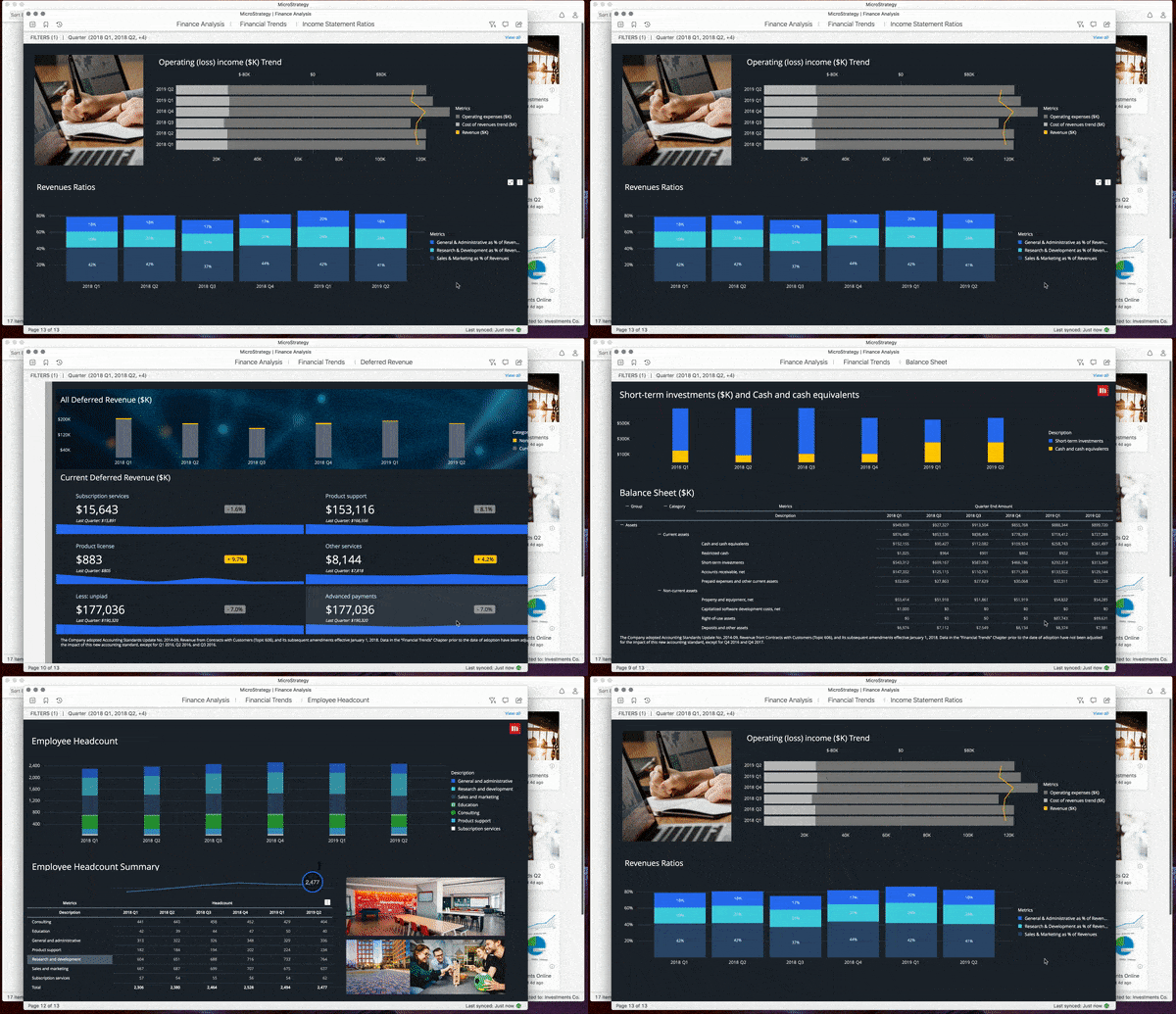
From the Home page, you can view a collection of dossiers and documents. You can open multiple windows or at one time for easy comparison or to ensure you have the data you need to get the big picture. When using multiple windows, you can easily resize the windows to view data side-by-side, as well as view different windows across monitors.
We're making it easier than ever to navigate content.
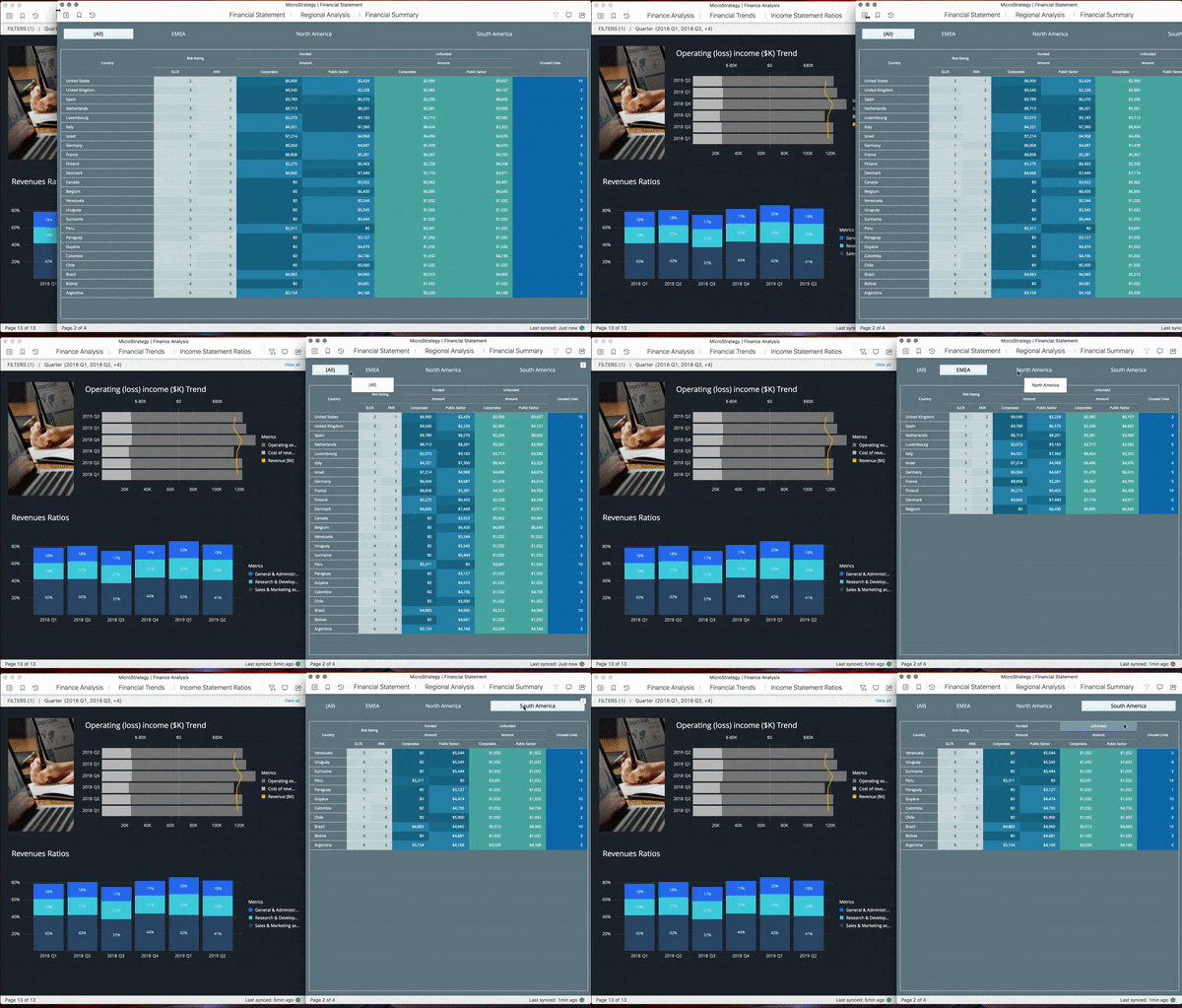
We’ve got you covered at all times, even when you're Offline. The app stores the latest content downloads in order to prepare to have your content ready offline. With Smart Download, we make sure to download the content that you use most and continue from there. Once offline, users can switch between pages and continue to view data. Even bookmarks are saved in offline mode to allow you to view different pages or specific views in low-connectivity environments.
Tip: Use bookmarks. With the current release, users cannot update filters on-the-fly while in offline mode (though we're working on it). Our advice? Create multiple bookmarks with the views you might need in a low-connectivity environment. Bookmarks preserver filter selections, in-canvas filtering, drilling, sorting, and other specific manipulations. This helps to ensure you will be able to show different data view if, let's say, you are in the field speaking with a customer.
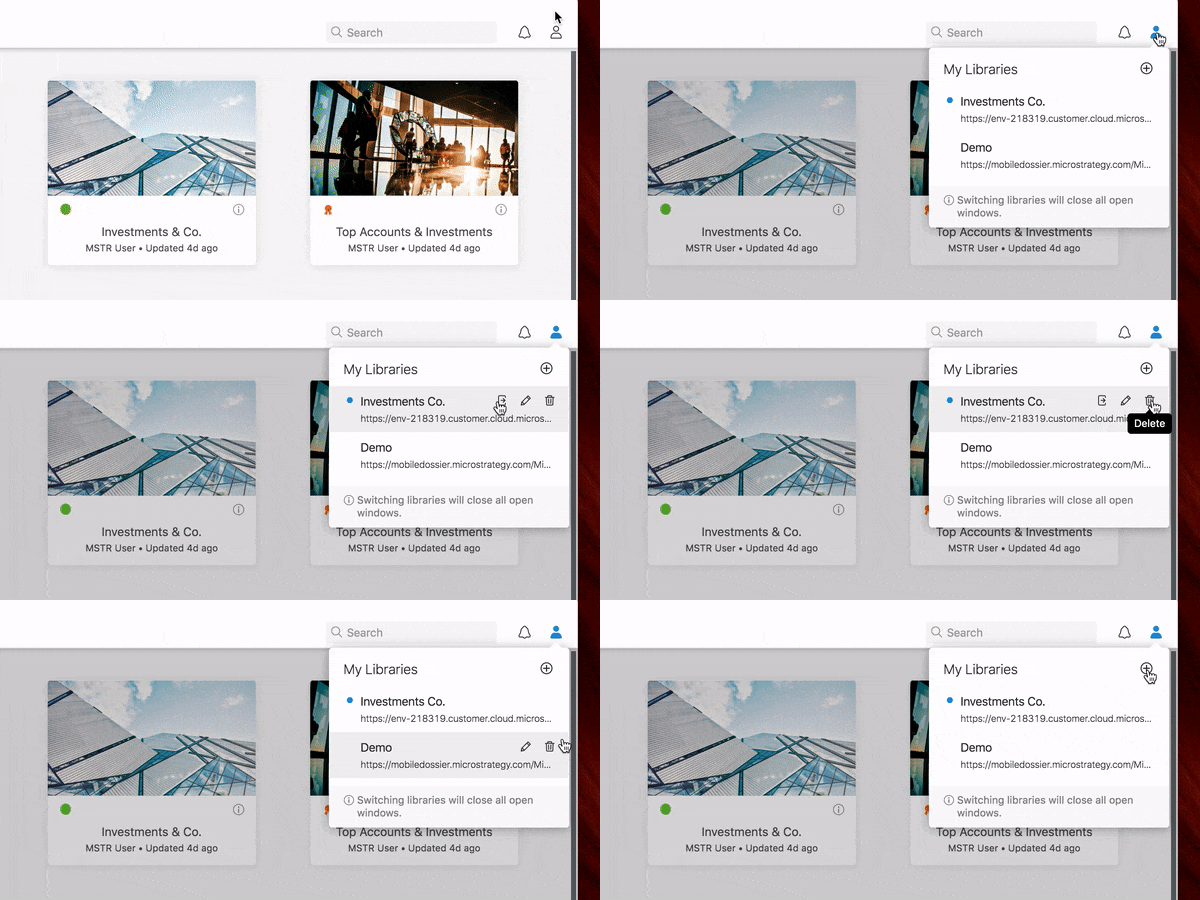
You spoke, and we listened. With Library Web, users can only connect to one Library (or environment) at a time. Currently, the paint point in Library Web is that the user has to log out, then enter the URL and credentials to log into another environment each time. With the new Strategy app, we've fixed that. Users can now add as many libraries as they want--and they only have to do this once. After adding the new library to the app, we remember the library and credentials (Remember Me function). All you have to do is simply switch between the environments to view the content.
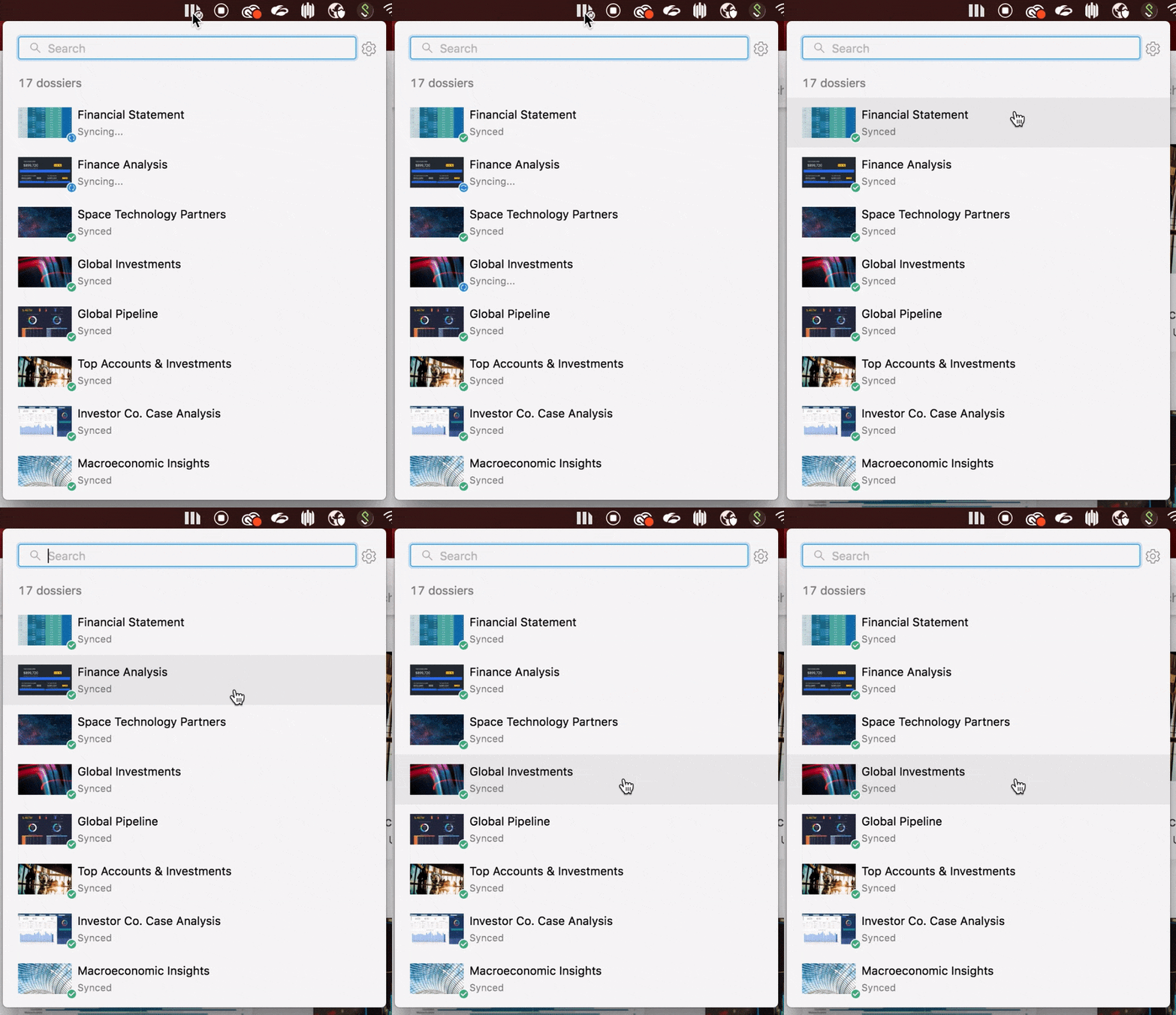
Now, we know that even though we’re big fans, Strategy might not be the only app you use. For example, you might use Excel, Slack, Teams, or other apps right alongside Strategy. That’s why we now allow you to navigate content and get the latest data updates right from the main desktop menu even when you are not actively using the app. Simply go to the Strategy icon in the main menu bar to view the latest sync times or open content at any time, even if the Strategy app is not currently being used. Check it out:
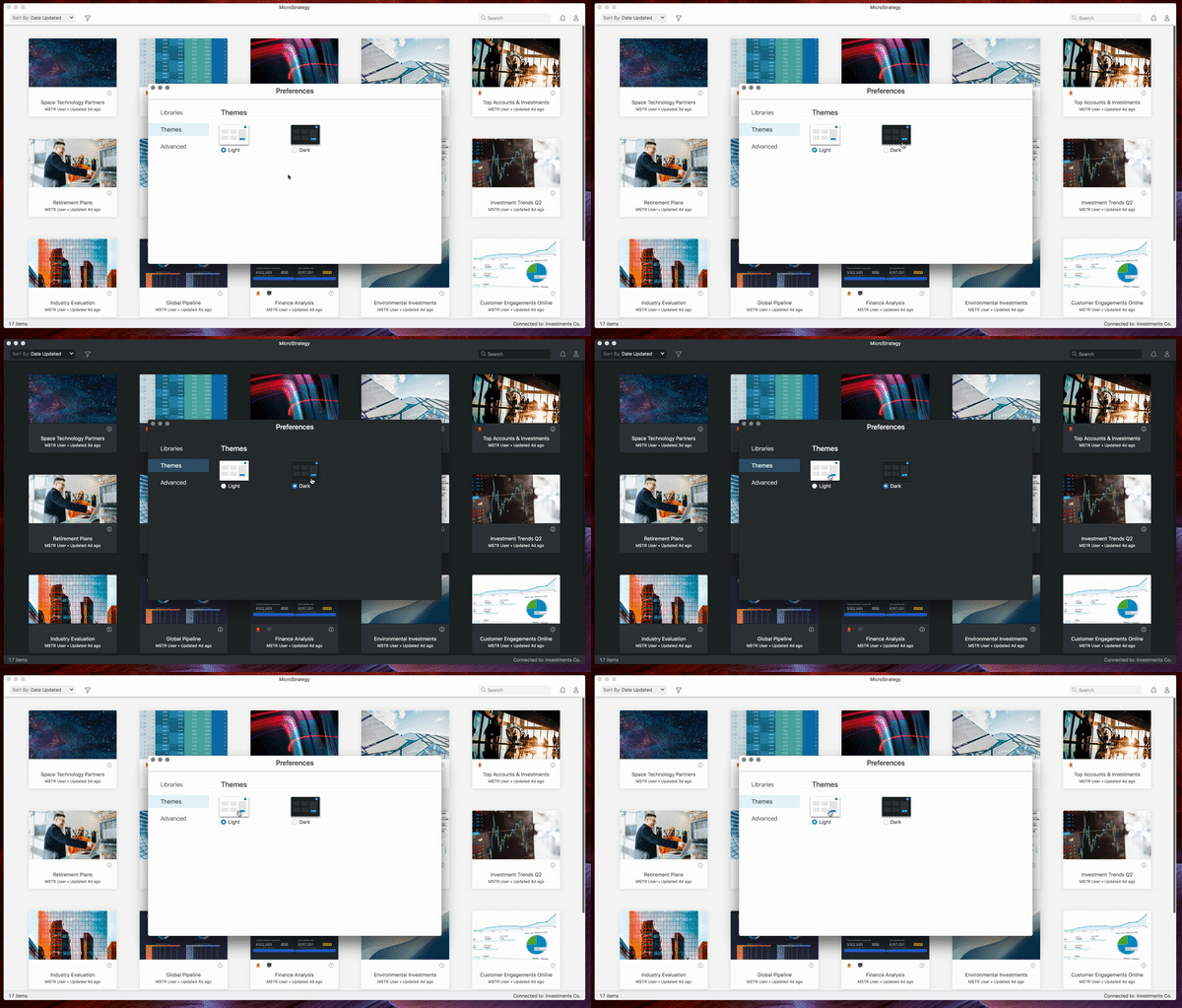
5+: Preview Dark Mode. Yes, it's true. You can now see Dossiers and Documents in Dark Mode. In the initial release of the Strategy app, users can change the look of the app by switching to the Dark Theme under Preferences. We're actively working on the ideas of themes. Have some potential theme ideas?
Comment on this article and let us know!
What's the deal with privileges or licensing?
To start, it's simple: anyone can start using the 90-day trial version of the Strategy app if they have A) the Client-Web or Client-Reporter license and B) an upgrade to 2020 Update 2 (11.2.2). You can simply connect to an environment to get started. As you use the app, you will get trial reminders.
If you want to make sure to keep up with all new features and functionality, your organization will need to purchase the new Client-ReporterPro license.
The the Client-ReporterPro license requires that the customer already has either Client-Web or Client-Reporter; it can be thought of as basically an add of $200 (NU Perpetual) on top of either Client-Web or Client-Reporter. This license will give you access to the new necessary privilege.
Stay tuned for insight into new 2021 features.
Make sure to download the new app from the Apple or Microsoft store today to see what it’s all about and stay tuned for new features coming soon for 2021. We're working to deliver updates quicker than the usual quarterly cadence. You can also find the app on the Download Site.
Note: To use the app, we require Strategy 2020 Update 2 or later.
Learning Resources
Interested in learning more about the new Strategy app?
Go to Documentation or learn more on the Learning Center on Community.
