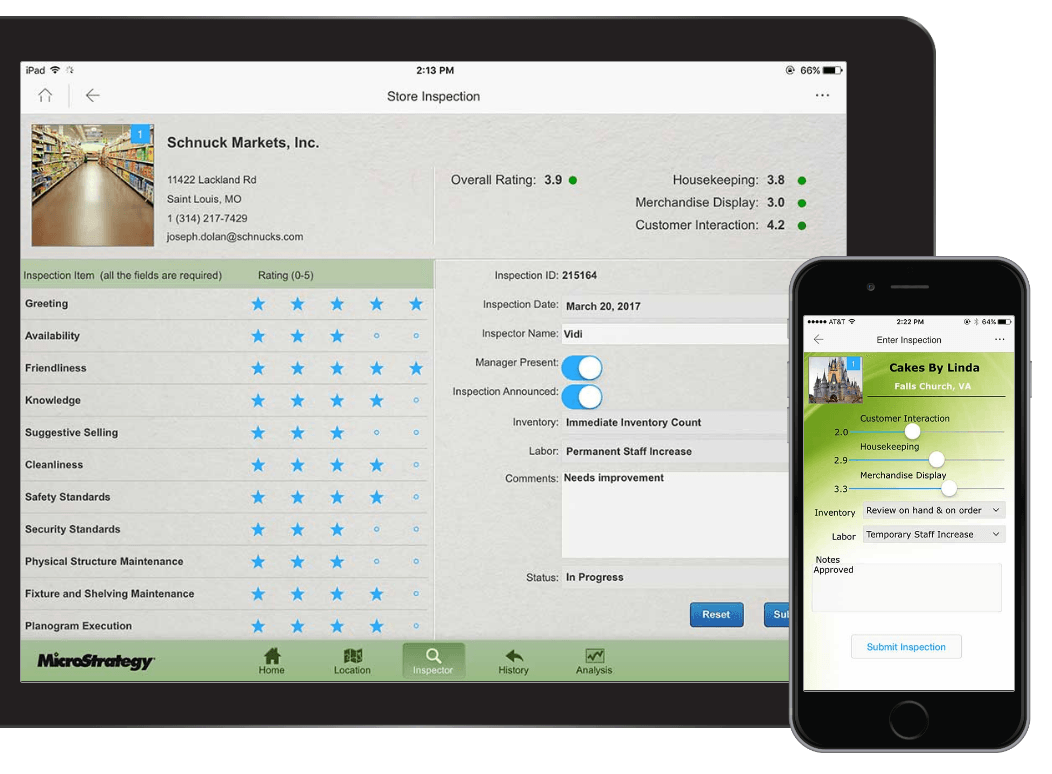
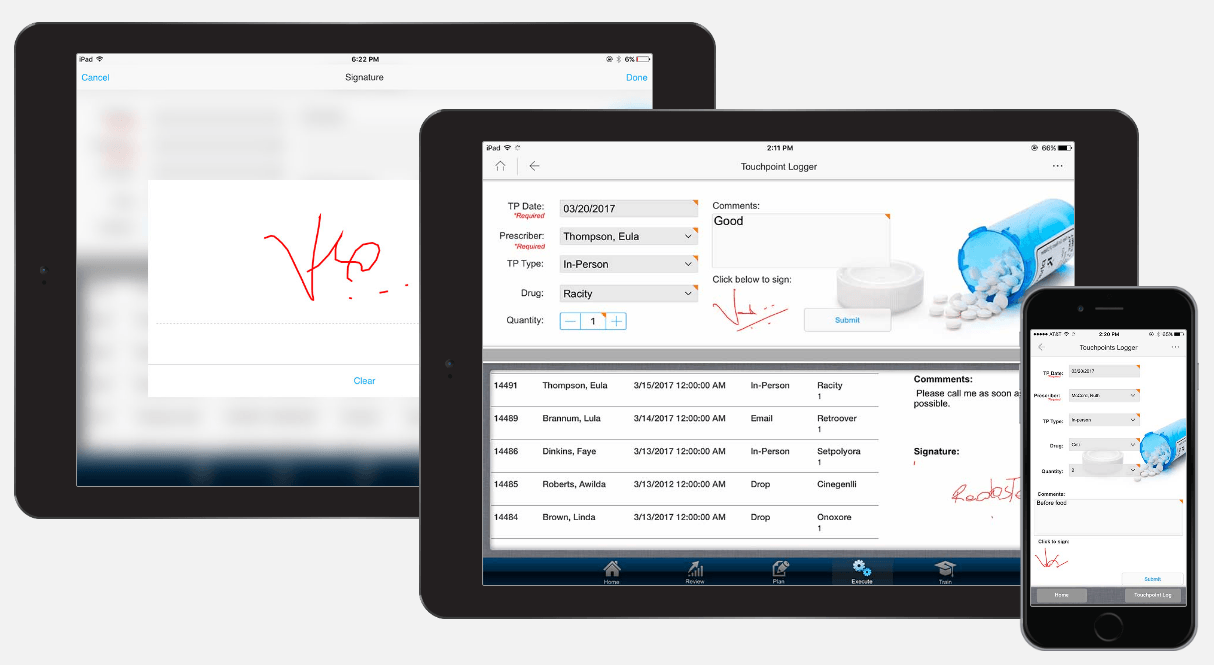
Strategy Transaction Services is a very powerful tool that provides write-back capabilities from Report Services Documents both through Mobile BI Apps and Web-based DHTML documents. It allows users to update data, insert new information or delete existing records from the database. Many companies that are using Strategy don’t fully realize how amazing this tool is and how it could help their Business Intelligence team to save a lot of time and money.
Interact with your data to approve requests, submit orders, change plans, and capture information from your mobile device. Strategy Transaction Services lets you embed write-back functionality into documents, dashboards, and applications — enabling people to make decisions and initiate transactions while on the go.
In a big company, the Business Intelligence team needs to be always up to date and manage a lot of different Strategy objects like Consolidations, Custom Groups, Attributes, Metrics etc. For example, your Strategy administrator has created a consolidation ”Customer Geography” where he has created a consolidation group “South” that contains grouped static values – “Customer Region=South”, ”Customer Region=Southeast” and “Customer Region=Mid-Atlantic” Consolidation 1.
After some time, the administrator might get a request from business users that they would like to change the name of the consolidation group “South” to “Southwest”, combine all values from group “West” & “South” and then to remove group “West”. Consolidation 2.
This means that a responsible person for the report development and data quality in the reports, would have to edit the consolidation to make sure that it meets the requirements of the business users. Imagine if you have hundreds of reports and lots of different consolidations in your Strategy project. You will end up spending a lot of time for just managing those different consolidations. In this case, you would prefer the business users to be able to modify the names of the consolidation groups and the placement of the values in those groups as well. At least you want this functionality for the most commonly used consolidations.
You can create a Transaction Service Report in Strategy that will allow users to update consolidation group names and the values in those groups. You would then create an attribute called “Customer Geography” and use it in the report instead of the consolidation, which you have used previously Attribute 1.
This way, business users will be able to manage their consolidations by themselves and see results of their updated or inserted data directly in the report. Usage of the Transaction Services report can be restricted depending on the particular business user permissions and roles that can be set under Strategy user management. Strategy administrator or report developer will no longer receive those types of requests from business users. That will save him and his team a lot of time.
Strategy Transaction Services do not require any programming skills. You can create Transaction Services Reports from the ready to use objects. You can find any form elements like text input fields, drop down lists, checkboxes and many more. Some SQL knowledge is needed to be able to write queries for updating, inserting and deleting data.
This is only one of the many examples where Strategy’s Transaction Services can come into play and help you to make your administration and development more effective and less time consuming.