EducationSoftwareStrategy.com
StrategyCommunity

Knowledge Base

Product

Community

Knowledge Base

TopicsBrowse ArticlesDeveloper Zone

Product

Download SoftwareProduct DocumentationSecurity Hub

Education

Tutorial VideosSolution GalleryEducation courses

Community

GuidelinesGrandmastersEvents
x_social-icon_white.svglinkedin_social-icon_white.svg
Strategy logoCommunity

© Strategy Inc. All Rights Reserved.

LegalTerms of UsePrivacy Policy
  1. Home
  2. Topics

KB485171: Troubleshoot common issues in the Salesforce connector


Community Admin

• Strategy


This article explains why certain errors occur when using the Salesforce connector in MicroStrategy. This article also provides solutions to troubleshoot the errors.

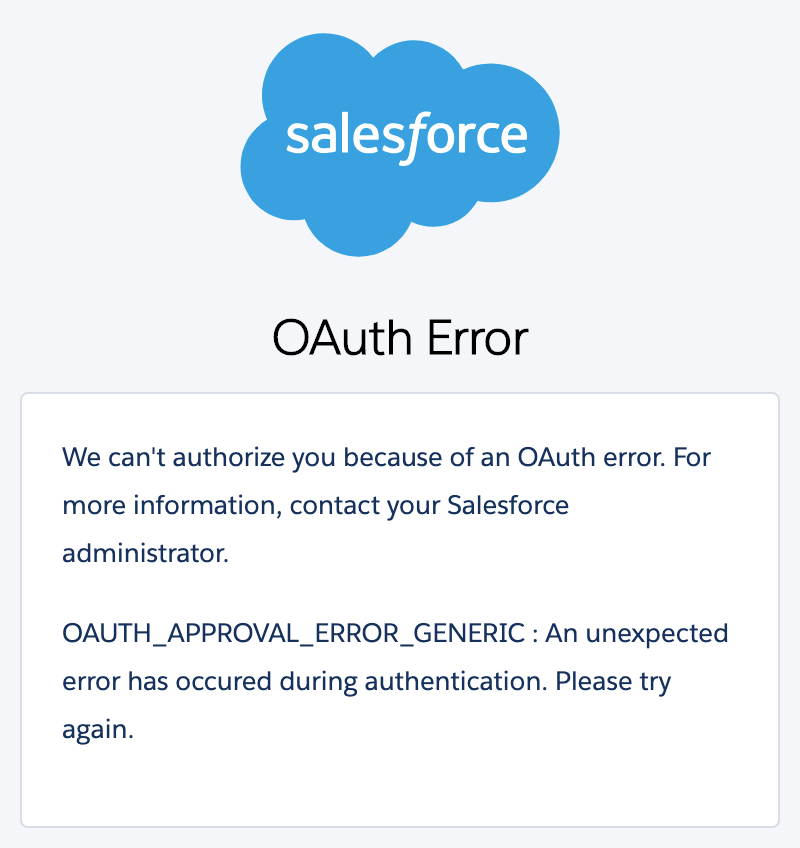
Error: OAUTH_APPROVAL_ERROR_GENERIC

OAUTH_APPROVAL_ERROR_GENERIC: An unexpected error has occurred during authentication. Please try again. 
ka04W000001IwmJQAS_0EM4W0000038aDY.jpeg

This error occurs when at least one of the following OAuth Scopes is not selected in the Salesforce app:

  • Access and manage your data (api)
  • Access your basic information (id, profile, email, address, phone)
  • Perform requests on your behalf at any time (refresh_token, offline_access)
  • Provide access to your data via the Web (web)

Solution 


You should select the OAuth Scopes that are currently used in the Salesforce app.
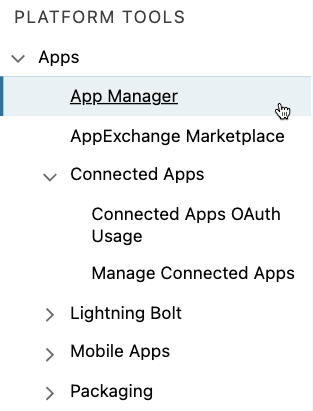
  • Open the Setup menu in Salesforce. 
  • Open the App Manager under the Platform Tools > Apps. 
ka04W000001IwmJQAS_0EM4W0000038aDn.jpeg
  • Find the proper app and click Edit. 
  • Make sure that all of the OAuth Scopes listed above are selected. 
ka04W000001IwmJQAS_0EM4W0000038aDx.jpeg
  • Save changes.

Error: REDIRECT_URI MISMATCH


error=redirect_uri_mismatch&error_description=redirect_uri%20must%20match%20configuration

This issue occurs when the Callback URL in the Set OAuth Parameters for Salesforce dialog is not added in the Callback URLs of the Salesforce app.

Solution


You should add the Callback URL to the app settings in Salesforce. 

For versions prior to Strategy 2021 Update 3

  • Create the Callback URL using the following schema:
    https://fullDomain[:WithOptionalPort]/MicroStrategy/servlet/mstrWeb?evt=3172
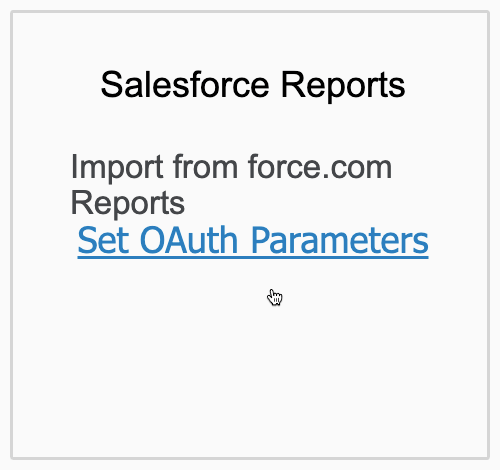
    Example:
    https://example.Strategy.com/MicroStrategy/servlet/mstrWeb?evt=3172
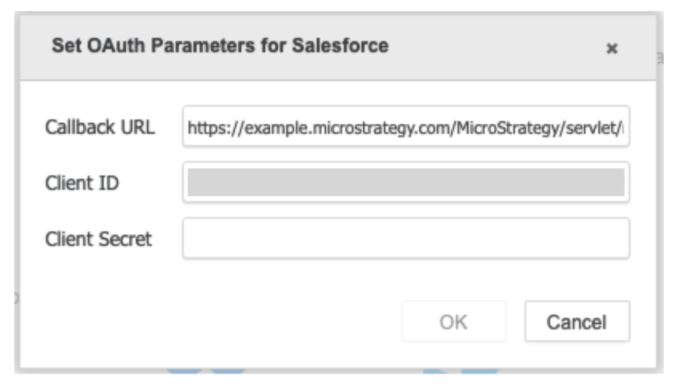
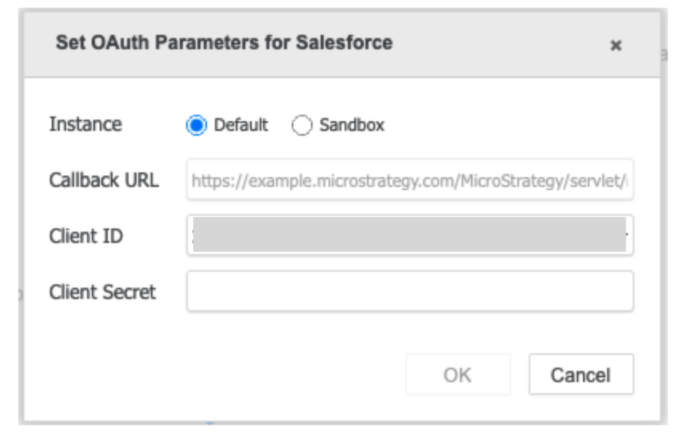
  • Open the Set OAuth Parameters dialog. 
ka04W000001IwmJQAS_0EM4W0000038aMu.jpeg
  • Use the created URL in the Callback URL field.
ka04W000001IwmJQAS_0EM4W0000038Wmy.jpeg
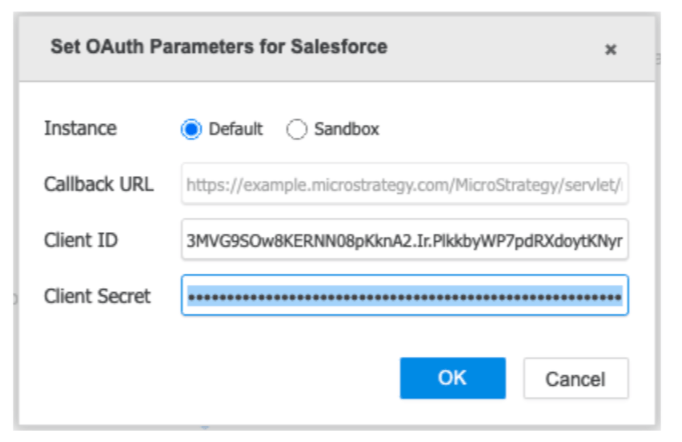
  • Enter the matching Consumer Secret in the Client Secret field, then click the OK button to save the changes. 

For Strategy 2021 Update 3 and later versions

  • Open the Set OAuth Parameters dialog. 
ka04W000001IwmJQAS_0EM4W0000038aMu.jpeg
  • Depending on whether you want to use the default or sandbox instance, copy the value from the selected Callback URL field in the OAuth Parameters dialog.
ka04W000001IwmJQAS_0EM4W0000038Wsr.jpeg
  • Open the Setup menu in Salesforce. 
  • Open the App Manager under the Platform Tools > Apps. 
ka04W000001IwmJQAS_0EM4W0000038aDn.jpeg
  • Find the proper app and click Edit. 
  • Paste the Callback URL to the correct field of the app settings.
ka04W000001IwmJQAS_0EM4W0000038aRp.jpeg
  • Save the changes.

Error: INVALID_CLIENT_ID


error=invaild_client_id&error_description=client%20identifier%20invalid

This error occurs when the Client ID provided in the OAuth Parameters dialog is incorrect.

Solution


Use the correct Client ID.

  • Open the Setup menu in Salesforce. 
  • Open the App Manager under the Platform Tools > Apps. 
ka04W000001IwmJQAS_0EM4W0000038aDn.jpeg
  • Find the proper app and click View. 
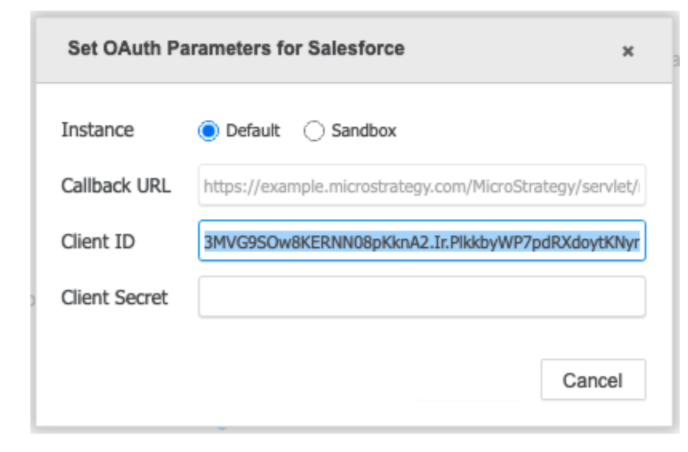
  • Copy the Consumer Key.
  • Paste the Consumer Key into the Client ID field of the chosen instance in the OAuth Parameters dialog. 
ka04W000001IwmJQAS_0EM4W0000038X44.jpeg
  • Enter the matching Consumer Secret in the Client Secret field, then click the OK button to save the changes.

Error: INVALID_CLIENT

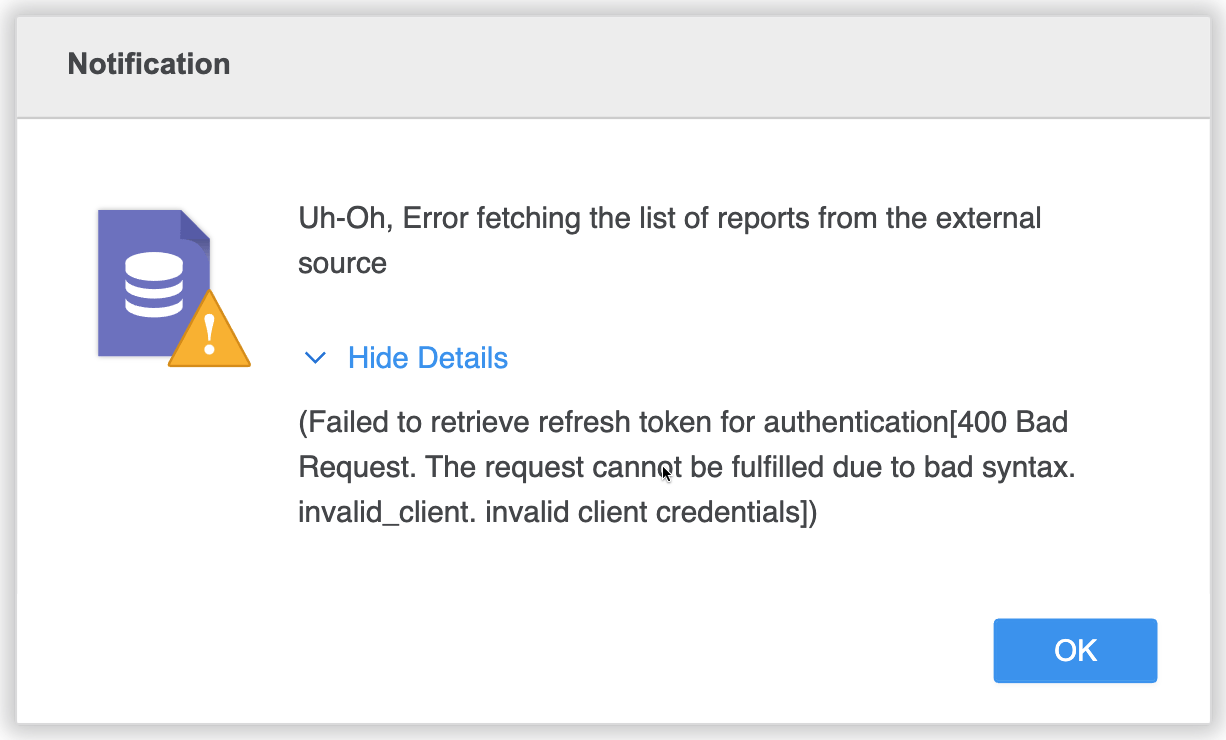
Failed to retrieve refresh token for authentication[400 Bad Request. The request cannot be fulfilled due to bad syntax. invalid_client. invalid client credentials]
ka04W000001IwmJQAS_0EM4W0000038agk.jpeg


This error occurs when the Client Secret provided in the OAuth Parameters dialog is incorrect.

Solution


Make sure the correct client secret is used for the provided client ID.

  • Open the Setup menu in Salesforce. 
  • Open the App Manager under the Platform Tools > Apps. 
ka04W000001IwmJQAS_0EM4W0000038aDn.jpeg
  • Find the proper app and click Edit.
  • Click the Click to reveal link to show the Consumer Secret in order to copy it.
ka04W000001IwmJQAS_0EM4W0000038aaX.jpeg
  • Paste the Consumer Secret into the Client Secret field of the chosen instance in the OAuth Parameters dialog. 
ka04W000001IwmJQAS_0EM4W0000038X57.jpeg
  • Click the OK button to save the changes.

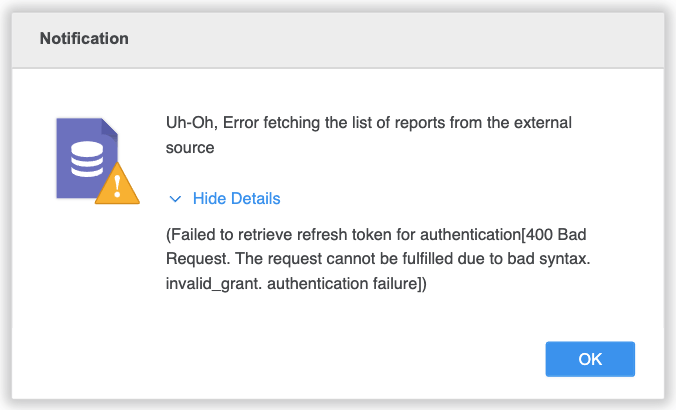
Error: INVALID_GRANT

Failed to retrieve refresh token for authentication[400 Bad Request. The request cannot be fulfilled due to bad syntax. invalid_grant. authentication failure]
ka04W000001IwmJQAS_0EM4W0000038aee.jpeg


This error occurs when the client uses a production account to log into the sandbox environment or vice versa.

Solution


Use the account credentials based on the selected Salesforce instance - default or sandbox.


Comment

0 comments

Details

Knowledge Article

Published:

September 22, 2021

Last Updated:

September 24, 2021