EducationSoftwareStrategy.com
StrategyCommunity

Knowledge Base

Product

Community

Knowledge Base

TopicsBrowse ArticlesDeveloper Zone

Product

Download SoftwareProduct DocumentationSecurity Hub

Education

Tutorial VideosSolution GalleryEducation courses

Community

GuidelinesGrandmastersEvents
x_social-icon_white.svglinkedin_social-icon_white.svg
Strategy logoCommunity

© Strategy Inc. All Rights Reserved.

LegalTerms of UsePrivacy Policy
  1. Home
  2. Topics

Troubleshooting the invalid manifest file error for PowerPoint and Excel add-ins


Alejandro Olvera Velasco

Product Manager, Principal • MicroStrategy


This knowledge base article provides troubleshooting steps in case an administrator encounters an “Invalid manifest file” error when trying to deploy the PowerPoint and the Excel add-in through the MSFT-365 admin center.

SYMPTOM 
“Invalid manifest file” error is displayed when deploying the add-in through the MSFT Admin Center. 
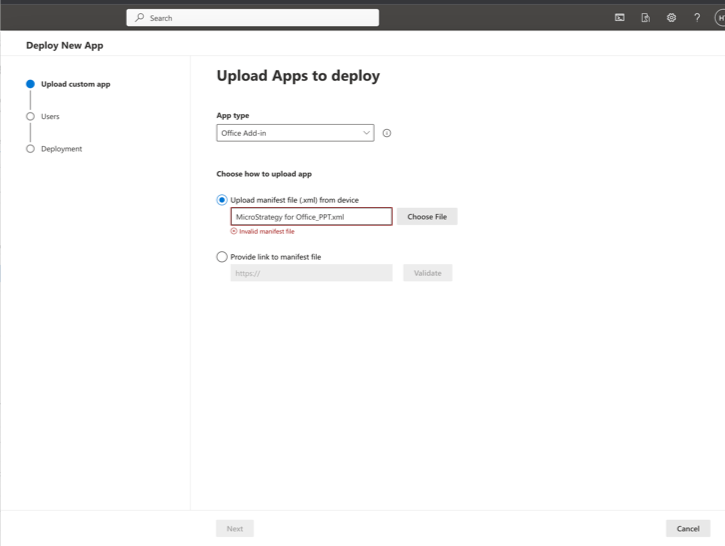
ka04W000000uGayQAE_0EM4W0000090uJu.png

ACTION 
This is a known issue in Strategy One Update 11 (September 2023) release. Perform the following steps to fix the issue: 

  • Open the generated XML in a text editor. 
  • Search for element ‘Action’ with type ‘ShowTaskpane’ in the file
ka04W000000uGayQAE_0EM4W0000090uJv.png
  • Remove the line <TaskpaneId>Office.AutoShowTaskpaneWithDocument</TaskpaneId> from the xml file. 
ka04W000000uGayQAE_0EM4W0000090uJw.png
  • Save the changes and redeploy the file.
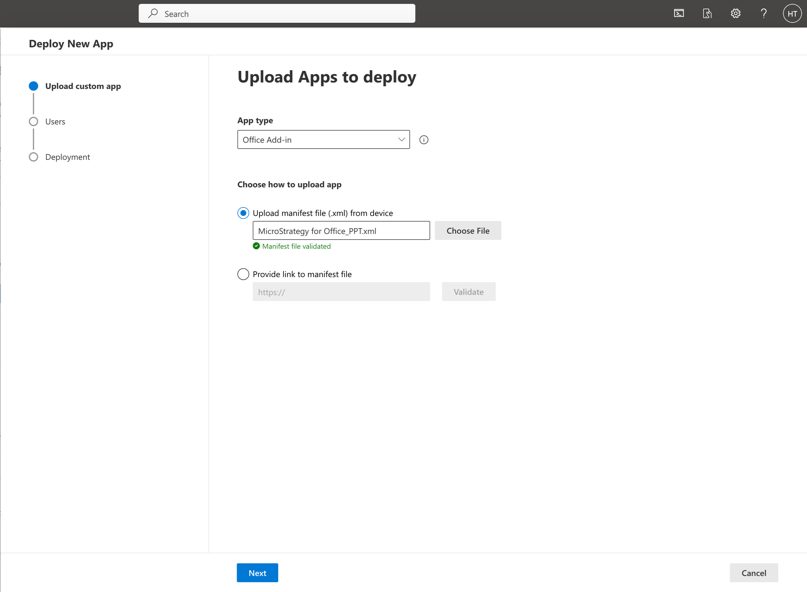
  • Manifest file is now validated and does not throw any error.  
ka04W000000uGayQAE_0EM4W0000090uJx.png

Strategy plans to publish a new version of Workstation that fixes this problem. This article will be updated when the new version is available in the download site.


Comment

0 comments

Details

Knowledge Article

Published:

September 28, 2023

Last Updated:

September 28, 2023