Starting with the release of Strategy ONE (March 2024), dossiers are also known as dashboards.
When running reports or dossiers against Google BigQuery after upgrading Strategy from version 2020 Update 4 to 2020 Update 6 or 2021, you may encounter the following error message.
Failed to execute query.
(Error in accessing information from the external data source (Database instance: (DataImport)[0], Error:FetchScroll failed. Error type: ODBC error. Odbc operation attempted: SQLFetchScroll. [HY000:131: on SQLHANDLE][Strategy][BigQuery](131) Unable to authenticate with Google BigQuery Storage API. Check your account permissions.))
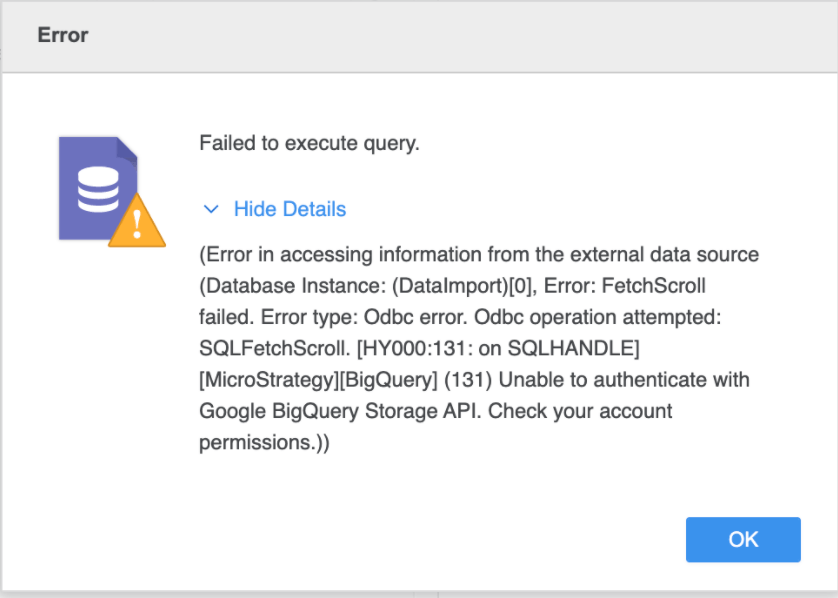
You may have set the following parameters in your DSN or JDBC connection string in the pre-upgrade environment:
EnableHTAPI=0
HTAPI_MinResultsSize=1000
HTAPI_MinActivationRatio=0
The BigQuery Simba driver used prior to Strategy 2020 Update 6 is 2.2.2.1007, and the current Simba driver shipped with MicroStratgey 2020 Update 6 or version 2021 Update 4 is 2.3.5.1009. According to our Magnitude vendor, the
EnableHTAPIsetting on the driver has since been obsolete and no longer controls the ON/OFF behavior of High-Throughput API. The driver now listens to the the following four settings to determine whether the High-Throughput API is enabled:
HTAPI_MinResultsSize=1000
HTAPI_MinActivationRatio=3
RowsFetchedPerBlock=100000
UseSystemTrustStore=0
From the example settings above, any report exceeding 1000 rows trigger the High-Throughput API. However, if the BigQuery users are not given the following permissions to access High-Throughput API (Storage API), the error is triggered.
bigquery.readsessions.create– Creates a new read session via the BigQuery Storage API
bigquery.readsessions.getData– Reads data from a read session via the BigQuery Storage API
bigquery.readsessions.update– Updates a read session via the BigQuery Storage API
Refer to the following two solutions to avoid this error.
HTAPI_MinResultsSize=10000000
HTAPI_MinActivationRatio=3
The following are settings and their definitions. See the Installation and Configuration Guide for the Magnitude Simba Google BigQuery ODBC Data Connector for more information.
EnableHTAPI = 0is ignored starting in Strategy 2020 Update 6 and 2021 Update 4 version due to a driver update (version 2.3.0 [GAUSS-1070] High-throughput API for anonymous tables. See the SIMBA/Google Release notes.
HTAPI_MinActivationRatio) value, the connector switches to using the BigQuery High-Throughput API.
HTAPI_MinResultsSize).
