Starting with the release of Strategy ONE (March 2024), dossiers are also known as dashboards.
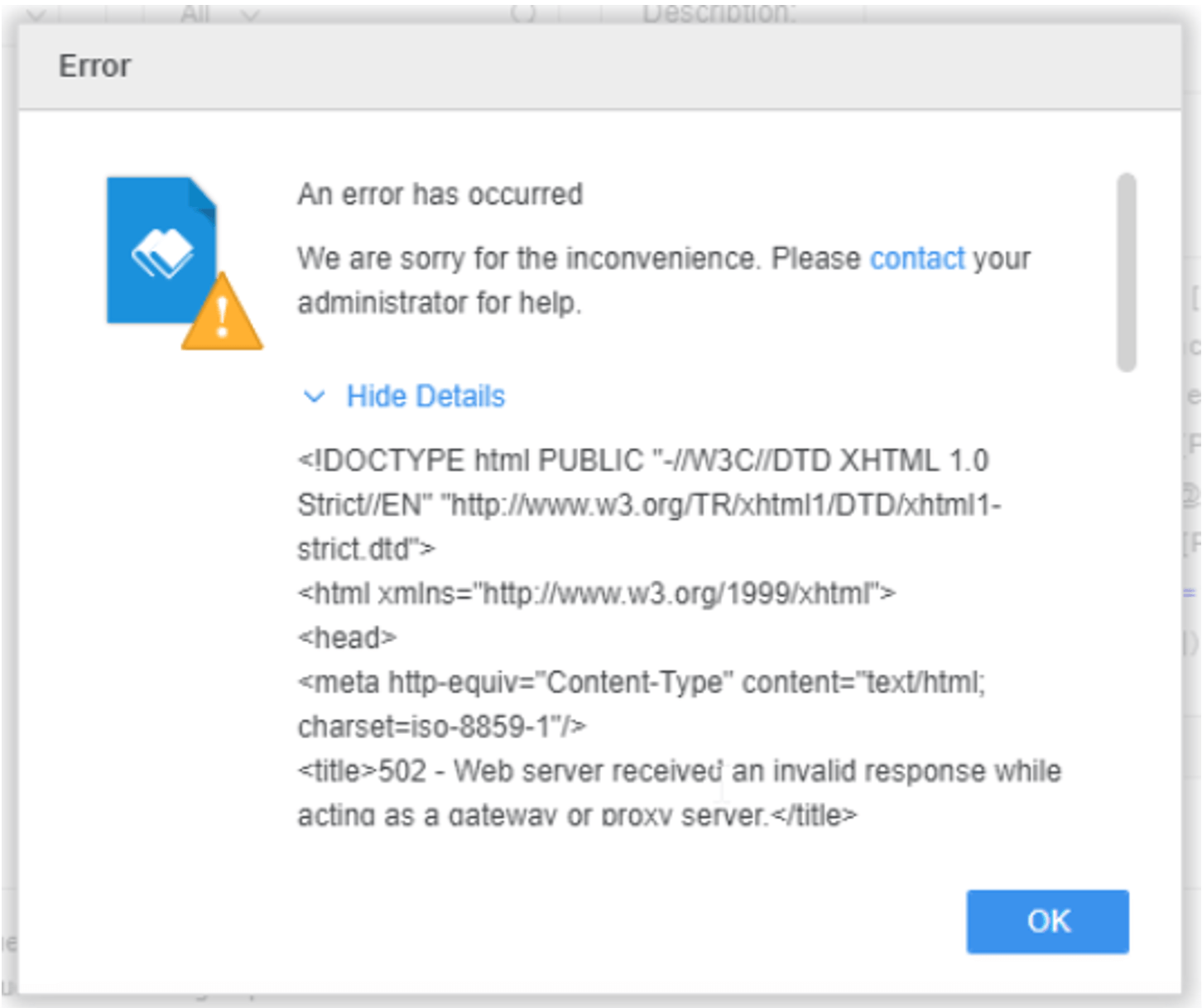
We have identified a problem while creating a long case statement for a derived metric in a dossier, the formula can be validated correctly in the metric editor, but when clicking Save, the metric does not save and the derived metric Editor does not close like it should. The derived metric can’t be created successfully, and, in the process, a generic error message can pop up:
“There is a problem with the page you are looking for, and it cannot be displayed. When the Web server (while acting as a gateway or proxy) contacted the upstream content server, it received an invalid response from the content server.”
Error message:
While analyzing the network trace we’ve found out that the actual error message behind this problem is:
<!DOCTYPE html PUBLIC "-//W3C//DTD XHTML 1.0 Transitional//EN" "http://www.w3.org/TR/xhtml1/DTD/xhtml1-transitional.dtd " >
<html>
<head>

	<script>
		self.mstrResponse = {
				'errorMessage':  'We could not locate a task from the supplied request. Please specify a value for the \'taskId\' parameter. ',
				'statusCode':    303,

		};

		if(parent && parent.mstr && parent.mstr.http && parent.mstr.http.Governor){
			parent.mstr.http.Governor.onFrameProcLoad(self);
		}
	</script>
</head>
</body>
</html>
The root cause of the problem is the POST request size that exceeds size allowed by the Web Server (in this case Tomcat).
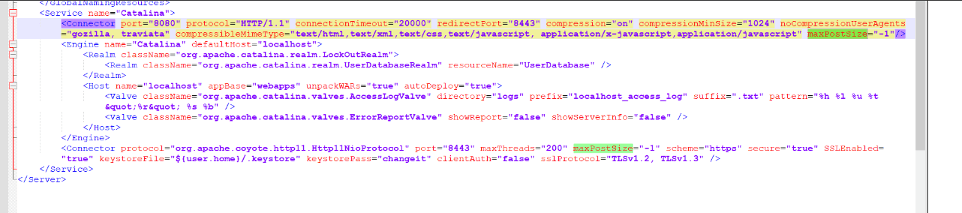
A valid workaround is to edit the server.xml file in Tomcat’s config files and set parameter maxPostSize=”-1” in the “Connector” tag. After saving the changes Tomcat needs to be restarted and form now on it should allow to create very complex derived metrics.
C:\Program Files (x86)\Common Files\Strategy\Tomcat\apache-tomcat-9.0.58\conf\server.xml