Starting with the release of Strategy ONE (March 2024), dossiers are also known as dashboards.
Symptom: When deleting a dossier in web, user may encounter dependency error and yet no dependency is returned when right click on object to search for dependency in web. Searching for dependency in developer will reveal true dependencies and allow user to remove such dependency.
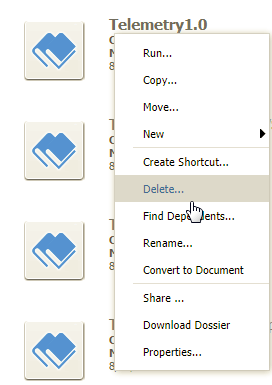
1. In Strategy Web, right click on a dossier to delete
2. Unable to delete due the following error

3. Right click on the same dossier in web to search for dependency: no dependency is found - this is because web dependency check does not run outside of the "Shared Reports" folder if the object resides within the "Shared Reports" folder or its sub-folders.
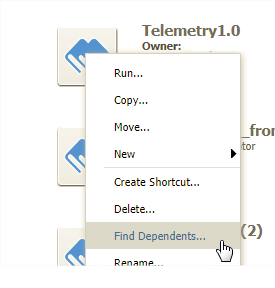

Cause: Web dependency check does not run outside of the shared reports folder if the object resides within the "Shared Reports" folder or its sub-folders.
Solution:
1. Search for dependency via developer:

2. Delete the shortcuts if not needed and user should be able to delete the actual dossier in question. Note user would need to have developer architect privileges in order to remove any dependencies.
KB438898
