SUMMARY:
This technical note describes a known issue in Strategy Developer 10.x and above when attempting to modify an Attribute Element Prompt
SYMPTOM:
When editing an attribute element prompt in Developer and changing the number of elements available to the user from a pre-defined list to “List all elements” and saving the changes, when going back and editing the prompt, the changes are not applied.
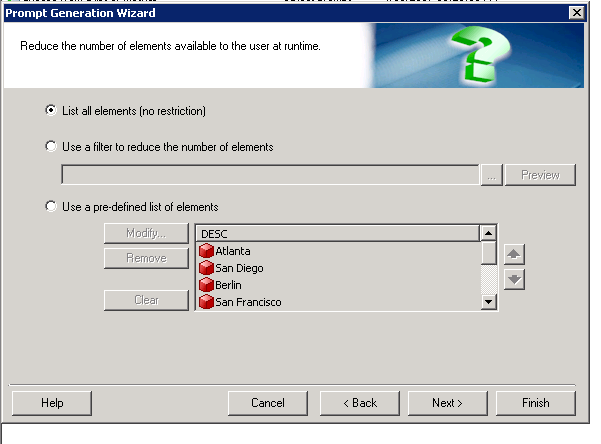
STEPS TO REPRODUCE:
1. Edit the Attribute Element Prompt
2. Select Attribute (No change) click next
3. Change radio button from “Use a pre-defined list of elements” to “List all elements (no restrictions)
4. Click Next
5. Select Finish
6. Go back and edit same attribute element prompt > notice previous changes aren’t applied
CAUSE:
This is an identified defect in Strategy Developer 10.x with changes not being applied when changing an Attribute Element Prompt from a predefined list to listing all elements.
ACTION
Currently this issue is being reviewed by Strategy for a potential code fix in an upcoming Strategy release. Contact Strategy Technical Support for the latest update on this issue.
WORKAROUND
Edit the Attribute Element Prompt from Strategy Web and modify the number of elements available to “List all elements”. The changes are saved when editing the prompt from Web.
KB425868
