SAP HANA now offers a Text Join feature. This type of join is useful when a database or BI software, like Strategy, are required to provide data and analytics in more than one language.
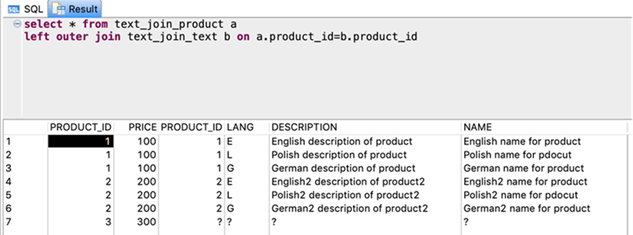
Text Join is used to get language-specific data. It behaves like a 1:1 cardinality left outer join, but you specify a Language Column in its definition. This is often called SPRAS in SAP systems. The Language Column in the definition is used to return session specific data. Depending on the LOCALE and LOCALE_SAP parameters of a session, only data in the relevant language is returned.
Strategy allows for tight integration with the Text Join feature on any of the following levels:
SAP HANA Calculation view is a powerful information view. To create one for Text Join, use the steps below.
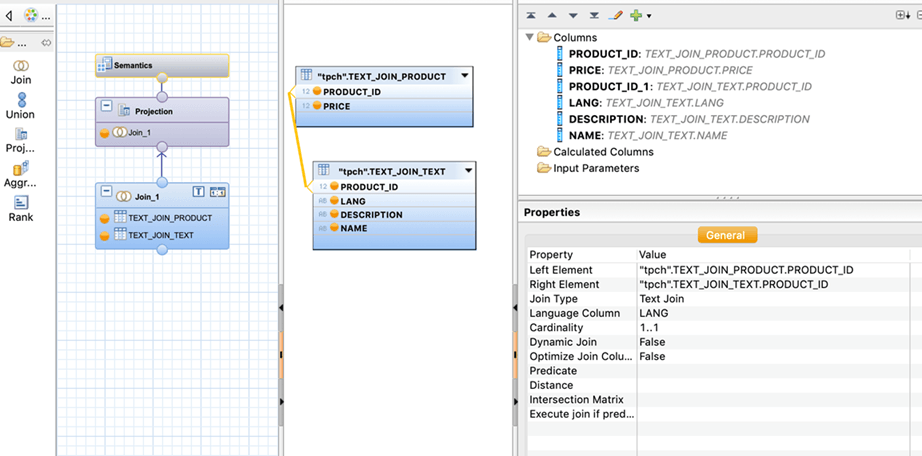
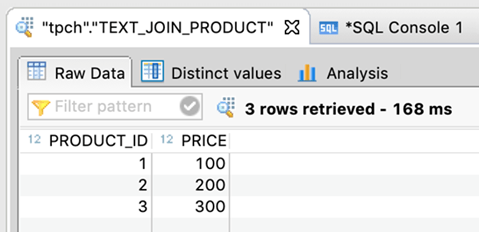
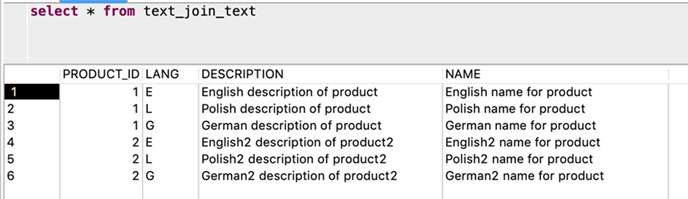
The best way to utilize Text Join capabilities in Strategy is through a feature called Connection Mapping. Use the following steps to enable Connection Mapping.
Note: You must be an administrator to perform the following steps.
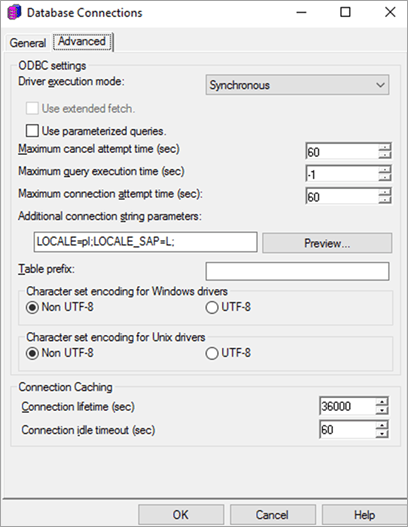
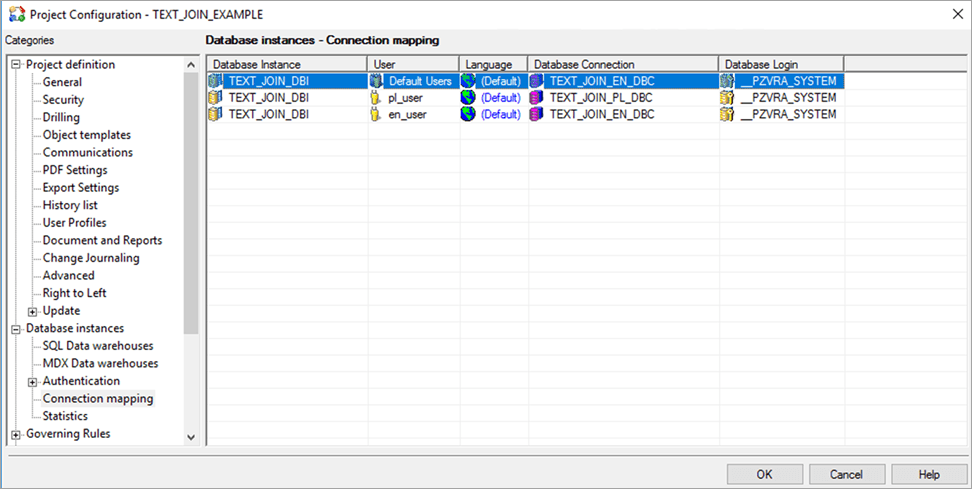
To determine which values for LOCALE and LOCALE_SAP correspond to which language, use the following SQL statement to check your values for a current session.
Note: Single quotes and uppercase letters must be used.
SELECT SESSION_CONTEXT(‘LOCALE’) FROM DUMMY;SELECT SESSION_CONTEXT(‘LOCALE_SAP’) FROM DUMMY;
You can use a DSN-less connection in Strategy Web to utilize Text Join in SAP HANA. To use a DSN-less connection, use the following video:
You can also use a DSN connection to utilize Text Join in SAP HANA. To use this configuration, you must add the following parameters to the odbc.ini configuration file to specify a database connection.
Note: The follow parameter sets the language to Polish.
LOCALE=pl;LOCALE_SAP=L;
To determine which values for LOCALE and LOCALE_SAP correspond to which language, use the following SQL statement to check your values for a current session.
Note: Single quotes and uppercase letters must be used.
SELECT SESSION_CONTEXT(‘LOCALE’) FROM DUMMY;SELECT SESSION_CONTEXT(‘LOCALE_SAP’) FROM DUMMY;
