SYMPTOM:
The DSSErrors show entries similar to the following:
2017-03-22 09:32:42.129+01:00 [HOST:bav103][PID:6951][THR:85526272][Kernel][Error] MsiUserSession::AddUserJob: maximum jobs per user connection on project Strategy Tutorial exceeded
This error is related to the Jobs per user session, which is defined as the limit of the number of concurrent jobs a user may have during a given session at any given time. Concurrent jobs include report, element, and autoprompt requests that are executing or waiting to execute. Finished (open) jobs, cached jobs, or jobs that returned errors are not counted. A value of -1 indicates no limit. By default, this is set to 100.
Please recall that a user, (account), can have multiple sessions open, that are created when the user chooses to login from several clients.
When the setting is exceeded, the above error is returned in a report and its execution cancelled.
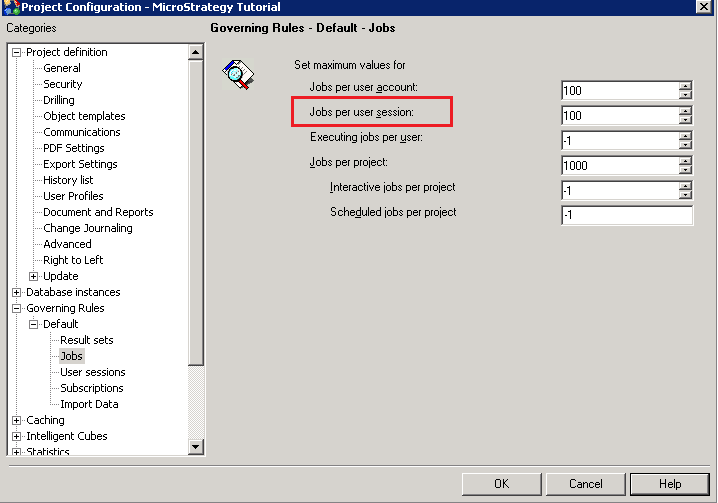
In a clustered system, this setting limit the number of concurrent jobs per project on each node of the cluster.
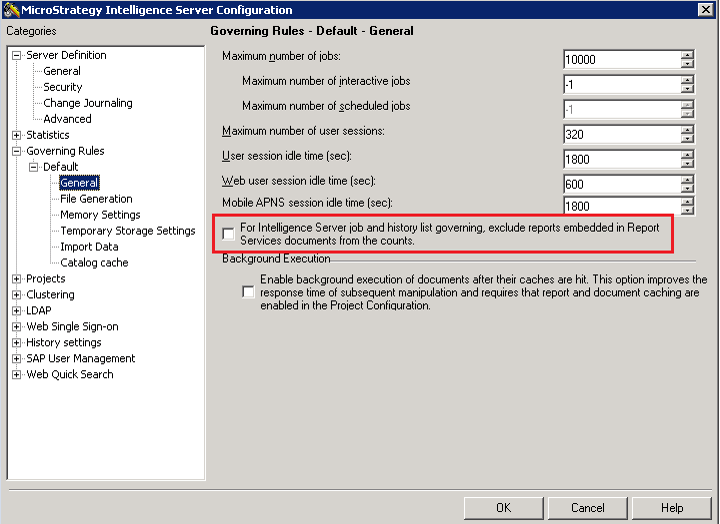
The setting For Intelligence Server job and History List governing, exclude reports embedded in Report Services Documents from the counts in the Intelligence Server Configuration Editor/ Governing Rules / General category, applies to these limits as well. If this setting is enabled, reports executed as part of a Report Services Document are not counted against the job limits. By default, this setting is disabled.