EducationSoftwareStrategy.com
StrategyCommunity

Knowledge Base

Product

Community

Knowledge Base

TopicsBrowse ArticlesDeveloper Zone

Product

Download SoftwareProduct DocumentationSecurity Hub

Education

Tutorial VideosSolution GalleryEducation courses

Community

GuidelinesGrandmastersEvents
x_social-icon_white.svglinkedin_social-icon_white.svg
Strategy logoCommunity

© Strategy Inc. All Rights Reserved.

LegalTerms of UsePrivacy Policy
  1. Home
  2. Topics

Users can’t see HyperIntelligence Cards created by other users


Marenssi Marenssi

Senior Cloud Support Migrations Engineer I • MicroStrategy


SYMPTOM
After a user creates one or more HyperIntelligence Cards only he can see the cards available in the HyperIntelligence for Web Extension.
CAUSE
Cards need to be Certified by an Administrator to be publicly available
ACTION
Open Strategy Workstation and connect to your environment
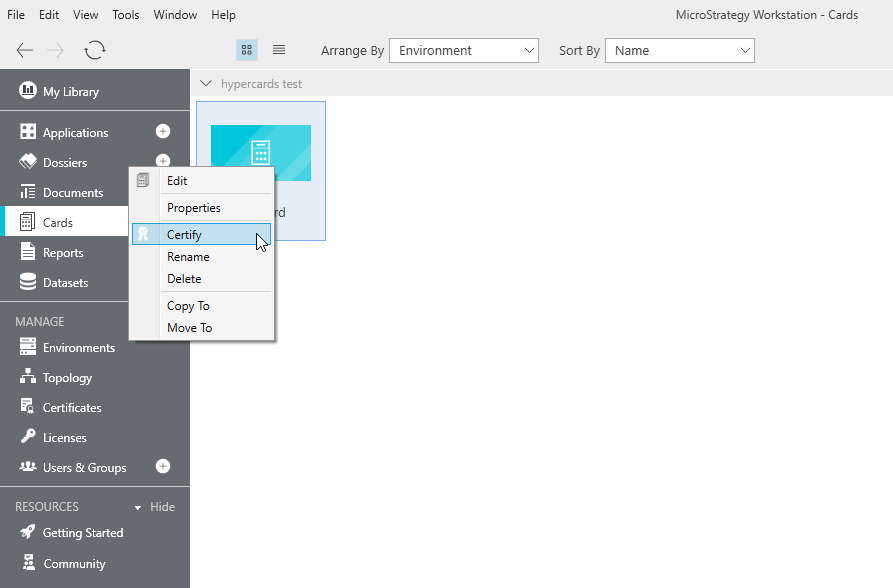
Under Cards, right-click the card you need to be available and select “Certify”
 

ka02R000000ke7lQAA_0EM44000000giA3.jpeg

 
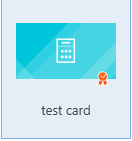
A ribbon will appear in the card thumbnail showing that it is certified.
ka02R000000ke7lQAA_0EM44000000giAI.jpeg


Comment

0 comments

Details

Knowledge Article

Published:

March 28, 2019

Last Updated:

March 28, 2019