EducationSoftwareStrategy.com
StrategyCommunity

Knowledge Base

Product

Community

Knowledge Base

TopicsBrowse ArticlesDeveloper Zone

Product

Download SoftwareProduct DocumentationSecurity Hub

Education

Tutorial VideosSolution GalleryEducation courses

Community

GuidelinesGrandmastersEvents
x_social-icon_white.svglinkedin_social-icon_white.svg
Strategy logoCommunity

© Strategy Inc. All Rights Reserved.

LegalTerms of UsePrivacy Policy
  1. Home
  2. Topics

Using Hyper cards to present Web traffic analytics directly on every respective webpage


Robert Prochowicz

Manager, Sales Engineering • MicroStrategy


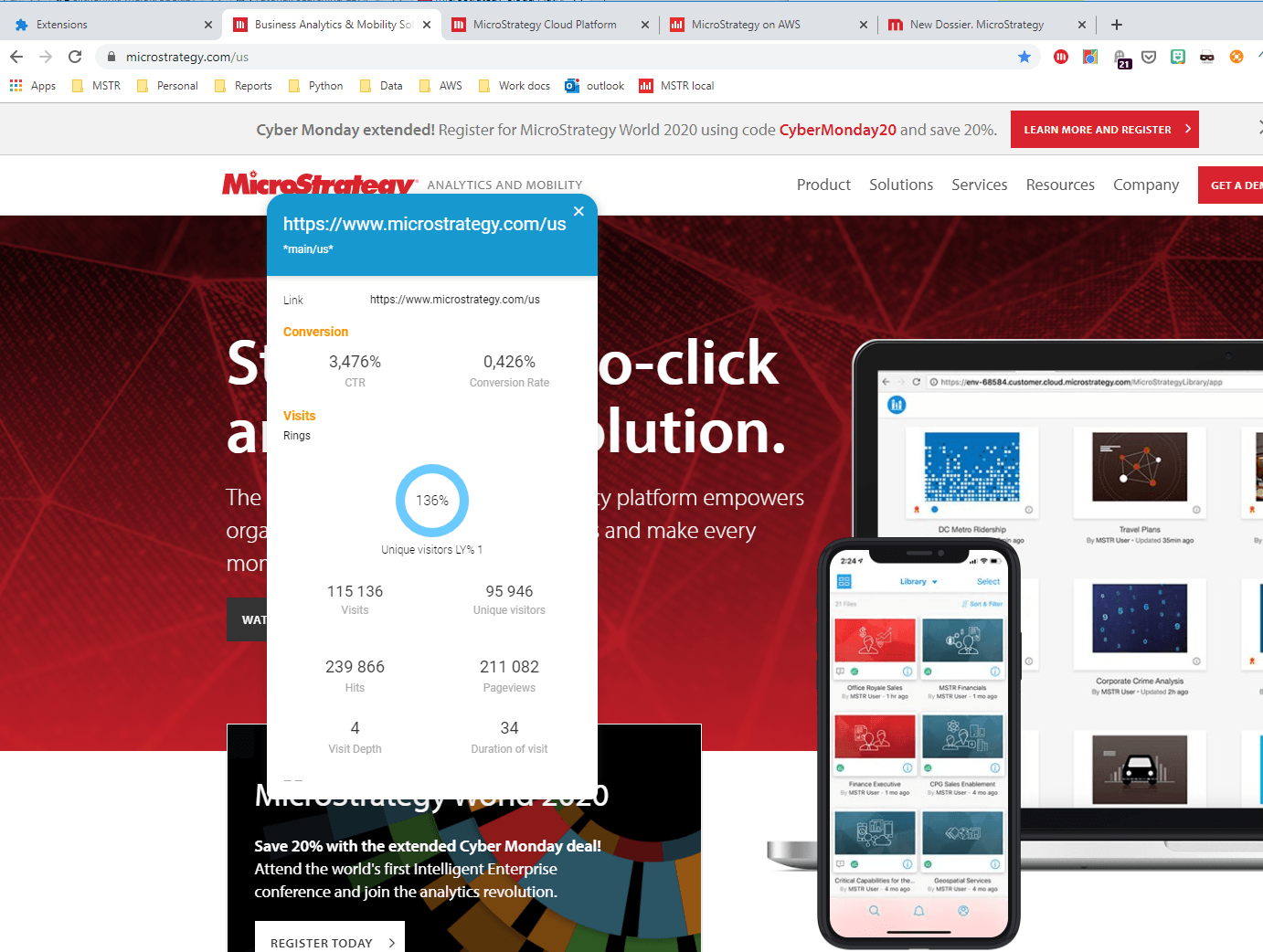
It's important nowadays to analyze web traffic statistics. People responsible for web traffic would be happy to see those statistics immediately on each respective page. Hyper cards are great for that task. However, there is one problem here. It is a unique keyword representing each page - usually you don't see such ID's on customer facing websites. This article presents an easy solution to that challenge.
ka04W000000ObFsQAK_0EM2R000000n2W7.jpeg

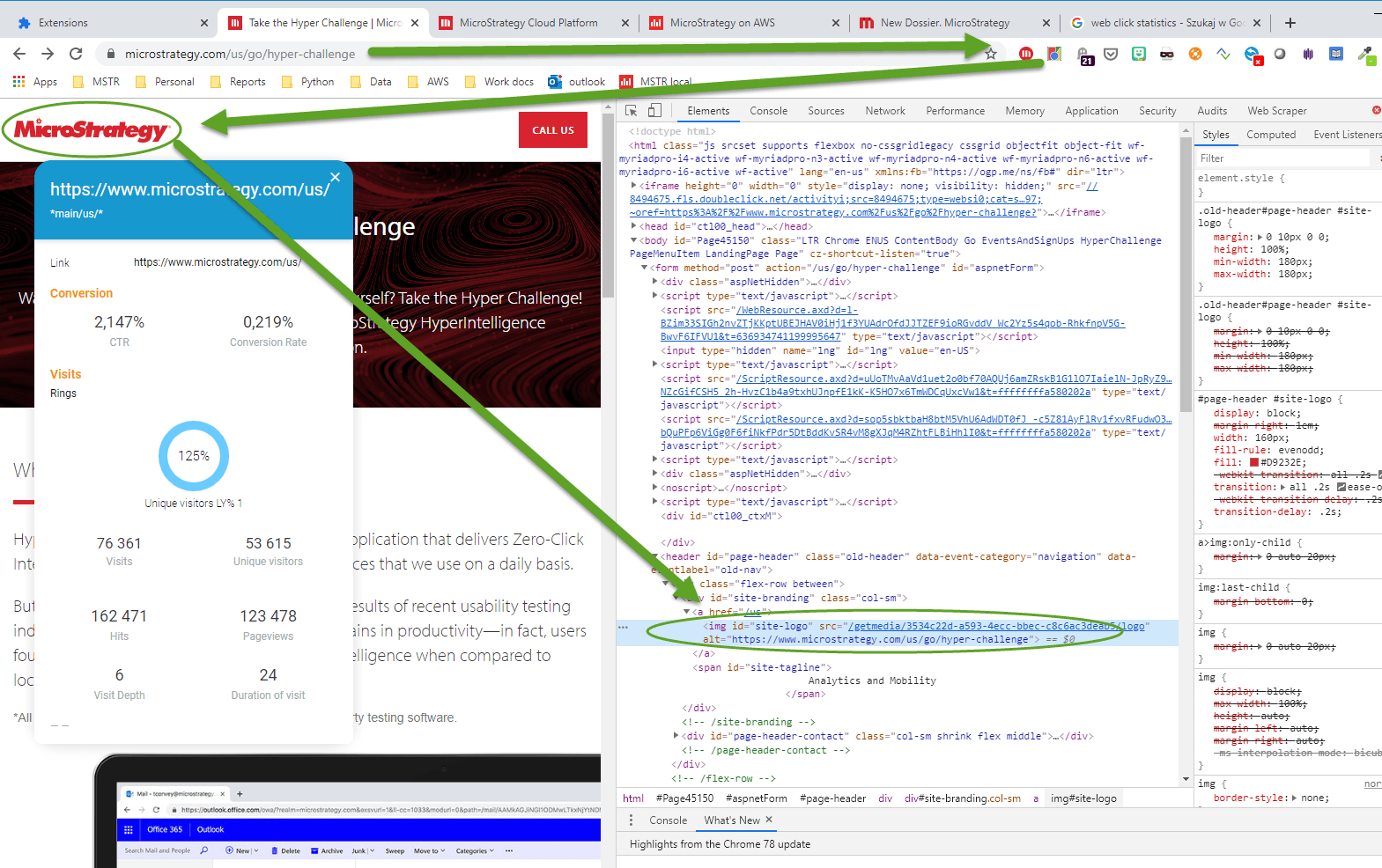
The solution is a small Chrome extension that would read URL of each page and inject it to the website on page load. It could be a small text on top of each page. In this example the URL keyword is not visible - it is hidden behind an image. The Chrome extension will put page URL into ALT tag of the logo image (present on each page). Now, when you hover your mouse over the logo you will see webclick statistics of the current page. Cool!
ka04W000000ObFsQAK_0EM2R000000n2WC.jpeg

With a Python script I scrapped all URLs from the main WWW page and generated random traffic data for them. Then created a hyper card. Now the data is available for the main page and on every subpage 1 level deep from the main page. It works great as a demo, but can be easily use in production solutions.
See attached video with the solution as well as ZIP file containing
- custom chrome extension that needs to be added to Chrome browser
- Excel file with dummy data (in case you would like to build your own cards)
- Python script for web scrapping URLs from any website.
 
For this solution to work you need two Chrome extensions:
1.    Standard Strategy HyperWeb card plugin
2.    Custom Chrome extension (install manual: https://webkul.com/blog/how-to-install-the-unpacked-extension-in-chrome/)

ka04W000000ObFsQAK_0EM2R000000n2W2.jpeg

Comment

0 comments

Details

Example

Published:

December 5, 2019

Last Updated:

November 21, 2022