Starting with the release of Strategy ONE (March 2024), dossiers are also known as dashboards.
The Python code below performs object search. The result of the search is saved as a JSON and CSV files. Those files can be later imported back into Strategy dossier. You can also use the results to build custom HTML or Javascript interfaces that will be presented to the end users.
There are several parameters at your disposal like:
- object type
- root folder
- whether to include ancestors (folder structure)
Object Types reference:
Note - 'requests' and 'pandas' are Python libraries that you need to install in your Python environment (pip install requests)
Note - I've added color formatting in the code below (http://hilite.me/). Code copied from here might not work due to indentation issues. In that case, use attached file with sample code.
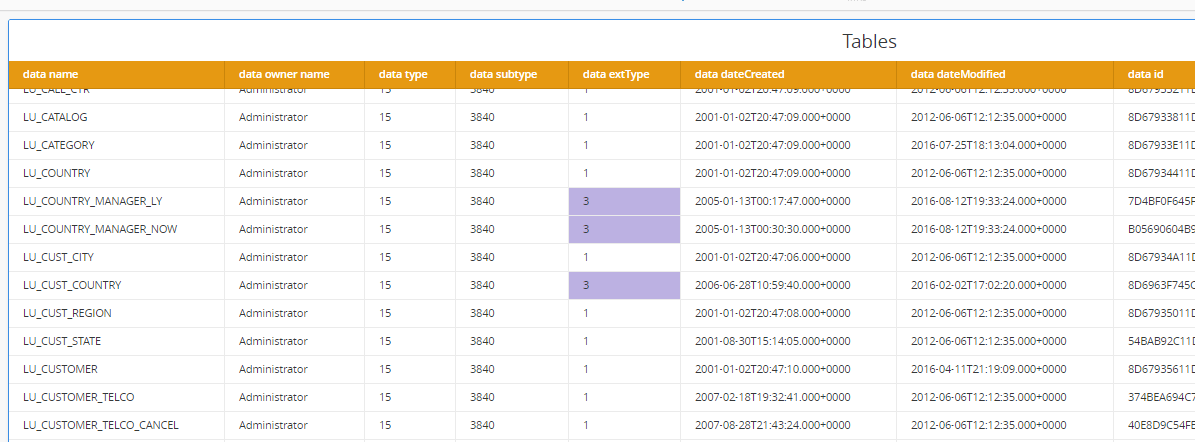
Example of a dossier based on the output JSON file. extType 1 means tables imported from DWH. extType 3 means Logical Views (based on custom SQL)
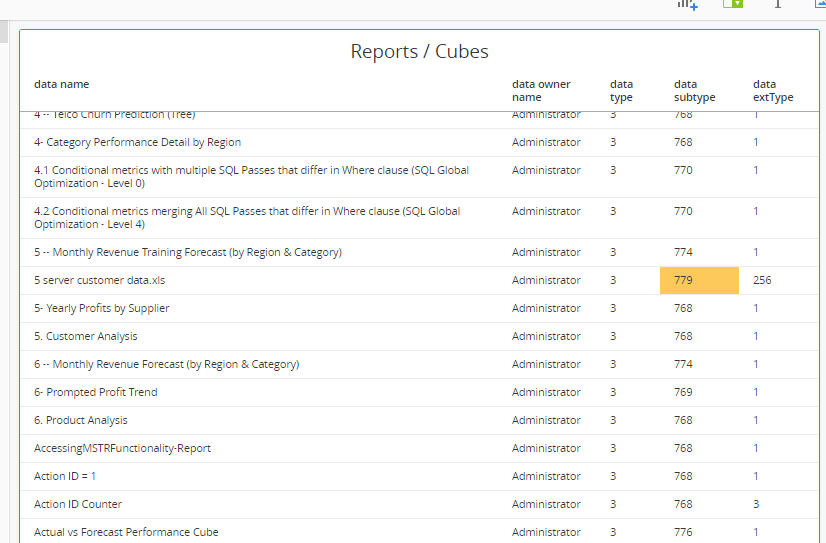
Subtype is important for filtering. In this example Subtype 768 represents "Report displayed as a grid". Subtype 779 represents a cube build with Web data import.
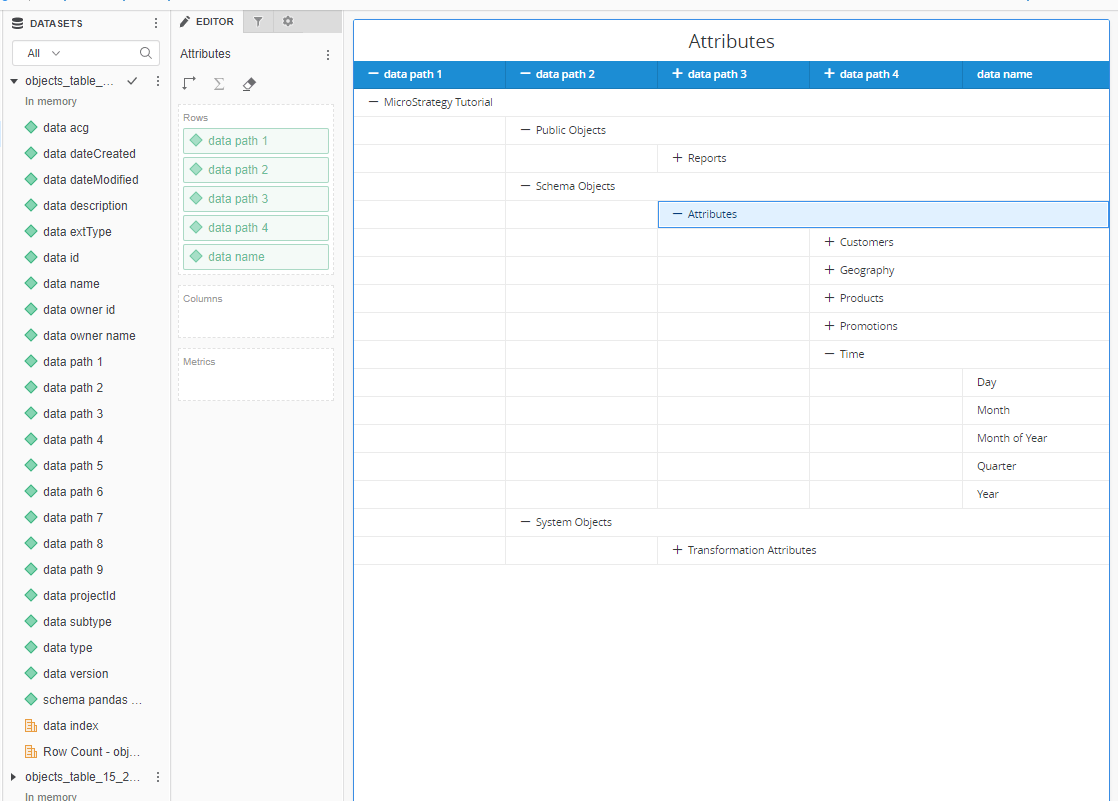
With outline mode you can even represent the folder structure (remember to wrangle 'path' column by splitting it by '>')
# Strategy JSON DATA PUSH API
# Getting information about Metadata objects - by Robert Prochowicz
# Tested with MSTR 2019 update 3 / 2019-11-27

import requests
import pandas as pd
import csv
from datetime import datetime

### Parameters ###
api_login = 'XXX'
api_password = 'YYY'
login_mode = 1 #1-standard, 16-LDAP
project_id = 'B7CA92F04B9FAE8D941C3E9B7E0CD754' #B7CA92F04B9FAE8D941C3E9B7E0CD754 is standard Tutorial
base_url = 'http://YOR_SERVER/StrategyLibrary/api/'
root_folder = '' #D3C7D461F69C4610AA6BAA5EF51F4125
object_type = 3 #55 - document/dossier ; 3 - report/cube ; 15 - table ; 4 - metric ; 12 - attribute
# Types table: https://www2.Strategy.com/producthelp/Current/WebAPIReference/com/MicroStrategy/webapi/EnumDSSXMLObjectTypes.html#DssXmlTypeTable
# Subtypes table: https://www2.Strategy.com/producthelp/Current/WebAPIReference/com/MicroStrategy/webapi/EnumDSSXMLObjectSubTypes.html#DssXmlSubTypeAttributeTransformation
# extTypes table: https://www2.Strategy.com/producthelp/Current/WebAPIReference/com/MicroStrategy/webapi/EnumDSSExtendedType.html
get_ancestors = 'true'
limit_search = -1

#### FUNCTIONS ###
def login(base_url,api_login,api_password,login_mode):
    print("Getting token...")
    data_get = {'username': api_login,
                'password': api_password,
                'loginMode': login_mode}
    r = requests.post(base_url + 'auth/login', data=data_get)
    if r.ok:
        authToken = r.headers['X-MSTR-AuthToken']
        cookies = dict(r.cookies)
        print("Token: " + authToken)
        return authToken, cookies
    else:
        print("HTTP %i - %s, Message %s" % (r.status_code, r.reason, r.text))

def set_headers(authToken,project_id):
    headers = {'X-MSTR-AuthToken':authToken,
               'Content-Type':'application/json',#IMPORTANT!
               'Accept':'application/json',
               'X-MSTR-ProjectID':project_id}
    return headers

def quickSearch(base_url, auth_token, cookies, project_id, root_folder, object_type, get_ancestors, limit_search):
    headers = set_headers(auth_token,project_id)
    search_url = (base_url  + "searches/results?" + "root=" + root_folder + "&type=" + str(object_type)
                  + "&getAncestors=" + get_ancestors + "&limit=" + str(limit_search))
    print("Quick Search...")
    r = requests.get(search_url, headers=headers, cookies=cookies)
    if r.ok:
        print("Error: " + str(r.raise_for_status()) + "   ||   HTTP Status Code: " + str(r.status_code))
        print("Total Items: " + str(r.json()['totalItems']))
        return r.json()
    else:
        print("HTTP %i - %s, Message %s" % (r.status_code, r.reason, r.text))

def main():
    authToken, cookies = login(base_url,api_login,api_password,login_mode)
    #### Quick Search
    search_result = quickSearch(base_url, authToken, cookies, project_id, root_folder,
                                object_type, get_ancestors, limit_search)
    list_search = search_result['result'] # cutting out unnecessary level of data

    # Adding path info
    for row in list_search:
        path=''
        if 'ancestors' in row: # necessary if you set get_ancestors parameter to false
            for i in range(len(row['ancestors'])):
                path= path+' > '+(row['ancestors'][i]['name'])
        else:
            path="___NO PATH"
        row['path'] = path[3:]

    # Generating JSON files
    curr_date=str(datetime.now()).replace(" ", "_").replace(":", "_").replace(".", "_")
    df = pd.DataFrame(list_search)
    df.to_json(r'objects_table_'+str(object_type)+'_'+curr_date+'.json', orient='table') # this returns multiple tables (more relational structure)
    #df.to_json(r'objects_records_'+str(object_type)+'_'+curr_date+'.json', orient='records') #this returns a single table
    # Generating CSV files
    df.to_csv (r'export_objects_'+str(object_type)+'_'+curr_date+'.csv', index = None, header=True) #Don't forget to add '.csv' at the end of the path
### Main program
main()
