Using Windows Task Scheduler, the clean-kafka-log.bat file can be triggered regularly. This takes care of stopping and starting the services in the desired order and cleans Kafka's temporary files folders.
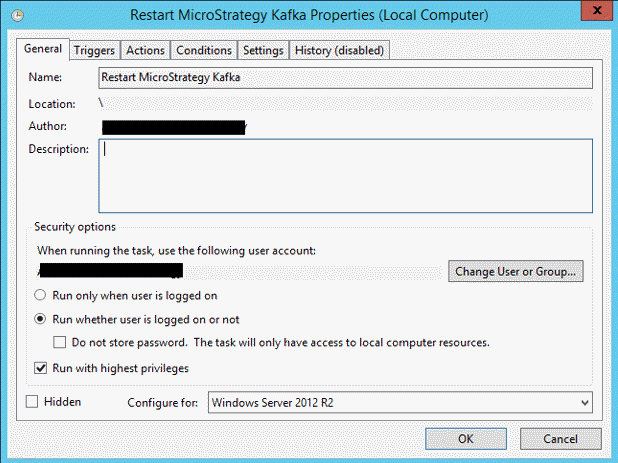
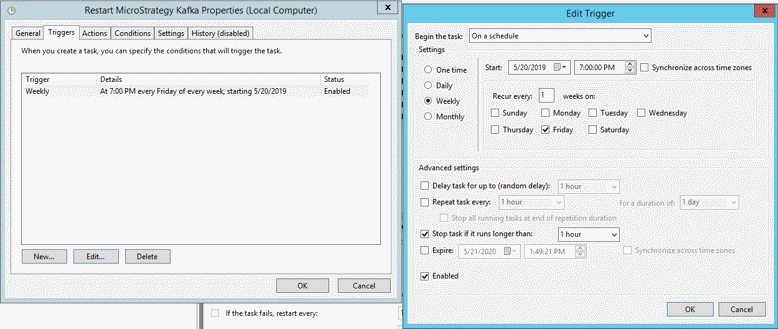
The following screenshots show a sample setup in Task Scheduler:

Choose a schedule that allows a regular cleanup, e.g. once daily or once a week (for systems with less usage):

Program/Script:
C:\Program Files (x86)\MicroStrategy\Messaging Services\Kafka\kafka_2.11-1.1.0\bin\windows\clean-kafka-log.bat
Arguments:
force > clean-kafka-log.out 2>&1
Start in:
C:\Program Files (x86)\MicroStrategy\Messaging Services\Kafka\kafka_2.11-1.1.0\bin\windows


This setup also defines that the output of the script should be sent to C:\Program Files (x86)\MicroStrategy\Messaging Services\Kafka\kafka_2.11-1.1.0\bin\windows\clean-kafka-log.out.
The changes to disable automatic data file cleanup as described in the first chapter needs to be applied first.
KB483307
