EducationSoftwareStrategy.com
StrategyCommunity

Knowledge Base

Product

Community

Knowledge Base

TopicsBrowse ArticlesDeveloper Zone

Product

Download SoftwareProduct DocumentationSecurity Hub

Education

Tutorial VideosSolution GalleryEducation courses

Community

GuidelinesGrandmastersEvents
x_social-icon_white.svglinkedin_social-icon_white.svg
Strategy logoCommunity

© Strategy Inc. All Rights Reserved.

LegalTerms of UsePrivacy Policy
  1. Home
  2. Topics

Video Tutorial - Creating a Server Connection in MicroStrategy Desktop


Kevin Thompson

Associate Scrum Master • Strategy


In this brief video tutorial, Jaime Garcia of our Customer Education team explains how to connect to an Intelligence Server in MicroStrategy Desktop in order to make use of existing datasets in a MicroStrategy project. He then explains how to download custom visualizations from the MicroStrategy Community and make them available for use in MicroStrategy Desktop as well.

Strategy HyperIntelligence for Mobile is an iOS and Android application that lets you use cards on your favorite mobile devices. It is an addition to the HyperIntelligence product family with the MSTR 2019 Update 1 release. HyperMobile provides instant access to information from a variety of enterprise data sources.  
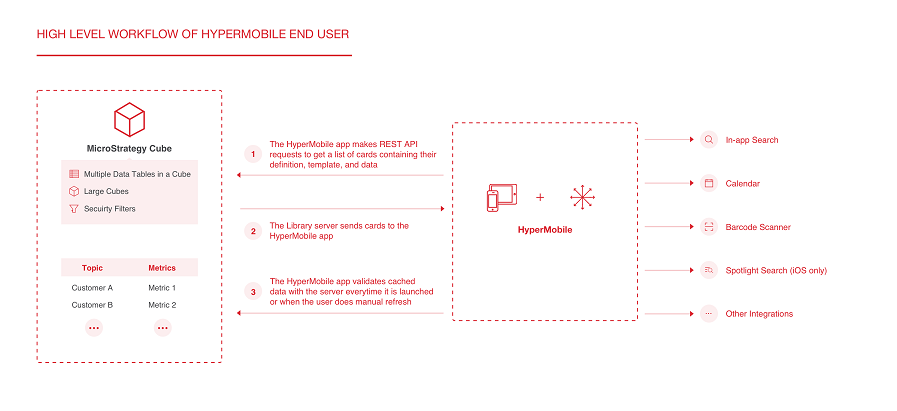
User Workflow 

ka02R000000g6eLQAQ_0EM2R000000o4Y8.jpeg

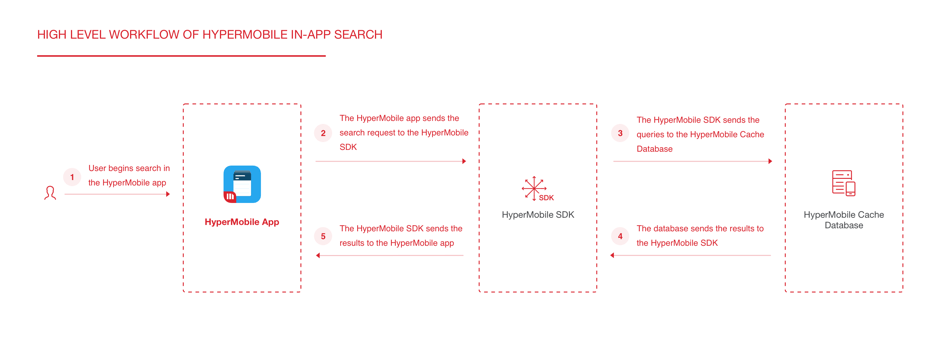
In-App Search Workflow

ka02R000000g6eLQAQ_0EM44000000gl1n.jpeg

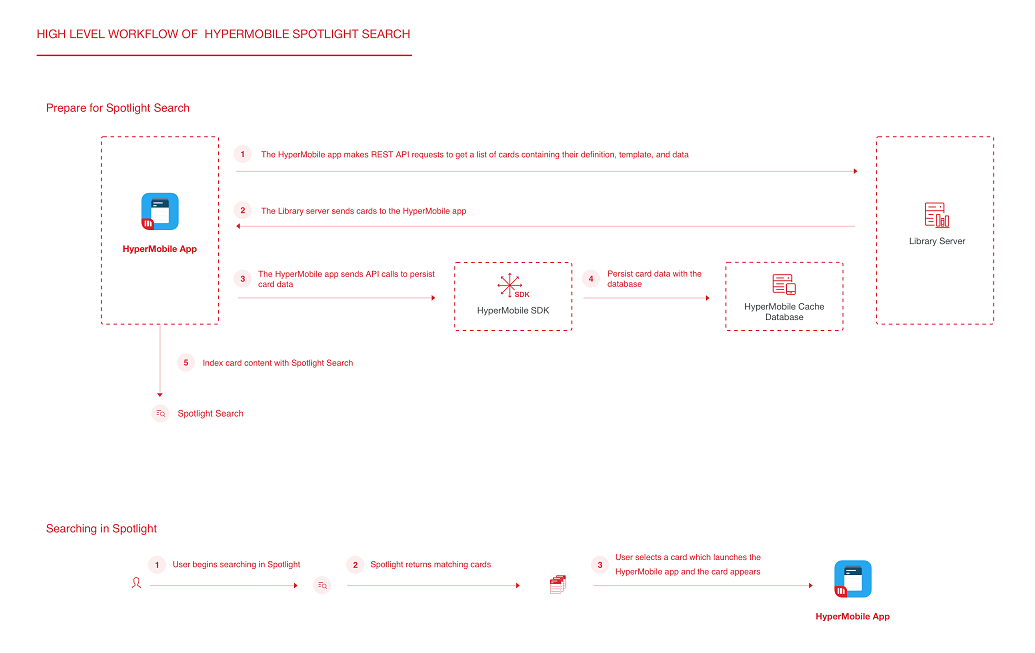
Spotlight Search for iOS Workflow

ka02R000000g6eLQAQ_0EM2R000000o4YI.jpeg

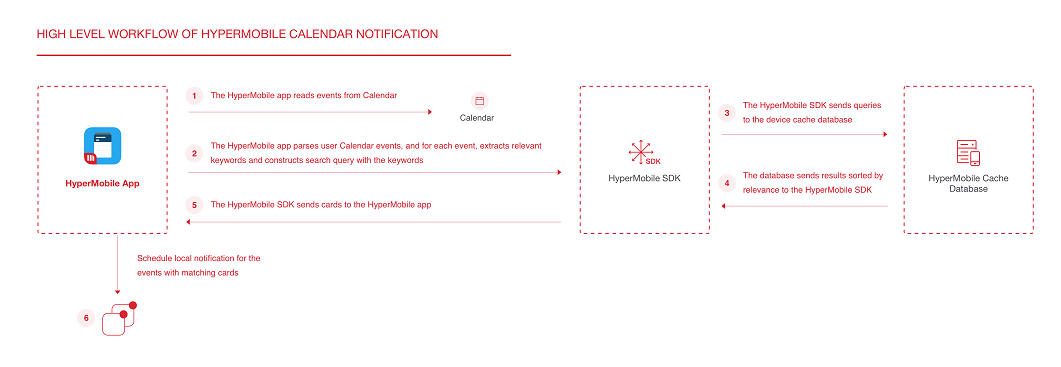
Calendar Notification Workflow

ka02R000000g6eLQAQ_0EM2R000000o4YX.jpeg


System Requirements


For a list of system requirements, see the HyperIntelligence for Mobile Help.


Comment

0 comments

Details

Knowledge Article

Published:

December 28, 2017

Last Updated:

December 28, 2017