This article concerns the installation steps described here .
When deploying the Web Customization Editor (WCE) with Eclipse-IDE-for-Java-Developer, there is a step where the user has to choose the web root folder as the Application root of Eclipse.
When this root folder contains white space (for example, C:\Program Files\Apache Software Foundation\Tomcat 7.0\webapps\MicroStrategy\WEB-INF\), Eclipse deletes the backslashes and tries to find the root application in a non-existent path. For example:
'C:Program Files (x86)Common FilesStrategyTomcatapache-tomcat-8.0.30webappsStrategy ' is not a valid application root".
Eclipse interprets white space as a replacement character. As a result, it makes an invalid path.
Move the Web root application to a file path that will not contain any white space.
The web application is located in a path that resembles:
C:\Program Files (x86)\Common Files\MicroStrategy\Tomcat\apache-tomcat-9.0.12\webapps
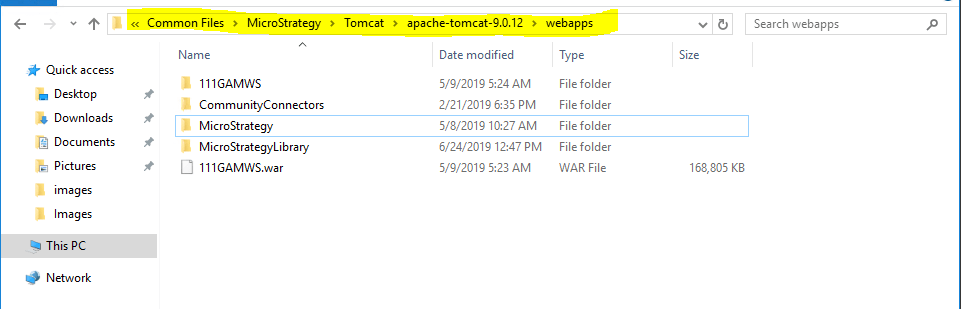
Move the Strategy application folder to a place that does not contain any white space, such as C:\
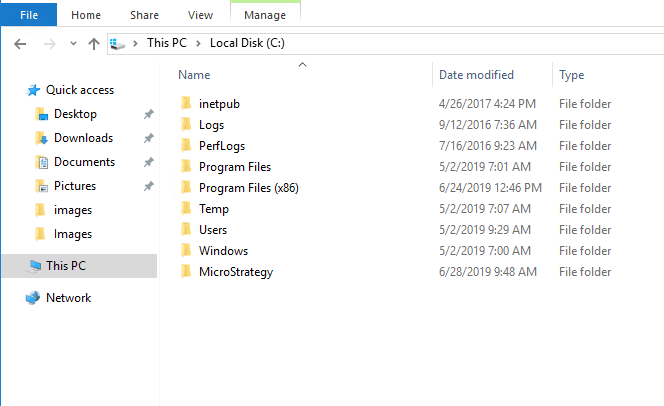
After moving the file, you can complete the steps listed in the installation guide .
