EducationSoftwareStrategy.com
StrategyCommunity

Knowledge Base

Product

Community

Knowledge Base

TopicsBrowse ArticlesDeveloper Zone

Product

Download SoftwareProduct DocumentationSecurity Hub

Education

Tutorial VideosSolution GalleryEducation courses

Community

GuidelinesGrandmastersEvents
x_social-icon_white.svglinkedin_social-icon_white.svg
Strategy logoCommunity

© Strategy Inc. All Rights Reserved.

LegalTerms of UsePrivacy Policy
  1. Home
  2. Topics

KB485591: What governing limits need to be considered when downloading a mstr file to make sure it contains all the datasets and data?


Monica Gallegos Salazar

Principal Product Specialist • MicroStrategy


Starting with the release of Strategy ONE (March 2024), dossiers are also known as dashboards.
A mstr file can be downloaded to be shared with other Strategy Workstation users, or to upload this file to transfer your data from Strategy Workstation to the latest version of Strategy Web; it can also be provided as a troubleshooting step to Technical Support when you are having issues with a particular dossier.
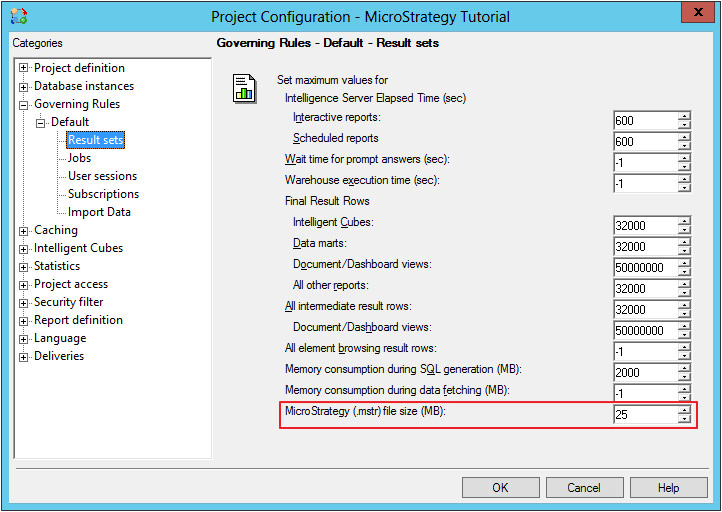
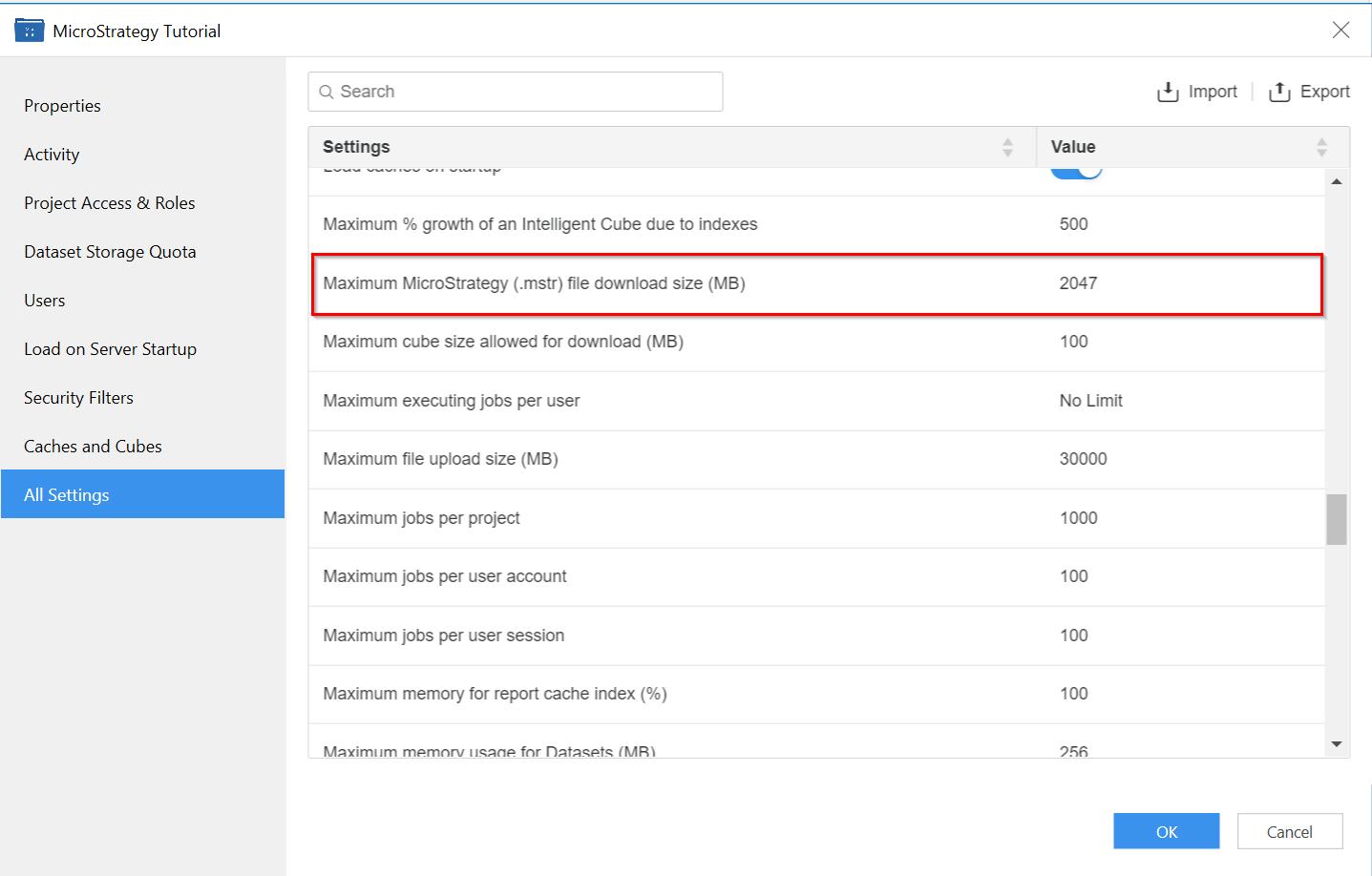
To make sure that all the datasets and data in the dossier are included in the mstr file, there are 2 governing limits that need to be considered; both are set at the Project configuration level (which can be accessed in Developer by right clicking the Project and selecting Project Configuration, or in Workstation, by right clicking the Project and selecting All settings):
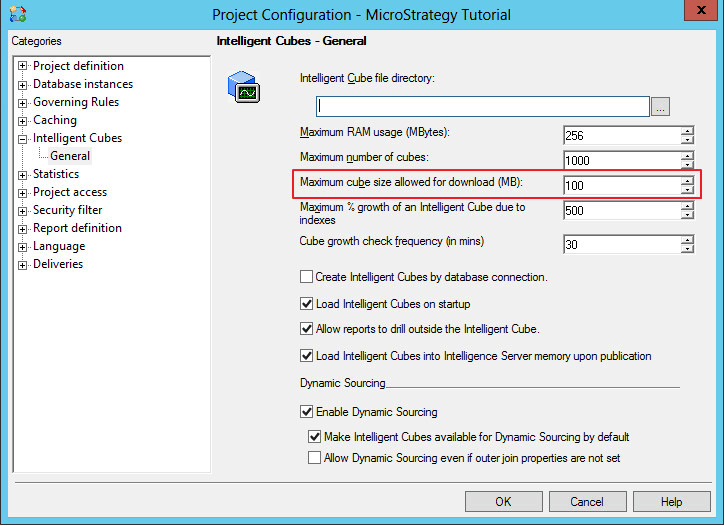
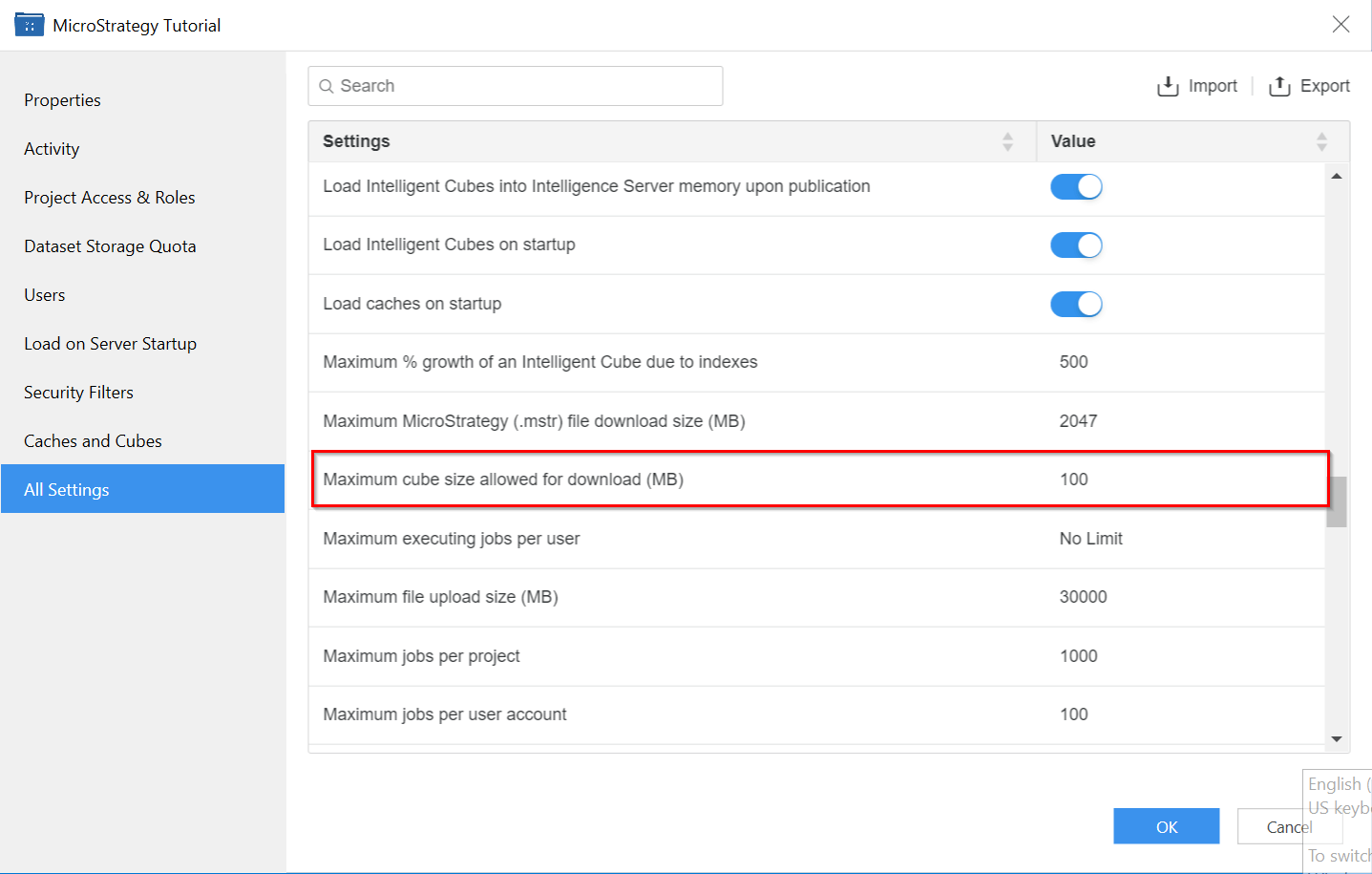
  1. Cube size limitation
    1. Developer: Located under Intelligent Cubes – General
ka0PW0000001JiNYAU_0EM4W000005lBIk.png
    1. Workstation:
ka0PW0000001JiNYAU_0EM4W000005lBIl.png
  1. File size limitation:
    1. Developer: Governing Rules – Default – Result sets:
ka0PW0000001JiNYAU_0EM4W000005lBIm.png
    1. Workstation:
ka0PW0000001JiNYAU_0EM4W000005lBIn.png


Comment

0 comments

Details

Knowledge Article

Published:

July 15, 2022

Last Updated:

March 21, 2024