Starting with the release of Strategy ONE (March 2024), dossiers are also known as dashboards.
An error occur is returned when the following conditions are met:
When the above conditions are applied, you may receive an error message like the following:
SQLEngine got an Exception from DFC: [DFCENGINE] Engine Logic: FindBBT: cannot find associated table for a fact in FactGroup TableGroup Assoc.
The following examples. uses the Strategy Tutorial Warehouse that is shipped with Strategy products.
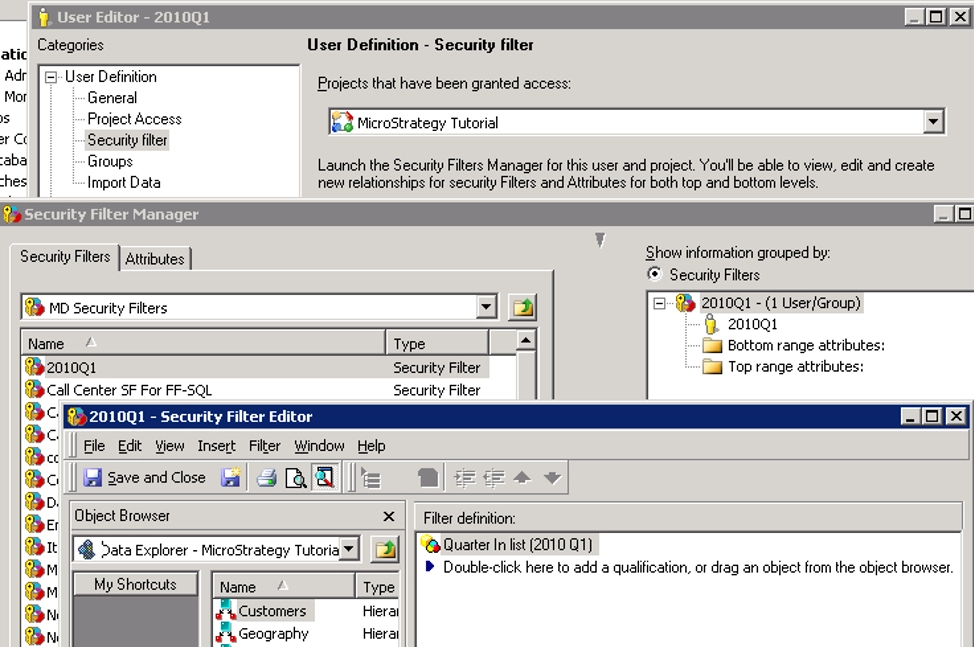
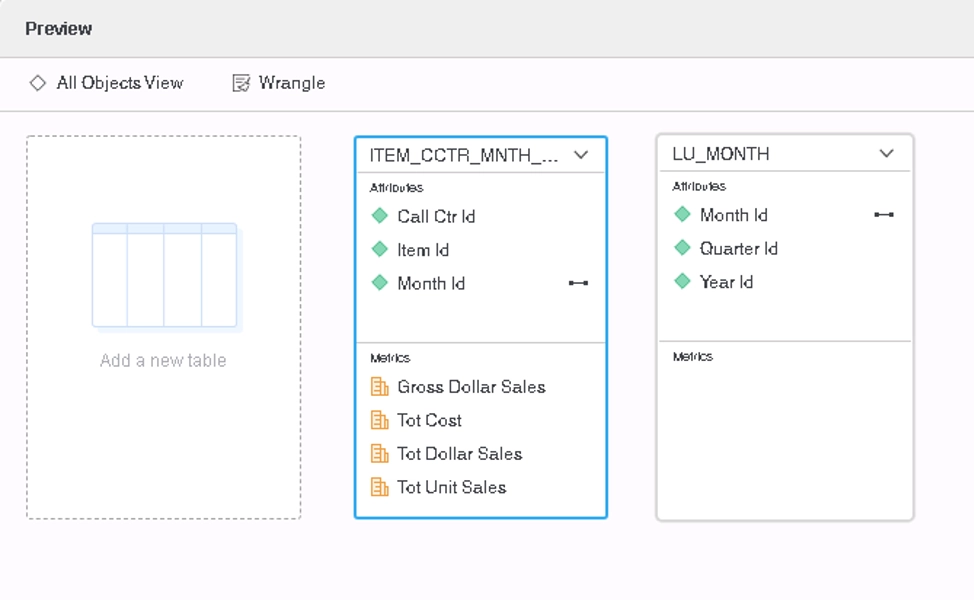
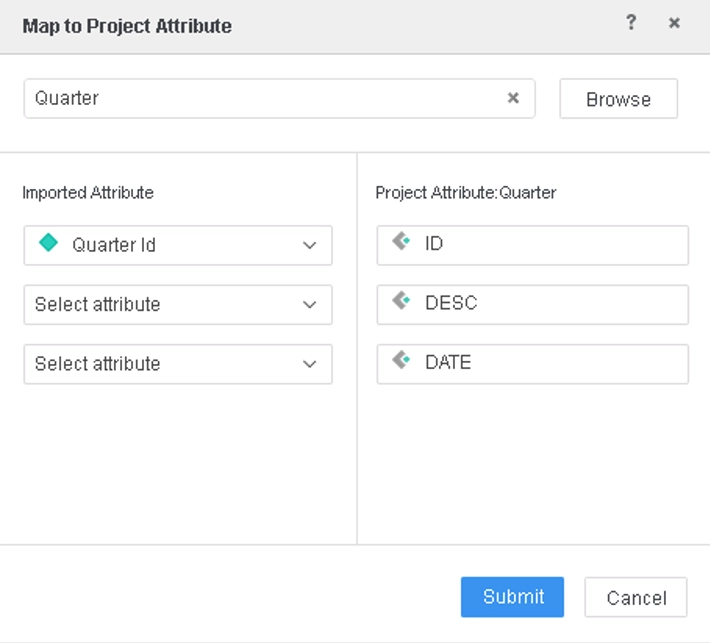
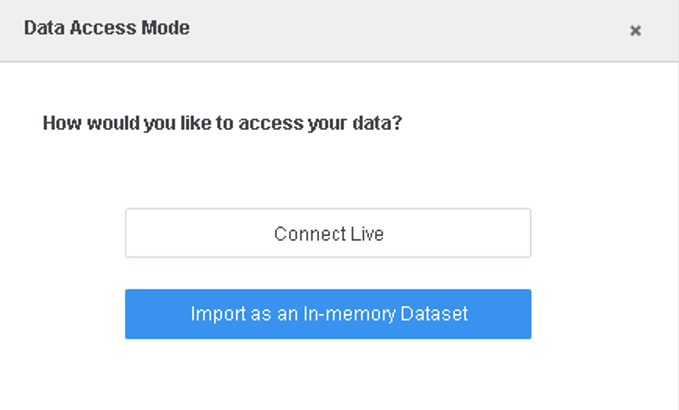
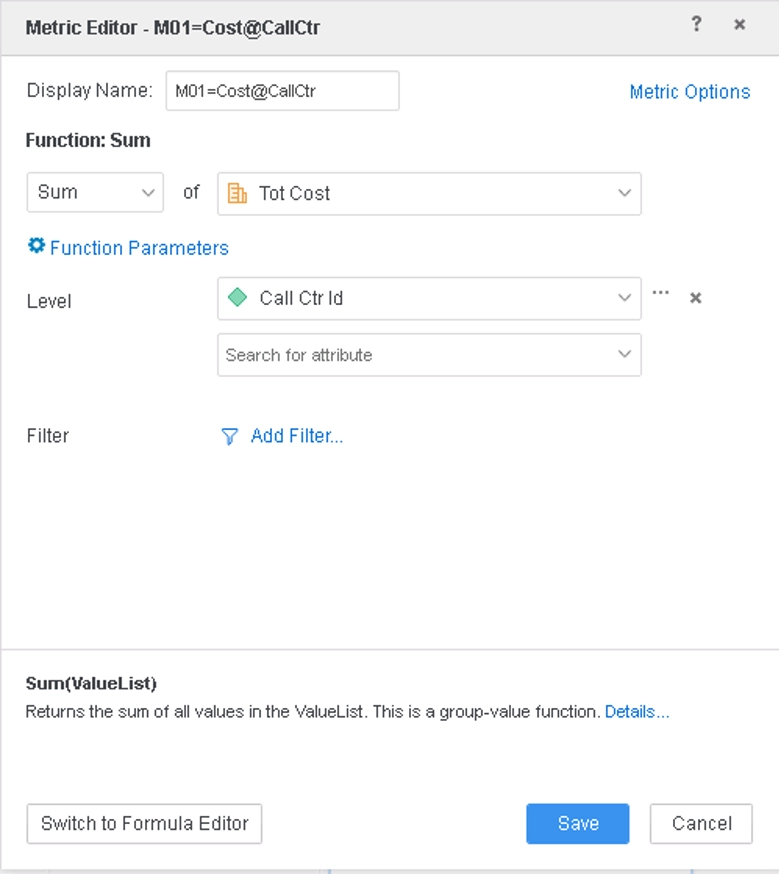
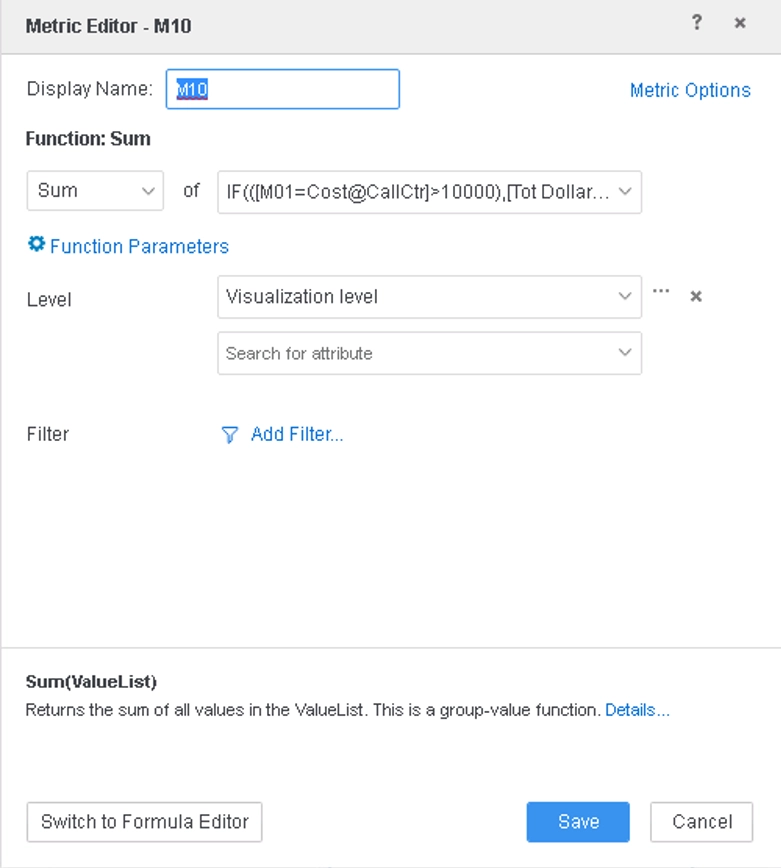
This is a known issue in Strategy.
This issue has been updated in Strategy 2020 Update 2. To take advantage of the fix, upgrade to Strategy 2020 Update 2 or a later version, and enable the Data Engine Version project level setting to 2020. For more details on enabling the setting, refer to Change Data Engine Version.
With the fix, the data and Query Detail for the above example will show as below:
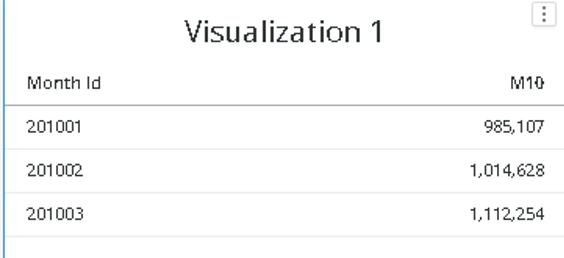
*********   Visualization Summary Start  **********
Time Spent: 0.048 sec(s)
Query Execution Start Time: 5/13/2020 3:17:48 PM
Query Execution End Time: 5/13/2020 3:17:48 PM

Note: The total 'Time Spent' above may be greater than the summation of the individual step execution times below.
There are preparation tasks for each step that are not individually measured.
*********   Visualization Summary End    **********


************   Individual Step Start   ************
Query Engine Execution Start Time:		5/13/2020 3:17:46 PM
Query Engine Execution Finish Time:		5/13/2020 3:17:48 PM

Query Generation Time:		0:00:00.00
Total Elapsed Time In Query Engine:		0:00:01.82
	Sum of Query Execution Time:		0:00:00.05
	Total Data Fetching and Processing Time:		0:00:00.01
		Total Data Transfer from Datasource(s) Time:		0:00:00.01
	Total Analytical Processing Time:		0:00:00.00
	Total Other Processing Time:		0:00:01.72
Projected execution time improvement (%) if executed in Parallel Execution mode:	Parallel SQL Execution is not supported for this report

Sum of Template Calculate Time		0:00:00.00
Sum of AE Data Persisting Time		0:00:00.00
Total Cube Publish Time		0:00:00.00

Number of Rows Returned:		3
Number of Columns Returned:		2
Number of Temp Tables:		1

Total Number of Passes:		4
Number of Datasource Query Passes:		4
Number of Analytical Query Passes:		0

DB User:		EMMATUTORIALWH
DB Instance:		EMMATRLCSIWH

Tables Accessed:
ITEM_CCTR_MNTH_SLS
LU_MONTH

SQL Statements:

Pass0 - 	Query Pass Start Time:		5/13/2020 3:17:46 PM
	Query Pass End Time:		5/13/2020 3:17:48 PM
	Query Execution:	0:00:00.03
	Data Fetching and Processing:	0:00:00.00
	  Data Transfer from Datasource(s):	0:00:00.00
	Other Processing:	0:00:01.72
create table TZ1ZHLASYMD000  as
select	a11.CALL_CTR_ID  CALL_CTR_ID,
	sum(a11.TOT_COST)  WJXBFS1
from	EMMATRLCSIWH.ITEM_CCTR_MNTH_SLS	a11
where	((a11.MONTH_ID)
 in	(select	s21.MONTH_ID
	from	EMMATRLCSIWH.LU_MONTH	s21
	where	s21.QUARTER_ID in (20101)))
group by	a11.CALL_CTR_ID

Pass1 - 	Query Pass Start Time:		5/13/2020 3:17:48 PM
	Query Pass End Time:		5/13/2020 3:17:48 PM
	Query Execution:	0:00:00.00
	Data Fetching and Processing:	0:00:00.01
	  Data Transfer from Datasource(s):	0:00:00.01
	Other Processing:	0:00:00.01
	Rows selected: 3
select	a11.MONTH_ID  MONTH_ID,
	sum((Case when pa12.WJXBFS1 > 10000 then a11.TOT_DOLLAR_SALES else 0 end))  WJXBFS1
from	EMMATRLCSIWH.ITEM_CCTR_MNTH_SLS	a11
	join	TZ1ZHLASYMD000	pa12
	  on 	(a11.CALL_CTR_ID = pa12.CALL_CTR_ID)
where	((a11.MONTH_ID)
 in	(select	s21.MONTH_ID
	from	EMMATRLCSIWH.LU_MONTH	s21
	where	s21.QUARTER_ID in (20101)))
group by	a11.MONTH_ID

Pass2 - 	Query Pass Start Time:		5/13/2020 3:17:48 PM
	Query Pass End Time:		5/13/2020 3:17:48 PM
	Query Execution:	0:00:00.00
	Data Fetching and Processing:	0:00:00.00
	  Data Transfer from Datasource(s):	0:00:00.00
	Other Processing:	0:00:00.00
[Populate Report Data]

Pass3 - 	Query Pass Start Time:		5/13/2020 3:17:48 PM
	Query Pass End Time:		5/13/2020 3:17:48 PM
	Query Execution:	0:00:00.01
	Data Fetching and Processing:	0:00:00.00
	  Data Transfer from Datasource(s):	0:00:00.00
	Other Processing:	0:00:00.02
drop table TZ1ZHLASYMD000 purge

[Analytical engine calculation steps:
	1.  Perform cross-tabbing
]

to  CLDI_0
************   Individual Step End     ************


************   Individual Step Start   ************
Number of Rows Returned: 3
Time Spent: 0.000 sec(s)
Query Execution Start Time: 5/13/2020 3:17:48 PM
Query Execution End Time: 5/13/2020 3:17:48 PM

select	[Month Id]@[MONTH_ID],
	[M10] as [M10]
from	CLDI_0
************   Individual Step End     ************
