SUMMARY:
This technical note describes a known issue when creating a data import cube in Strategy Web 10.4 using an Excel file and the Connection mapping database connections of the user account which published the cube are listed when checking the Intelligent Cube monitor in Developer.
SYMPTOM:
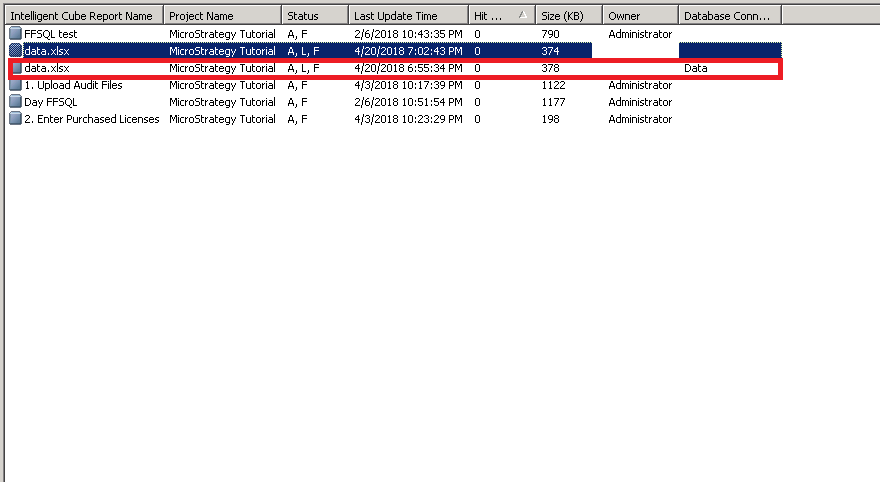
When a user imports an Excel file in Strategy Web 10.4 creating an Intelligent Cube, the database connections that have been specified for the user in Connection Mapping are created & listed in the Intelligent Cube monitor in Developer.
STEPS TO REPRODUCE:
CAUSE:
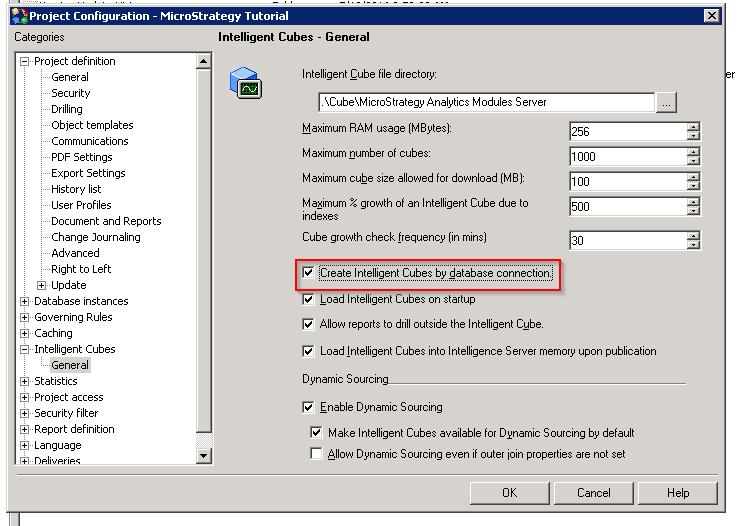
This is due to the option “Create Intelligent Cubes by database connection’ in the Project Configuration being enabled. When using Intelligent cubes, this option is available to support connection mapping with the use of cubes.
ACTION
To disable this feature, the administrator user must go to the following location in Strategy Developer:
Project configuration > Intelligent cubes > General and uncheck the "Create Intelligent Cubes by database connection" setting, as shown below:
KB441075
