When answering prompts, you can use .txt or .csv files. For more information, see How to Import Prompt Values from a File.
However, there is a limit to the maximum file size that can be used. If the limit is reached, the following error message is displayed:
"The uploaded file [File Name] is larger than [Number] bytes."

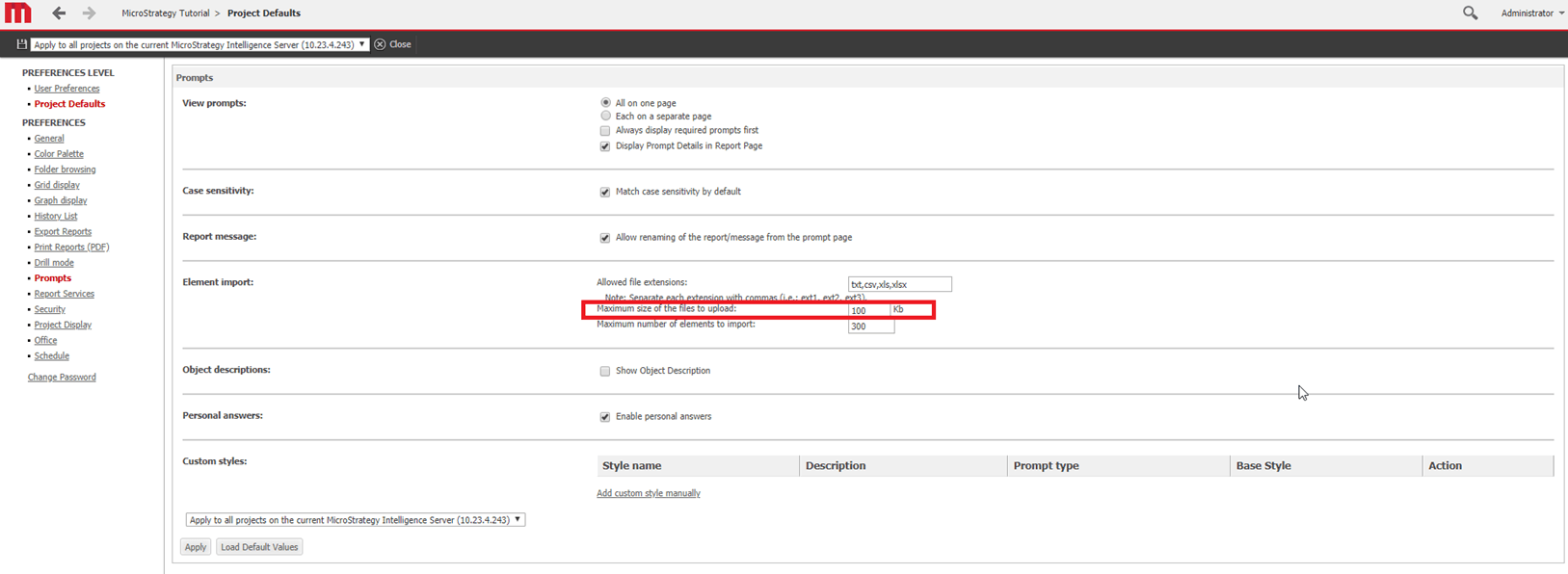
The Maximum size of the files to upload setting controls the maximum file size that can be used to answer prompts. If your file exceeds the maximum file size defined in the setting, then you will receive an error.
The maximum file size can be changed in the Strategy Web Preference settings:
For more details on web preferences, please see KB12577: Comprehensive list of the MicroStrategy Web Preference settings.
