Starting with the release of Strategy ONE (March 2024), dossiers are also known as dashboards.
When an .mstr file is opened on a Windows machine where Desktop or Workstation is installed, or when the file is opened from Desktop or Workstation, the dossier does not appear. Instead, the following error appears:
System Error 0x8000FFFF (2147549183) Catastrophic Failure
1. On Strategy Web, open a dossier and select File > Download Dossier.
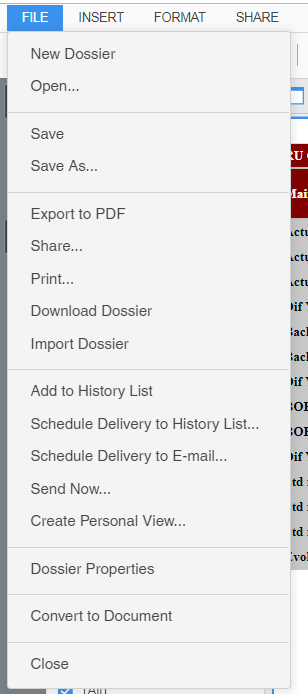
2. Send the .mstr file to another user.
3. On a Windows machine where Desktop or Workstation is installed, open the .mstr file.
Note: The versions of Web, Desktop, or Workstation do not have to be consistent. However, the version of Desktop or Workstation should be equal or greater than the version of Web.
Notice that the dossier does not appear in Workstation or Desktop. The dossier appears empty and the error appears.

This is an identified defect in Strategy 2019 Update 1.The error occurs because, in Windows, Workstation loads binary from the .mstr file, encodes it with base64 format, and then it passes it to the Workstation engine.
This issue has been addressed in Strategy 2019 Update 3. Please update to Strategy 2019 Update 3 or later to take advantage of this fix.
