EducationSoftwareStrategy.com
StrategyCommunity

Knowledge Base

Product

Community

Knowledge Base

TopicsBrowse ArticlesDeveloper Zone

Product

Download SoftwareProduct DocumentationSecurity Hub

Education

Tutorial VideosSolution GalleryEducation courses

Community

GuidelinesGrandmastersEvents
x_social-icon_white.svglinkedin_social-icon_white.svg
Strategy logoCommunity

© Strategy Inc. All Rights Reserved.

LegalTerms of UsePrivacy Policy
  1. Home
  2. Topics

KB485906: When opening any Dossier within Mobile Library app in Android, the user gets redirected to the login screen and shows "Session Timeout, Reloading...”, via iOS all Dossiers are missing


Gustavo Sulbaran

Product Specialist • MicroStrategy


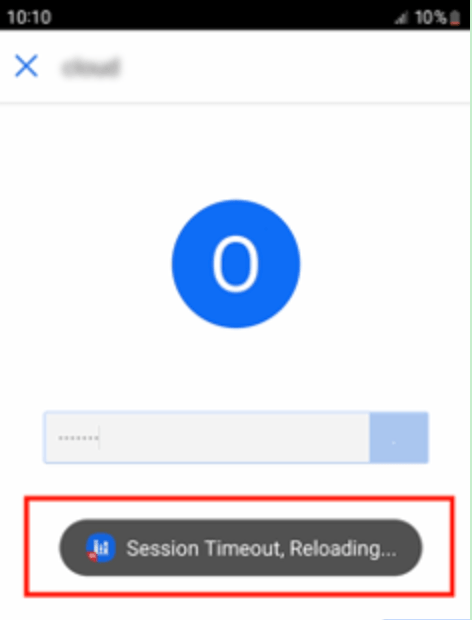
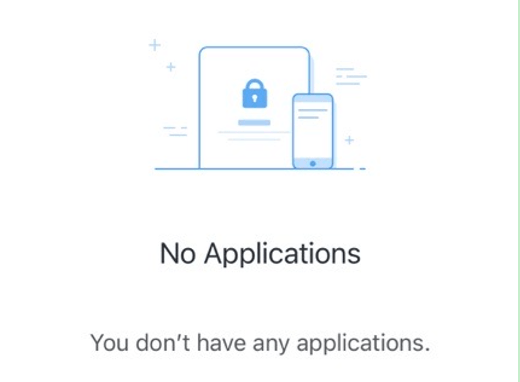
This article describes the situation of users being unable to access the information inside their library deployment due to what it seems a connection issue when connecting. Via android "Session Timeout, Reloading..." is thrown but when compared to IOS devices the situation changes to just having all content missing.

Starting with the release of Strategy ONE (March 2024), dossiers are also known as dashboards.

Prerequisites

  1. Connection and usage of the software is proper when testing via browsers.
  2. App is configured to have secure connection (SSL/TLS).

Symptom

  1. None of the users in that device can properly use the mobile application.
  2. The user can perform at least the initial login.

Android: devices will result in a "Session Timeout, Reloading..." after trying to access some dossier or all of them. 
ka0PW0000001JkNYAU_0EM4W000006yuHr.jpeg

 
IOS Devices: display “No applications” message. No item will appear making the user think they have no files in their Library.
ka0PW0000001JkNYAU_0EM4W000006yuHw.jpeg


Cause

In several situations this happens due the fact that the Library Mobile App has been configured by the user to utilize the port 0. The application is unable to resolve it to the actual port needed to complete the workflow making the software unusable.
 

Action

You must change the mobile Library Application to use de your designated port (fe 443) instead of referencing the port 0.


Comment

0 comments

Details

Knowledge Article

Published:

January 26, 2023

Last Updated:

March 21, 2024