SYMPTOM:
When setting up integrated authentication also known as Kerberos authentication, and that web user uses Kerberos via the integrated authentication :
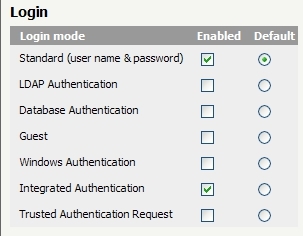
the end users fails to authenticate to Strategy Web, and receive the following error when launching a Web log file :
Error Code: 0x19 KDC_ERR_PREAUTH_REQUIRED
CAUSE:
If :
- Kerberos authentication has been set up without a constrained delegation
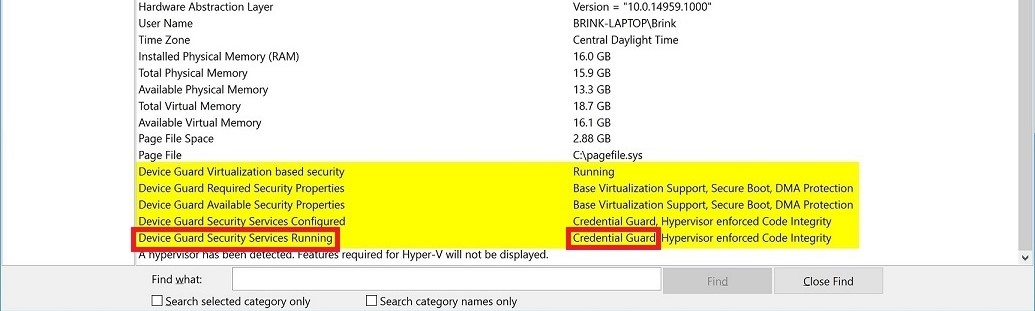
- Credential Guard on Windows is enabled
The reason for the above behavior is therefore that when Windows Defender Credential Guard is enabled, you can no longer use Kerberos unconstrained delegation.
You can find the details from Windows here : https://docs.microsoft.com/en-us/windows/security/identity-protection/credential-guard/credential-guard-considerations#kerberos-considerations
ACTION:
There are 2 possibilities to fix this issue :
1. deactivate Windows Credential Guard in your end machine. You will be able to authenticate with Kerberos again.
2. if you need to remain Windows Credential Guard enabled, you will need to set up a constrained delegation Kerberos authentication, as explained in the following article: https://community.Strategy.com/s/article/New-in-Strategy-10-11-Kerberos-Constrained-Delegation
not that this feature is available starting Strategy version 10.11.
Third Party Software Installation WARNING
The third-party product(s) discussed in this technical note is manufactured by vendors independent of Strategy. Strategy makes no warranty, express, implied or otherwise, regarding this product, including its performance or reliability.
KB82971
