EducationSoftwareStrategy.com
StrategyCommunity

Knowledge Base

Product

Community

Knowledge Base

TopicsBrowse ArticlesDeveloper Zone

Product

Download SoftwareProduct DocumentationSecurity Hub

Education

Tutorial VideosSolution GalleryEducation courses

Community

GuidelinesGrandmastersEvents
x_social-icon_white.svglinkedin_social-icon_white.svg
Strategy logoCommunity

© Strategy Inc. All Rights Reserved.

LegalTerms of UsePrivacy Policy
  1. Home
  2. Topics

KB485829: When using a Compound Grid there is a missing row after exporting to Excel


Gustavo Sulbaran

Product Specialist • MicroStrategy


This article outlines an issue when using a Compound Grid there is a missing row after exporting to Excel.

Starting with the release of Strategy ONE (March 2024), dossiers are also known as dashboards.

Symptom


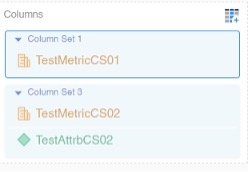
After setting up a dossier with a compound grid that has more than one column set there are situations in which after exporting to excel the file generated is missing the first row of information.
 

Steps to reproduce

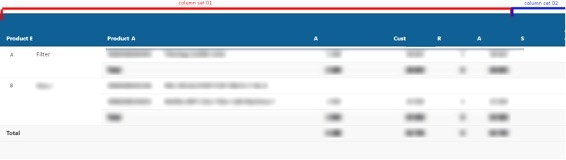
  1. A compound grid with more than one column set is being used (image for reference): 
ka0PW0000001Jk1YAE_0EM4W000006HUpL.jpeg
  1. While looking normal in the dossier:  
ka0PW0000001Jk1YAE_0EM4W000006HUpQ.jpeg
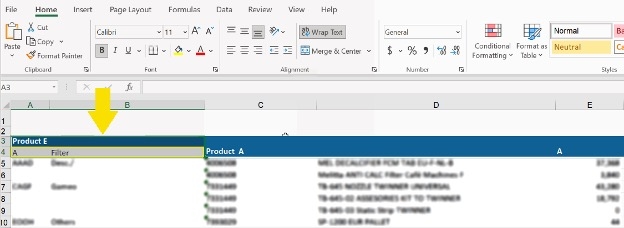
  1. After exporting to excel, the rows are not fully displayed (In this instance row “A” is missing): 
ka0PW0000001Jk1YAE_0EM4W000006HUpa.jpeg


Cause


This issue is related to exporting compound grids to Excel. In this case, if there's no data existing at the second column set but the template does exist. When calculating the Y span, the second column set Y span has also been calculated (the value is 2). thus, in the Excel results, two rows:  row-header and the first line of the grid have been merged into one row; consequently, the first line of grid is occupied by the row-header. 
Action
Workaround 1
In this instance the best workaround is ensuring there is data in both column sets
Workaround 2
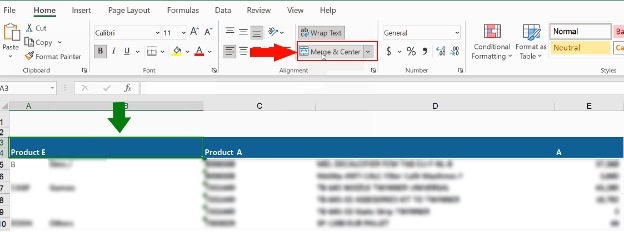
Disabling merge once the excel has been generated is also a viable option. In order to archive this, follow the indications below:
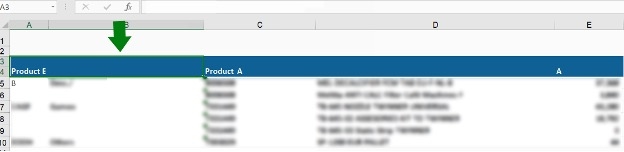
  1. Select the row-header to fix:
ka0PW0000001Jk1YAE_0EM4W000006HUpf.jpeg
  1. Click on “Merge & Center” to remove merging of rows:
ka0PW0000001Jk1YAE_0EM4W000006HUpk.jpeg
  1. Now the values can be fully seen in the excel document 
ka0PW0000001Jk1YAE_0EM4W000006HUpp.jpeg


Comment

0 comments

Details

Knowledge Article

Published:

December 5, 2022

Last Updated:

March 21, 2024