SYMPTOM
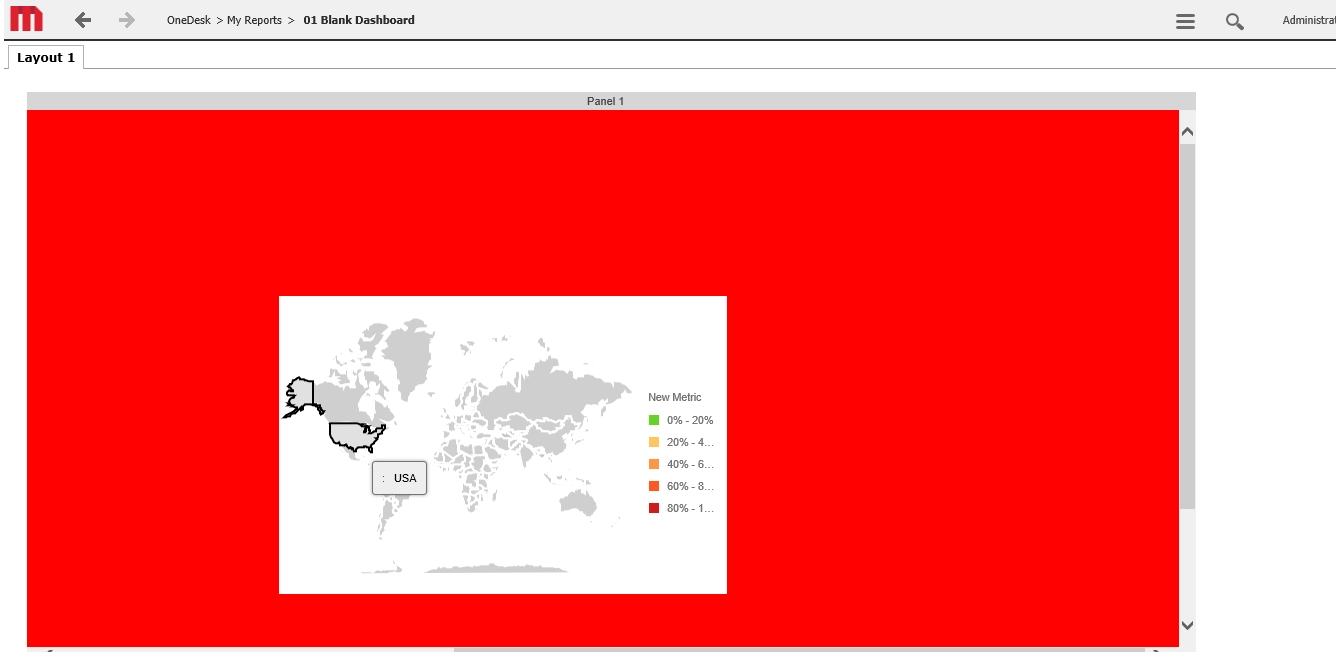
When applying the Image Layout plugin from KB278784: How to Enable Image Layout Visualization in MicroStrategy Web 10.4 users may experience a lack of functionality when adding transparency to different widgets such as the map widget.
STEPS TO REPRODUCE:
Using Strategy Tutorial:
1. Deploy, configure and launch Web Customization Editor.
(Guide followed: https://goo.gl/uZQtMg)
2. Enable the Image Layout Visualization
(Guide followed: KB278784) restart the Tomcat server for changes to take effect.
3. Create a New Document > Blank Dashboard
4. Import dataset from Subject Areas > Sales and profitability analysis > Electronics revenue by region
5. Insert > Widget > DHTML > Image Layout
6. Add Region and Revenue to the Widget
7. Properties and formatting (from widget) > Widget > Widget Properties > Display Mode: Areas; Shape file: Countries of the world; Background color: no fill
8. Properties and Formatting (from Detail Header)> Color and Lines > Color: select any color except white
9. Run Document: background is still white, not transparent as demonstrated below:
ACTION
This issue was reviewed by our Technology team for feasibility and will not be scoped for a code fix in any upcoming Strategy release
WORKAROUND
Configure the background color to be the same as the Widget background color. Below show this for the orange color:
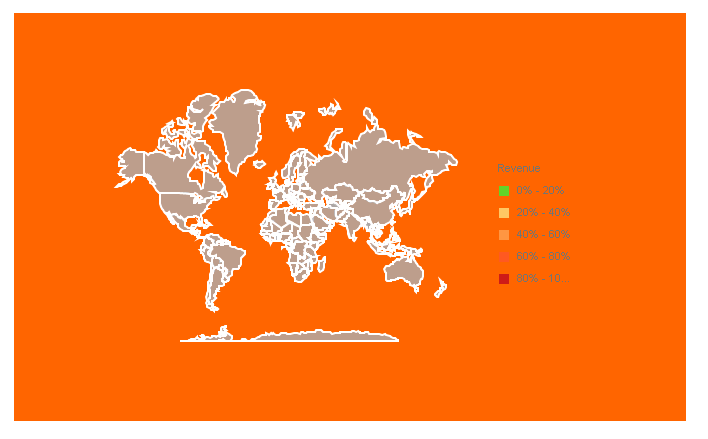
This can be achieved by performing the following steps:
A limitation to this workaround is that it works for specific colors including the one above but it wouldn't work if the background was for example an image.
KB439957
