Starting with the release of Strategy ONE (March 2024), dossiers are also known as dashboards.
Best Practices
User and Group Management in Workstation
In 10.10, user and group management became available in Workstation. This feature provides a way to perform privilege control and user management. An administrator can grant security roles to users and groups in different applications. In this case, users can access objects and functionalities specific to the users' business roles.
Value
Like most security architectures, the Strategy security model is built around the concept of a user. A user can perform tasks, such as creating objects or executing reports and documents, and can generally take advantage of all the other features of the Strategy platform. A user group is a collection of users, and these groups may be assigned privileges and permissions to interact with objects. User groups provide a convenient way to manage a large number of users. The Everyone group provides an easy way to assign privileges, security roles and membership to all users. With this functionality, Workstation is a one-stop-shop for user and security access management for your administrative needs.
Architecture
Users and user groups are server objects, not project objects. When you create a new user, the user automatically belongs to the Everyone group. The Everyone Group only contains users and does not contain user groups. Everyone group is a root user group. You can also define other root user groups besides Everyone group. No user is allowed to be at root level. Each group (except for Everyone) can contain users and groups. A user or a user group can belong to different groups.
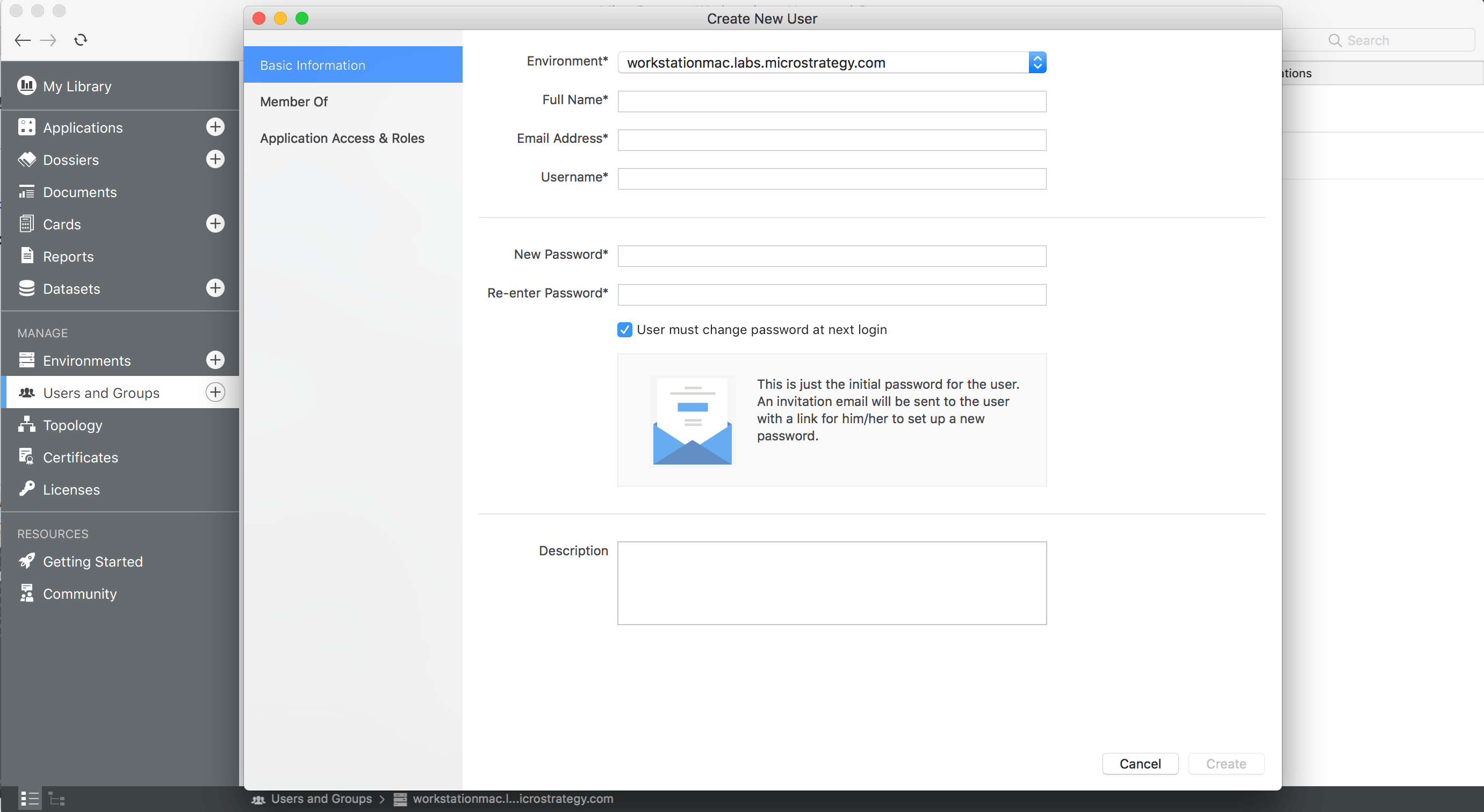
For example, in the graph below. Everyone, Group A and Group C are root user groups. As mentioned before, there are no users at root level. User A and Group B are children of Group A and Group C. Notice that a group cannot be a child of its own children. For example, Group B belongs to Group A, so you cannot set Group A to be a child of Group B. If you try to do so, you will see an error (the check will be done from the server side). Since Group B and User A are children of Group A and Group C, they have all privileges granted to Group A and Group C.
Out-of-the-Box Security Roles
When user creates a new user or a user group, they assign some security roles to the user or group. Security roles are sets of privileges defined by you. In Workstation, five new security roles are available out-of-the-box (OOTB). Listed below are the new security roles and their descriptions.
For more information, see "Security Role Assignment" in the Relevant Links section.
In All Users and All User Groups you can scroll down to view all users and user groups and check their Accessible Applications by hover over the property. Security roles for each project are shown when you hover over the Accessible Applications property for the user or group. For more information on a user or group, click that property.
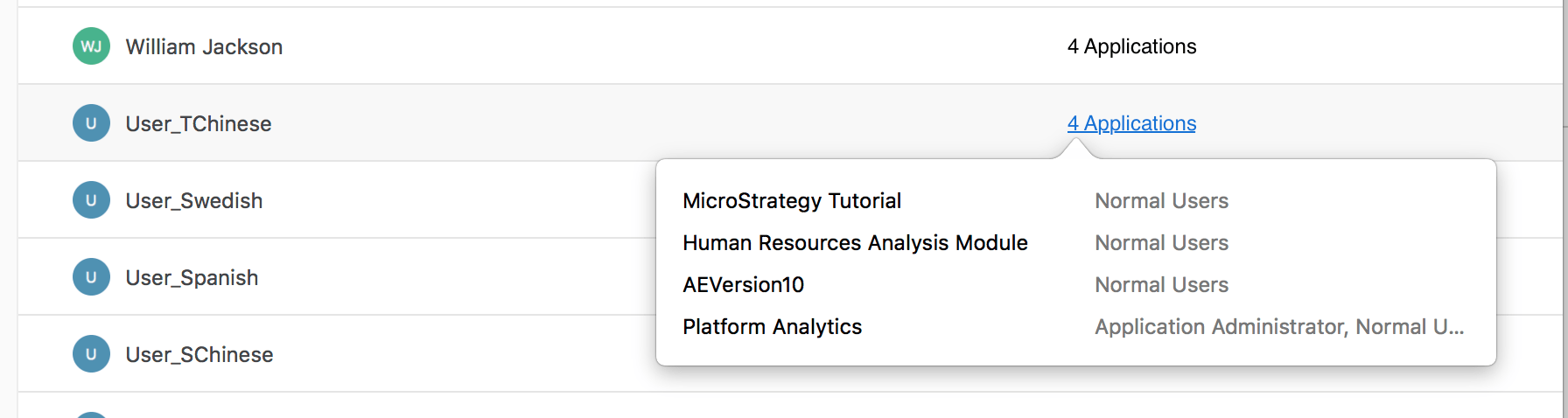
When you scroll down to view users and user groups, the Accessible Applications property for the users might not be shown instantly. Workstation fetches the information from the server dynamically.
Requirements
Detailed logs. Might create multiple large log files. | Detailed logs. Might create multiple large log files. | Detailed logs. Might create multiple large log files. | Detailed logs. Might create multiple large log files. | Detailed logs. Might create multiple large log files. |
Action Steps
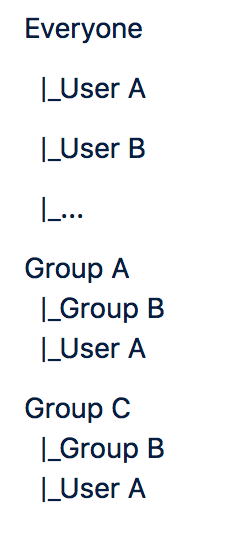
To create a new user and assign security roles
To Create a New User Group and Assign Security Roles
To Delete a User
To Delete an Existing User Group
To Edit Properties and Information of a User
Editing properties and information of a user group.
Relevant Links
Security Role Assignment (Workstation online help)
