EducationSoftwareStrategy.com
StrategyCommunity

Knowledge Base

Product

Community

Knowledge Base

TopicsBrowse ArticlesDeveloper Zone

Product

Download SoftwareProduct DocumentationSecurity Hub

Education

Tutorial VideosSolution GalleryEducation courses

Community

GuidelinesGrandmastersEvents
x_social-icon_white.svglinkedin_social-icon_white.svg
Strategy logoCommunity

© Strategy Inc. All Rights Reserved.

LegalTerms of UsePrivacy Policy
  1. Home
  2. Topics

KB484866: XQuery reports fail due to Parameterized Query being enabled after upgrading to MicroStrategy 2021


Qinyi Chen

Quality Engineer, Principal • Strategy


This article addresses the error encountered when running XQuery reports after upgrading to MicroStrategy 2021. This article also provides a workaround to avoid XQuery report failures.

Description 


After upgrading the Intelligence Server to Strategy 2021, some XQuery reports, like text value prompts, may fail. 
When the following conditions are met, you may notice that XQuery reports that once successfully ran, begin to fail.
  • The Engine is upgraded to Strategy 2021
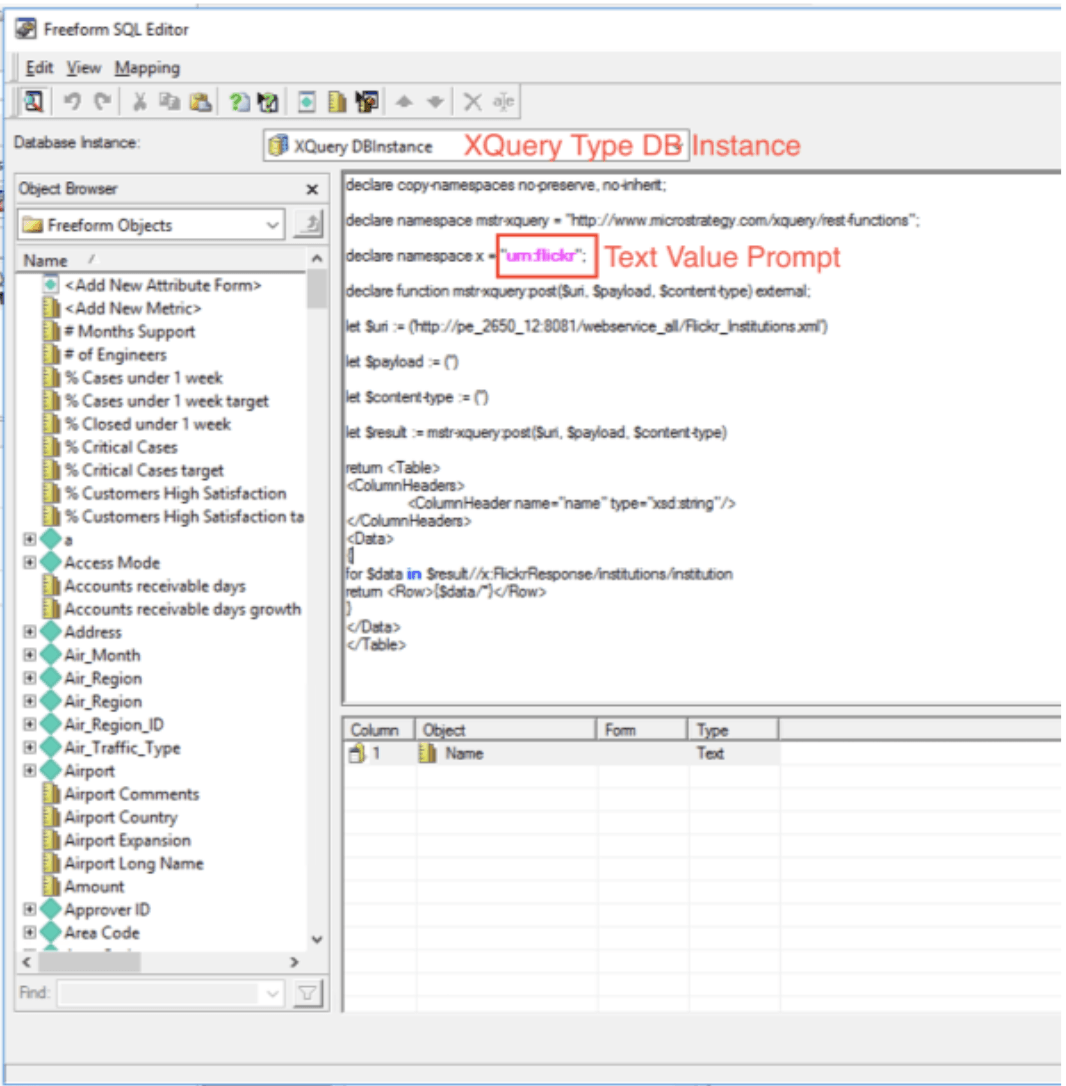
  • The XQuery reports utilize text value prompts

Steps to reproduce

  • Create an XQuery report with a text value prompt (prior to the upgrade). For example: 
ka04W000000XQDfQAO_0EM4W000001Klxu.jpeg
  • Run the report and notice that results are successfully generated.
  • Upgrade to Strategy 2021 and run the same report.
    The following error is returned:
    Error: QueryEngine encountered error: Encountered unexpected empty result set. Please check report definition and VLDB settings.
     

Why is this happening?


The failure is caused by Parameterized Query being turned on, which is the default behavior after upgrading to Strategy 2021. However, when the Database connection type is XQuery, you are unable to turn it off via Strategy Developer.
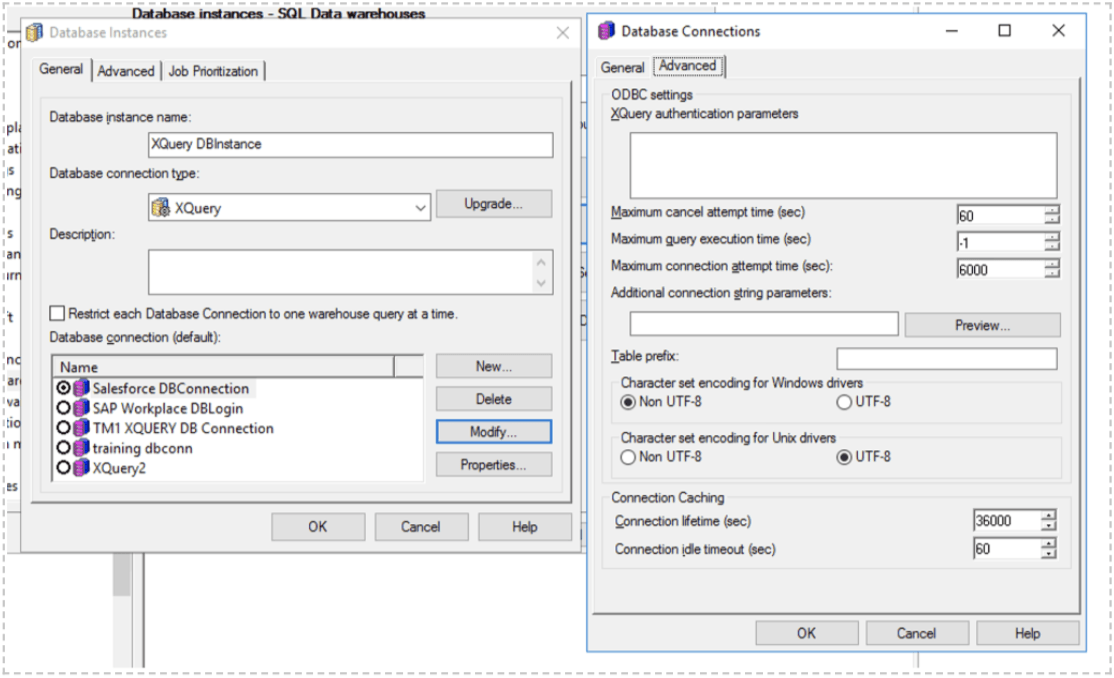
ka04W000000XQDfQAO_0EM4W000001Klz2.jpeg

Solution


This issue is resolved in Strategy 2021 Update1.  

Workaround


Meanwhile, here's how to disable Parameterized Query for the Xquery DB connection via Strategy Web or Workstation. 
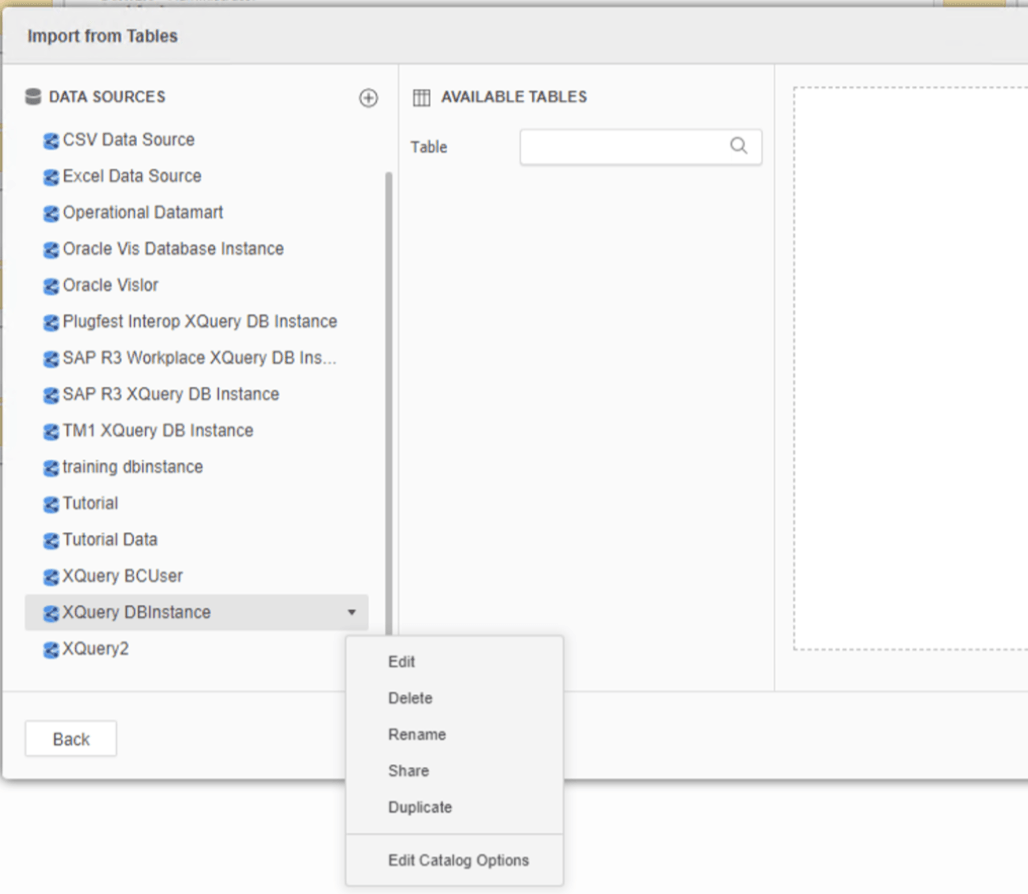
  • In Web, right-click your data source > Edit.
ka04W000000XQDfQAO_0EM4W000001Klyx.jpeg
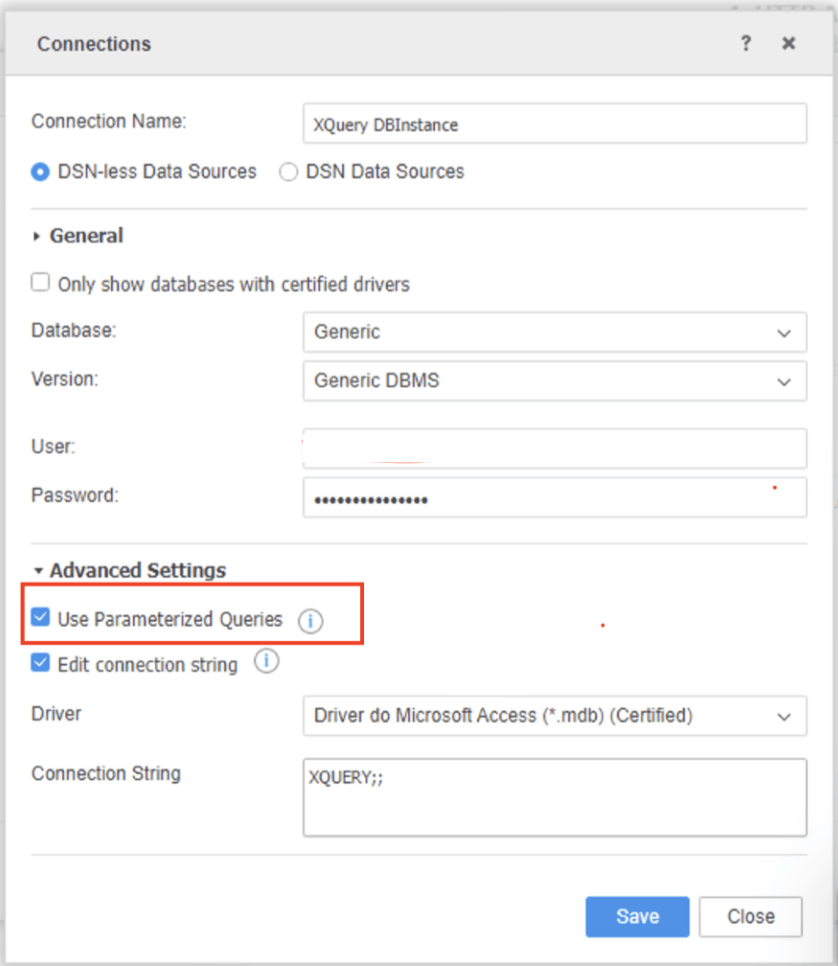
  • In the Connections dialog, go to Advanced Settings and deselect the Use Parameterized Queries checkbox. 
ka04W000000XQDfQAO_0EM4W000001Klys.jpeg


Comment

0 comments

Details

Knowledge Article

Published:

February 2, 2021

Last Updated:

February 3, 2021