When Intelligence Server is installed in Windows system, in a report that includes a view filter, selecting the attribute element with the date value “01/01/0001” in the view filter causes the value to change automatically to “01/01/2001” after the selection is applied:
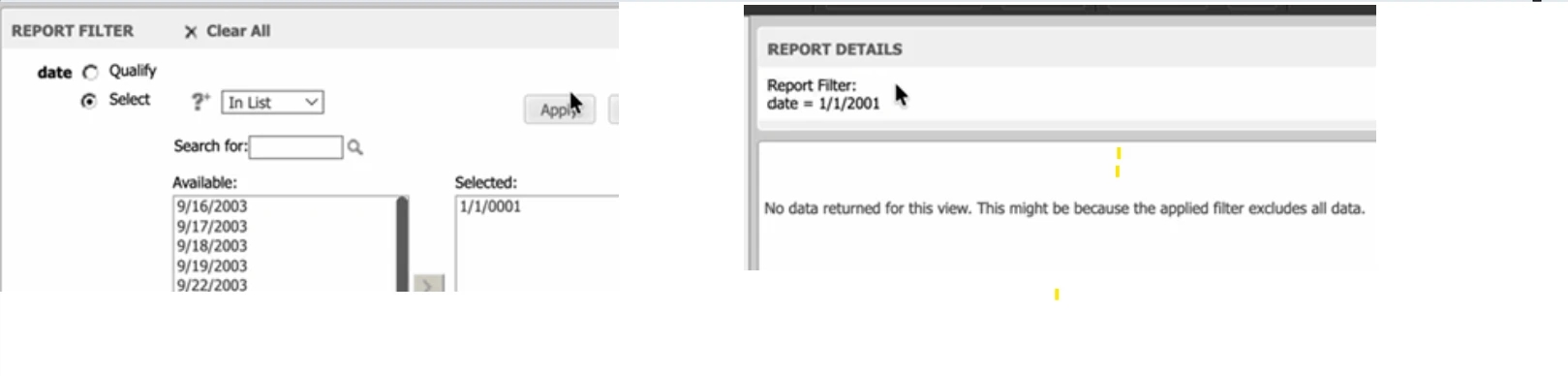
While if it is in Linux system, the selection keeps to “01/01/0001”
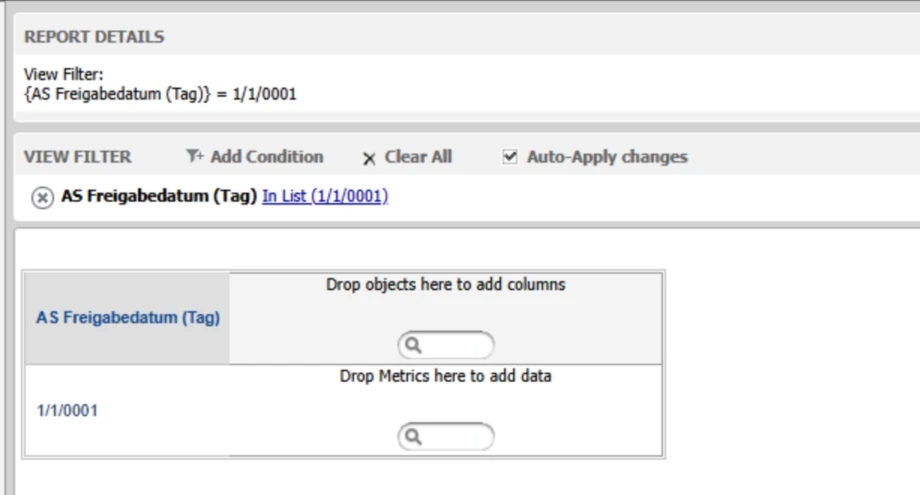
The root cause is that, on Windows, Intelligence Server uses the Win32 API VarDateFromStr to parse input strings into datetime values.
VarDateFromStr is part of the legacy COM/OLE Automation date handling. It interprets 2‑digit years according to the system’s “2‑digit year cutoff” setting, and it effectively treats very small years as 2‑digit years as well.
In this case:
"01/01/0001". 0001 as year 1 CE."0001" as "01" (a 2-digit year).00-29 map to 2000-2029.00-29 map to 1930-1999. (This is configurable in the REgional Settings).Therefore, "01/01/0001" is interpreted as January 1st, 2001.
This behavior is consistent with many historical Windows date parsing APIs when they are not explicitly given a strict 4‑digit year format. The issue only occurs when the year is less than 100; for years ≥ 100, the parsing result is consistent and does not exhibit this misinterpretation.
We introduce a new configuration setting “parse-with-ICU” to make the parsing result on Windows consistent with Linux. This solution only applies to the Windows platform.
en-US locale (when parsing element IDs, server will always use this locale).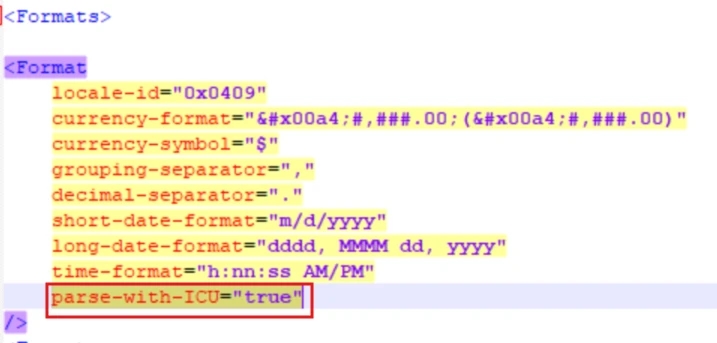
3. Restart services
Restart Intelligence Server and Tomcat so the new configuration takes effect.
