目次
詳細
1. 背景
Strategy One (December 2025) で、2026年12月末をもって、Developer製品群のサポート終了がアナウンスされています。
https://www2.microstrategy.com/producthelp/current/Readme/en-us/content/whats_new.htm#dec2025
このナレッジは、サポート終了となる製品群(Developer、Command Manager、Object Manager)のうち、Command Manager をどのように後継機能であるREST APIに移行するかについて記述します。
REST API を利用するためには、Library が構成されていることが前提条件となります。
なお、REST APIを利用するためには、実行ユーザに下記ライセンスが必要となります。
Client - Application - API
これは、下記バンドルライセンスにも含まれています。
AI Architect User, AI Power User, AI Consumer User, Cloud Reporter User
Cloud Architect User, Cloud Power User, Cloud Consumer User
Architect (Named User), Client - Architect
2. Architecture概要
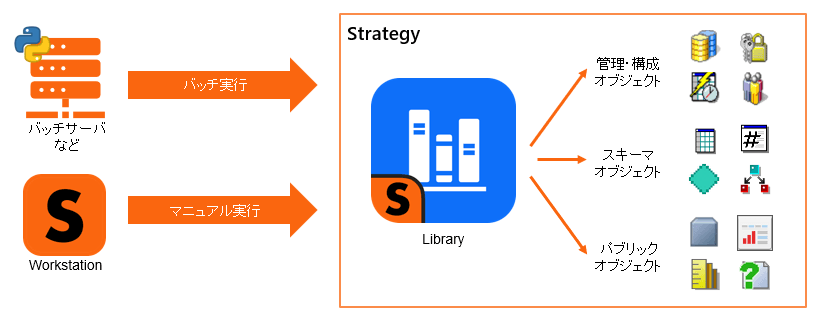
提供するREST-API はCommand Manager同様に、バッチ実行及びマニュアル実行が可能です。どちらの場合もLibrary接続経由で実行します。利用イメージは以下の通りです。
3. 移行方針
3-1. Command ManagerのコマンドをGUIから手動で実行しているケースは、4-1を参照ください。
3-2. Command Managerをバッチから実行していたケースは、4-2を参照ください。
4. 技術詳細
4-1. Workstationからの実行例
4-1-1. Workstationについて
Workstationのスクリプト機能を利用することで、REST APIを実行することが可能です。
4-1-2. Workstation からのREST APIの実行手順
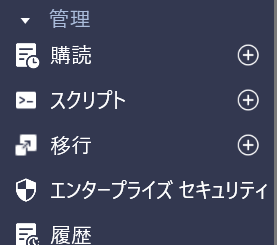
① Workstationで管理者権限で環境にログインし、管理 ― スクリプト の +ボタンをクリックする。
② 環境を選択する

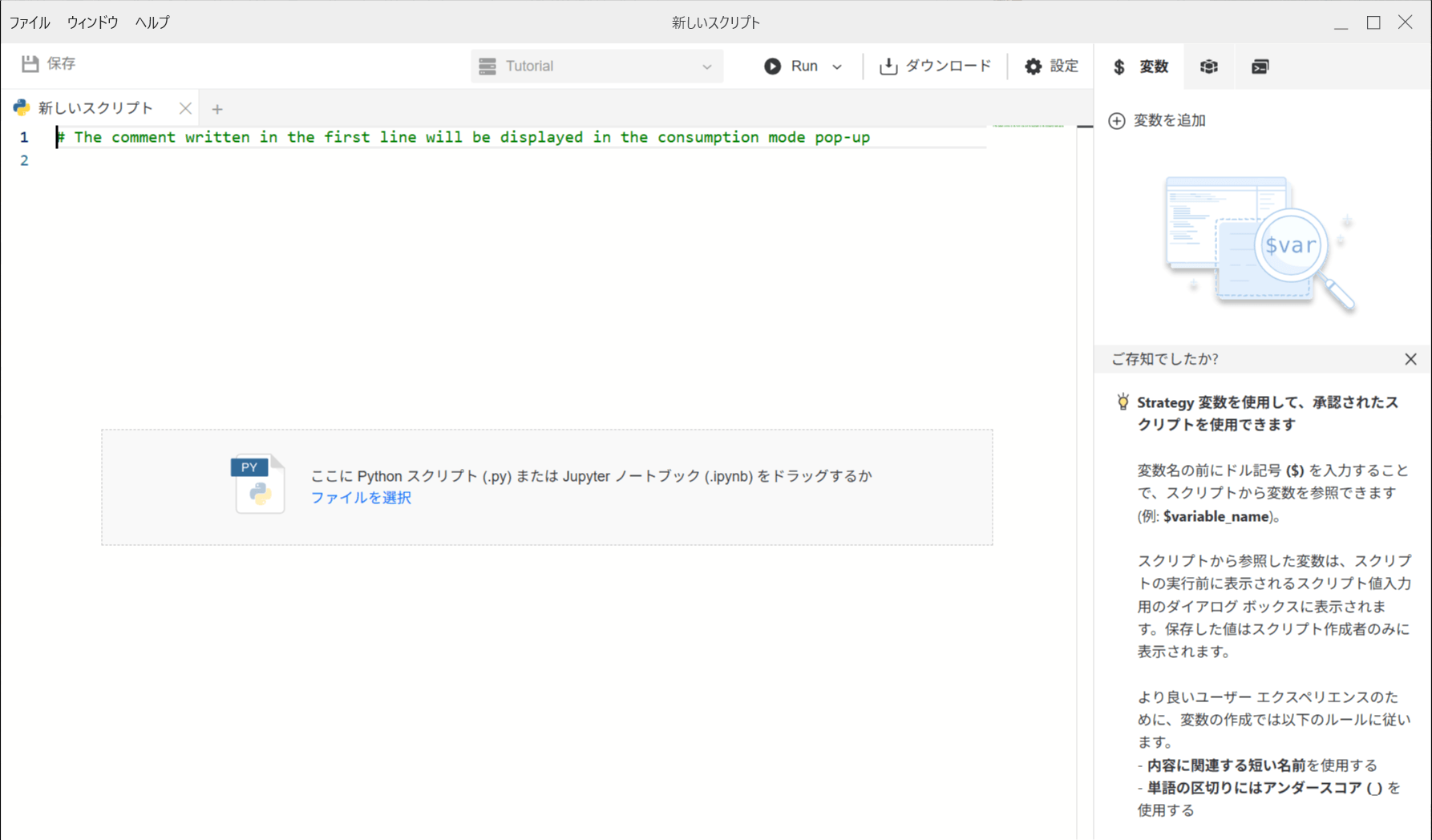
③ Python スクリプトを入力もしくは、既存ファイルをドラッグ後、「保存」ボタンをクリックする。
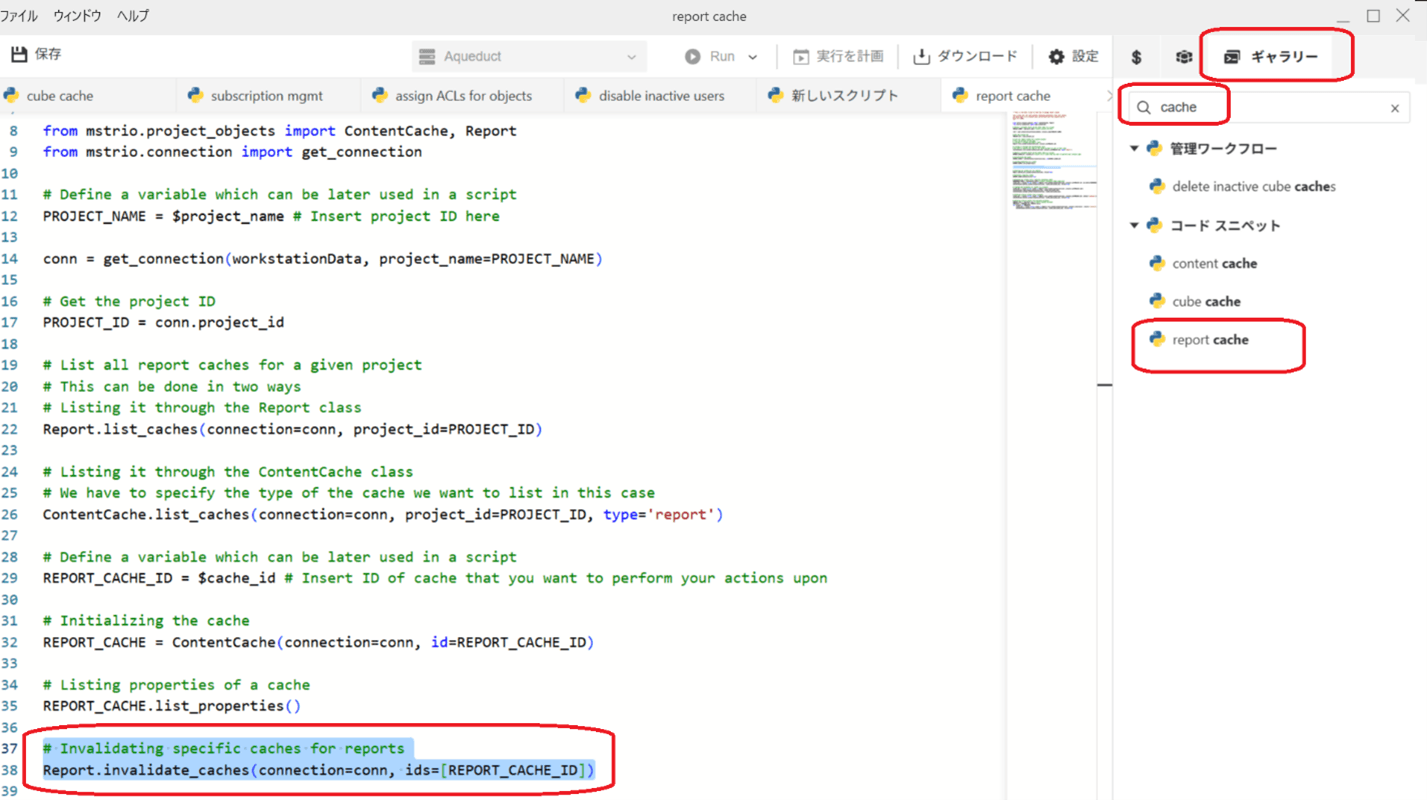
なお、画面の右にある「ギャラリー」からは、スクリプトのサンプルを確認・利用することも可能です。
下例は、”ギャラリー” のサンプルスクリプトリスト を ”cache” で絞りこみ、”report cache” を選択した場合に表示されるサンプルとなります。
④ 保存画面で、名称や保存場所を指定後、「保存」ボタンをクリックする。
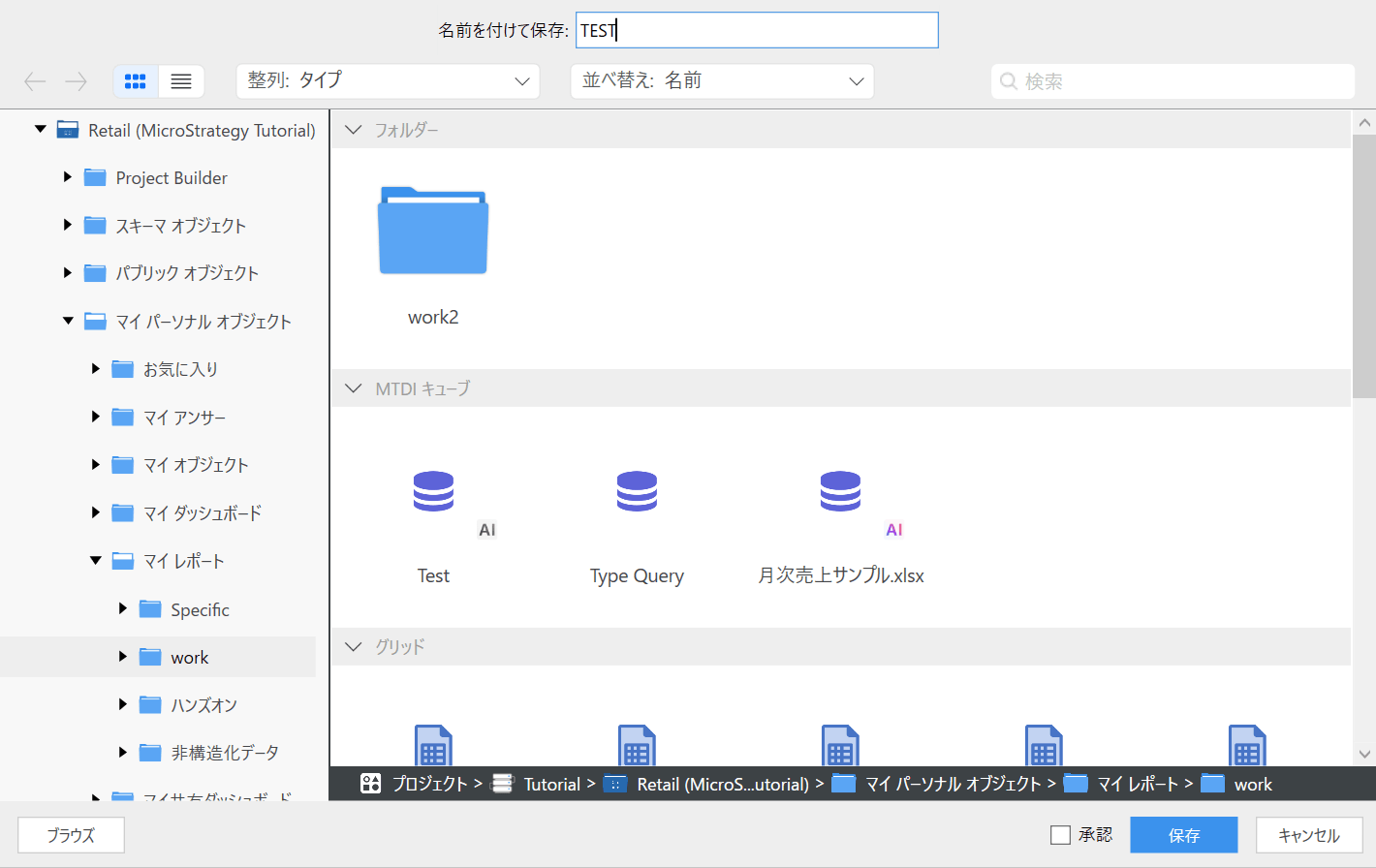
⑤ 保存したスクリプトをチェックし、「Run」ボタンをクリックし、実行する。
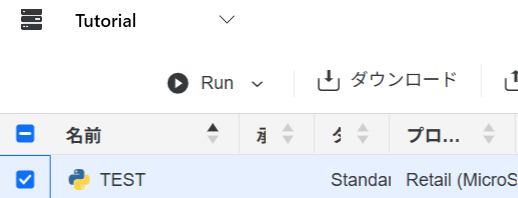
⑥ 実行結果は、「ステータス」で確認する。

4-2. Python からの実行例
4-2-1. 環境構築について
①実行環境について
Strategy では、REST API を公開しており、キャッシュクリアといった操作について、Pythonなどを利用したバッチプログラムから実行することが可能です。
なお、REST APIはLibraryに対してHTTPSで通信するため、通信経路が開いている必要があります。
Strategyでは、REST APIを利用するための、Pythonライブラリ: mstrioを用意しており、
このナレッジでは、Pythonとmstrioを利用して、StrategyのREST API を呼び出す前提で記述します。
② Pythonのインストール
下記のサイトを参考に、Pythonをインストールします。
https://www.python.jp/install/windows/install.html
なお、必要に応じ、Pythonのコードエディタをインストール頂くと便利です。
③ StrategyのPythonライブラリ: mstrio のインストール
下記コマンドで、mstrioをインストールします。
pip install mstrio-py
なお、インストールの詳細は下記サイト(英語)を参照ください。
https://www2.microstrategy.com/producthelp/current/mstrio-py/sections/toc2_installation.html#
※製品のバージョンアップグレードに従って、mstrio-pyのアップグレードも必要です。下記のナレッジを参照ください。
https://community.strategy.com/article/KB489534-mstrio-version-python-version
4-2-2. Pythonプログラムを作成
下記ドキュメントや、4-3. Sample Code、Workstationのギャラリー機能(4-1-2. ③)を参考に、Pythonプログラムを作成します。
mstrio Document
https://www2.microstrategy.com/producthelp/Current/mstrio-py/index.html
REST API Document
https://microstrategy.github.io/rest-api-docs/
エラー処理について
https://microstrategy.github.io/rest-api-docs/getting-started/handle-rest-api-exceptions/
4-2-3. PythonプログラムをJobスケジューラなどに組み込み、実行します。
4-3. Sample Code
新規ユーザを作成するSample Codeを提示します。
※特定の環境情報などは” XXXX”と記載させて頂きます。
※その他の処理のSample Codeについては、順次追加予定です。
4-3-1. Workstationからの実行
from mstrio.users_and_groups.user import User

from mstrio.users_and_groups.user_group import UserGroup

from mstrio.connection import get_connection


conn = get_connection(workstationData, project_id = "XXXX")


new_user = User.create(connection = conn,

    username = "test0001",  #username

    full_name = "test0001",

    password="12345678qwer",

    description="test0001",

    enabled=True,

    password_modifiable=True,

    password_expiration_date=None,

    password_expiration_frequency=None,

    require_new_password=True,

    standard_auth=True,

    ldapdn=None,

    trust_id=None,

    database_auth_login=None,

    memberships=None,

    language=None,

    default_timezone=None,

    owner=None,

    default_email_address=None,

    email_device=None,

    journal_comment=None

)


print(new_user)


new_group = UserGroup.create(

    connection = conn,

    name = "test_group"

    description = "test_group"

)


print(new_group)


user_group = UserGroup(connection = conn, name = "test_group")

user_group.add_users(users=new_user)
4-3-2. Python からの実行
下記Pythonプログラムを xxxx.py として保存します。
バッチプログラムから、コマンド「python xxxx.py」でxxxx.py を 実行します。
なお、下記プログラムで使用している各APIの詳細は、下記をドキュメントを参照ください。
mstrio > connection — mstrio-py documentation
mstrio > users_and_groups > user — mstrio-py documentation
mstrio > users_and_groups > user_group — mstrio-py documentation
from mstrio.users_and_groups.user import User

from mstrio.users_and_groups.user_group import UserGroup

from mstrio.connection import Connection


# connect to the environment and chosen project

conn = connection.Connection(

    base_url="https://XXXX.cloud.microstrategy.com/MicroStrategyLibrary",

    username="mstr",

    password="XXX",

    project_name="MicroStrategy Tutorial"

)


# create new user and group

new_user = User.create(connection = conn,

    username = "test0002",  #username

    full_name = "test0002",

    password="12345678qwer",

    description="test0002",

    enabled=True,

    password_modifiable=True,

    password_expiration_date=None,

    require_new_password=True,

    standard_auth=True,

    ldapdn=None,

    trust_id=None,

    database_auth_login=None,

    memberships=None

)


new_group = UserGroup.create(

    connection = conn,

    name = "test_group2",

    description = "test_group2"

)


# attach new user to the group

user_group = UserGroup(connection = conn, name = "test_group2")

user_group.add_users(users=new_user)


# disconnect

conn.close()
4-4. 移行アシスタントについて
Strategy One (June 2026)以降、Workstationでは、Command ManagerスクリプトをPythonスクリプトへ変換するための機能「移行アシスタント」が利用可能になりました。
詳細については、以下のオンラインマニュアルを参照してください。
https://www2.strategy.com/producthelp/Current/Workstation/en-us/Content/migrate_scripts.htm
Workstationの「スクリプト」パネルから「移行アシスタント」をクリックして利用できます。
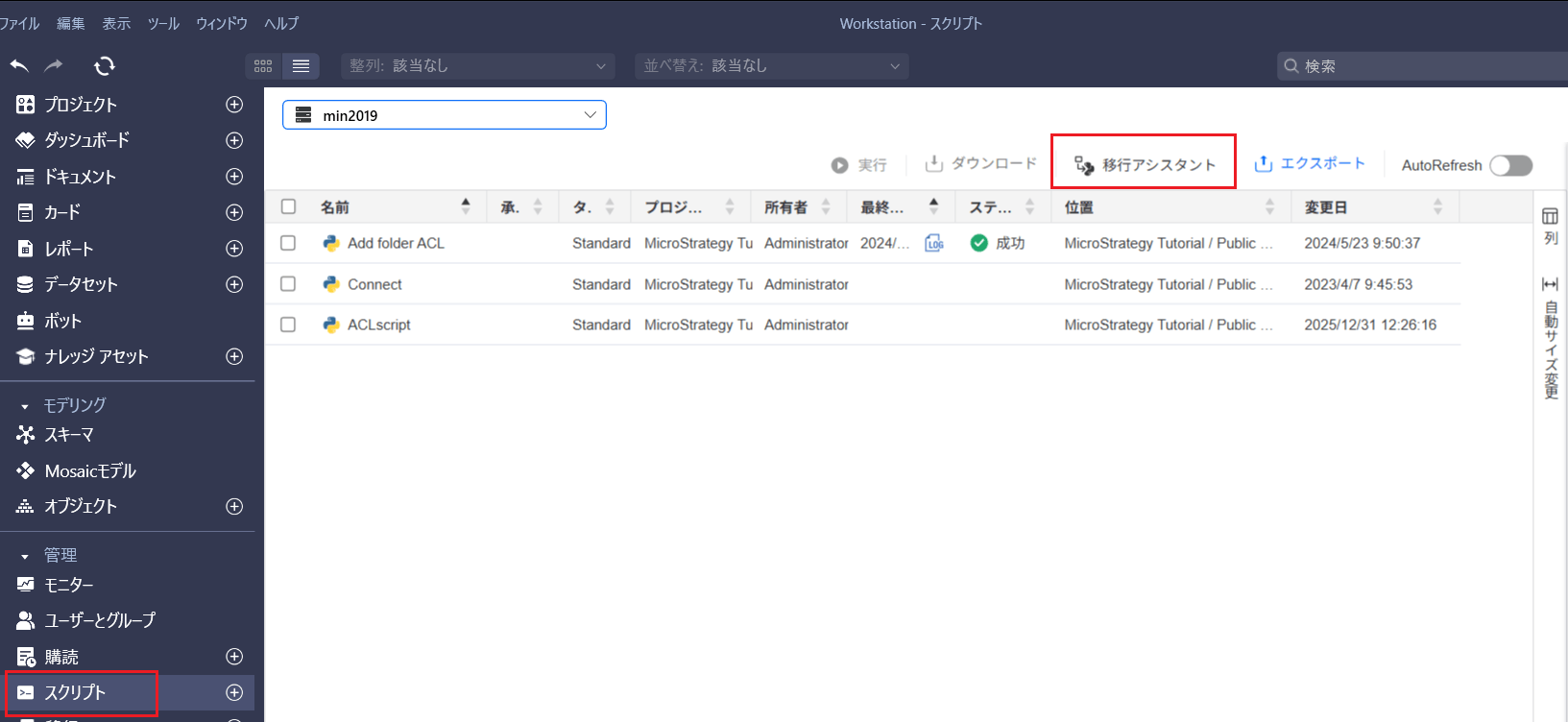
以下は、コマンド「LIST PROPERTIES FOR SERVER CONFIGURATION;」を変換する例です。
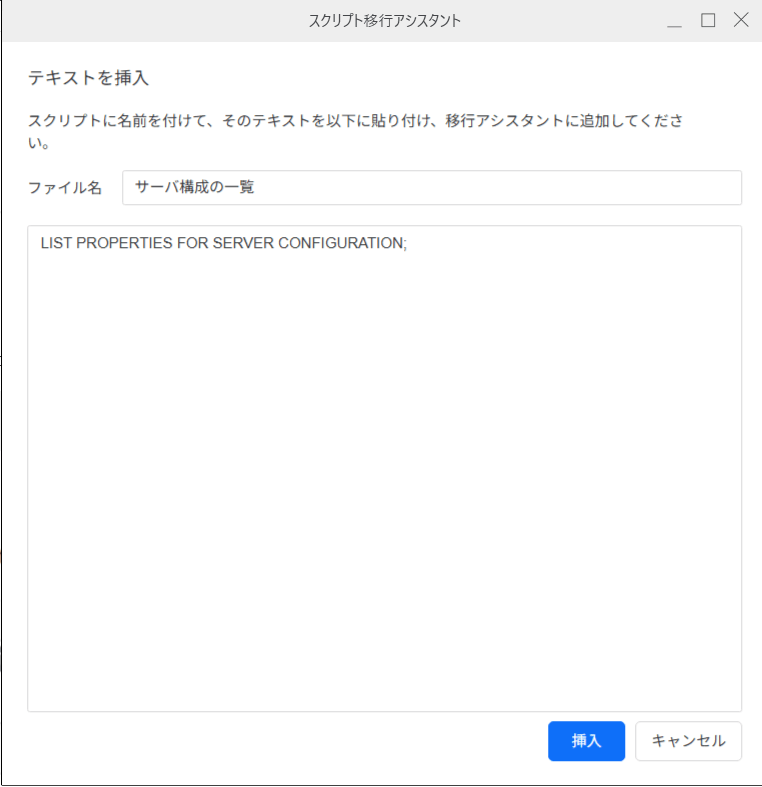
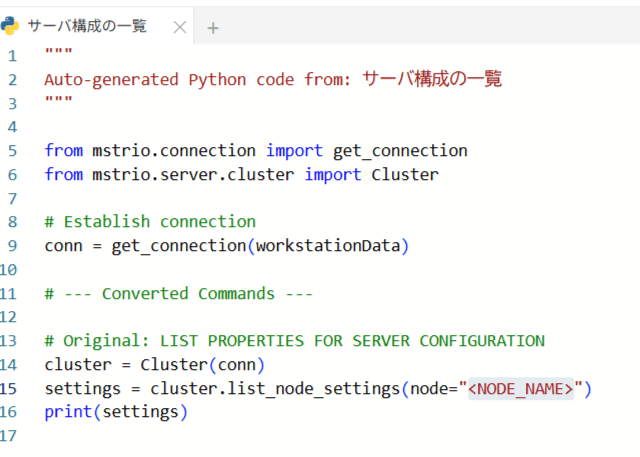
変換後は、状況に応じて必要な箇所(例:<NODE_NAME>)を修正したうえで実行してください。
5. 弊社からのサポートについて
5-1. テクニカルサポート
弊社サポートでは、以下のようなお問い合わせに対応します。
ただし、プログラム上のエラーが発生した場合、サポートではお客様のスクリプトの内容については確認・レビューいたしません。
お客様側で問題の切り分けを行っていただき、どの REST API の呼び出し時にエラーが発生しているか、および再現条件(入力パラメータや実行手順など)を特定したうえでご提供ください。
5-2. Professional Service
実際の環境に合わせた検証や有償での技術相談をご希望の場合は、Professional Service(有償)も御検討下さい。
なお、短期支援だけでなく、運用保守に関する対応なども御相談に応じさせて頂きます。
