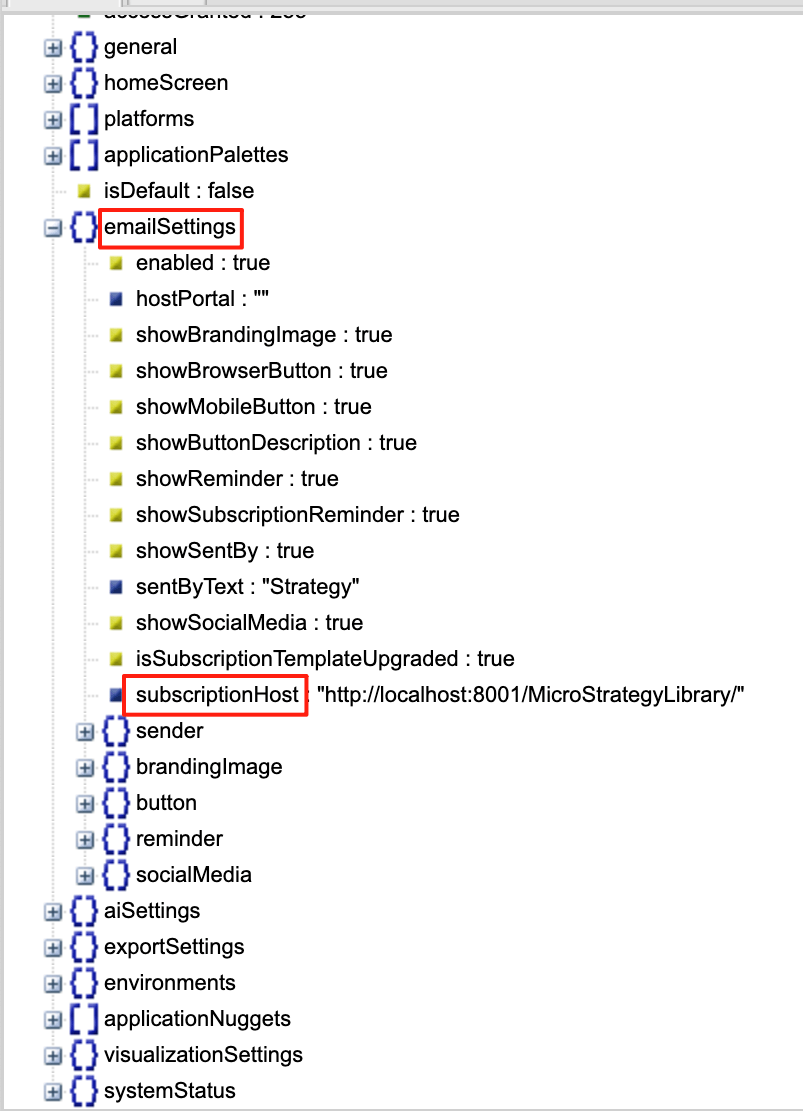
The URL in ‘View in Browser’ is generated based on a subscription host URL, which is an email setting saved in the custom application: subscriptionHost.
Currently, this setting is not exposed in the application editor GUI, its default value is the Library URL of created application in current environment connected in Workstation.
We can use custom application REST API to modify the subscriptionHost setting after an application was created.
A new subscription / new template will then be generated with updated subscription host URL. You can use the Swagger page or Postman tool, there are mainly two steps:
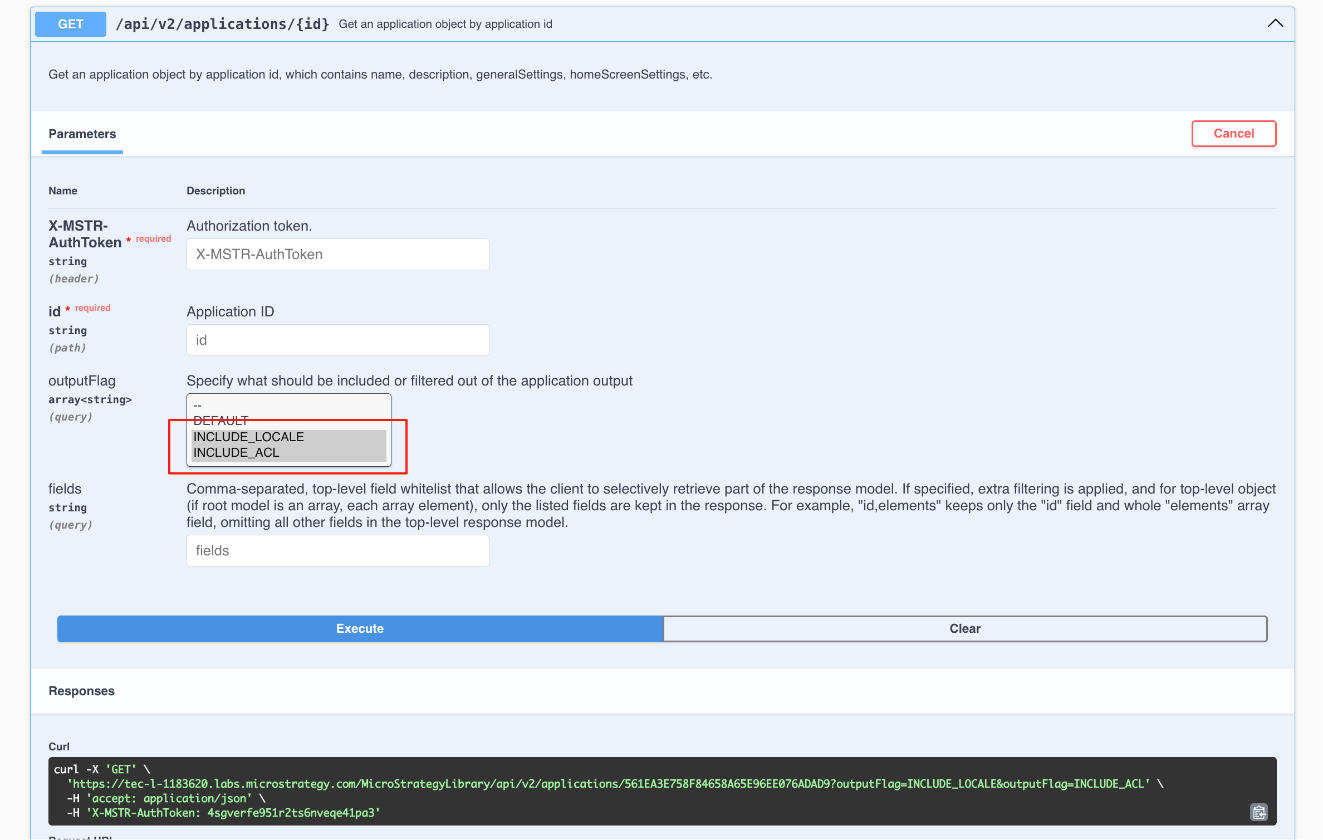
Step 1: Retrieve Application Configuration
GET /api/v2/applications/{id}
Step 2: Update Application Configuration
emailSettings → subscriptionHost
PUT /api/v2/applications/{id}

After this update, any URLs generated in emails by the distribution service will use the updated subscriptionHost URL specified in the application.
