EducationSoftwareStrategy.com
StrategyCommunity

Knowledge Base

Product

Community

Knowledge Base

TopicsBrowse ArticlesDeveloper Zone

Product

Download SoftwareProduct DocumentationSecurity Hub

Education

Tutorial VideosSolution GalleryEducation courses

Community

GuidelinesGrandmastersEvents
x_social-icon_white.svglinkedin_social-icon_white.svg
Strategy logoCommunity

© Strategy Inc. All Rights Reserved.

LegalTerms of UsePrivacy Policy
  1. Home
  2. Topics
  3. KB489845: Imported data becomes incorrect and the publish process fails when Salesforce report contains more than 2,000 rows from July 2026

KB489845: Imported data becomes incorrect and the publish process fails when Salesforce report contains more than 2,000 rows from July 2026


Rong Yu

Quality Engineer, Senior • MicroStrategy


SYMPTOM

Imported data becomes incorrect and the publish process fails when Salesforce report contains more than 2,000 rows from July 2026.

Data in Salesforce Report is correct and complete: 
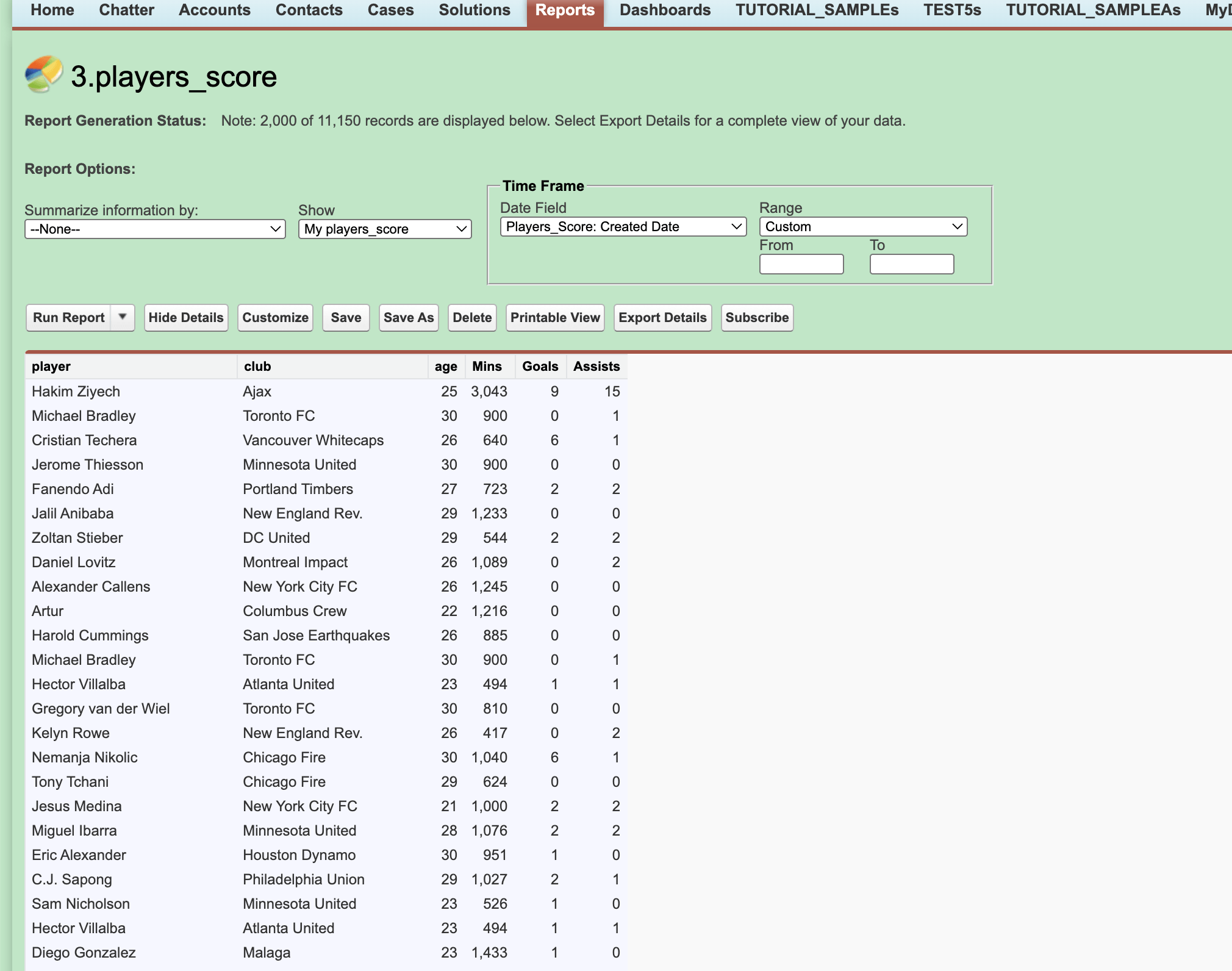
KB489845_1.jpg

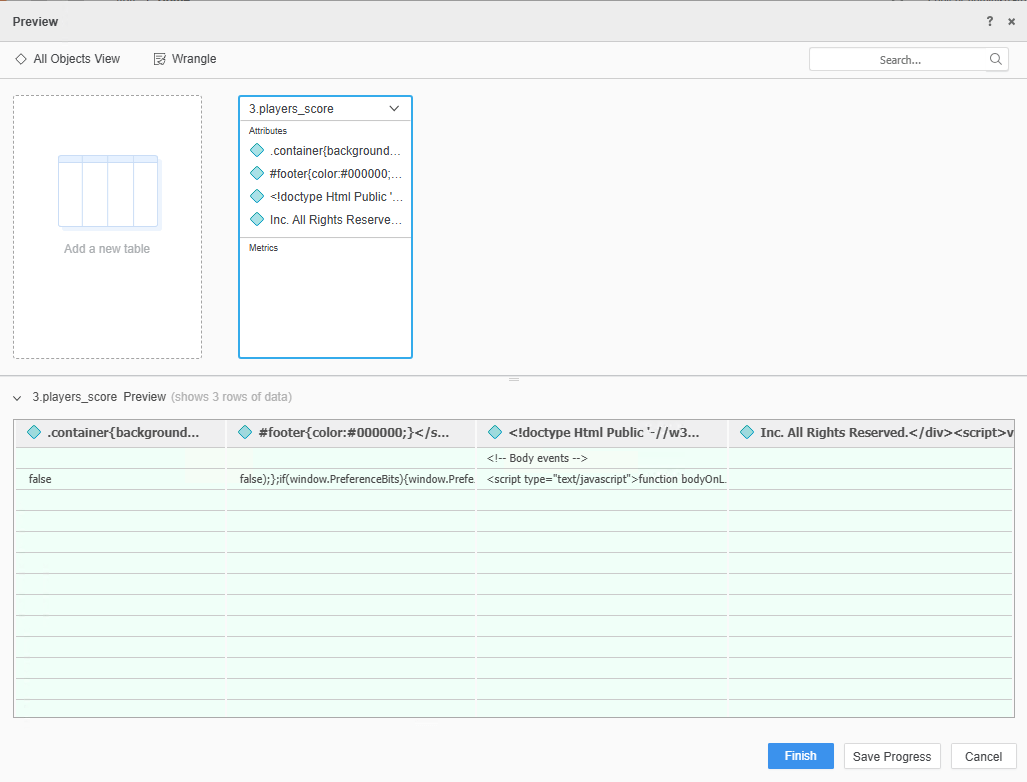
But data in Strategy is corrupted:

KB489845_2.jpg

CAUSE

Strategy currently retrieves Salesforce report data using the Salesforce API (exporting report to CSV).

Starting July 2026, Salesforce is strengthening its secure-by-default architecture by enforcing a new, mandatory, time-based step-up Multi-Factor Authentication (MFA) framework.

This is designed to protect against unauthorized data exfiltration during report-related activities.

When Strategy invokes the Salesforce report export API, the call can automatically trigger this step-up MFA workflow. However, because the API-based export is a background, system-to-system operation, there is no interface for users to enter the verification code. As a result, The export via API may be blocked or fail silently and lead the data corrupted.

For detailed information, refer to Salesforce’s documentation Prepare for the upcoming Step-up Authentication requirements on Report Actions

WORKAROUND

Because the Salesforce report export API is no longer reliably usable under the new step-up MFA controls, the following workaround is available:

  1. For new datasets or imports:
    1. Users should manually export the Salesforce report to a CSV file directly from the Salesforce UI. In Strategy, import the data using the Local File option (upload the exported CSV).
  2. For existing datasets or mosaic models:
    1. There is no direct workaround to refresh existing datasets or models that rely on the Salesforce export data API.

Comment

0 comments

Details

Knowledge Article

Published:

July 31, 2026

Last Updated:

July 31, 2026