SYMPTOM:
After setting up the entire Strategy Product Suite on a 64-bit Windows 7 machine, the following error occurs when running any report in Strategy Web or Desktop in the Strategy Tutorial project against the out of the box Tutorial warehouse:
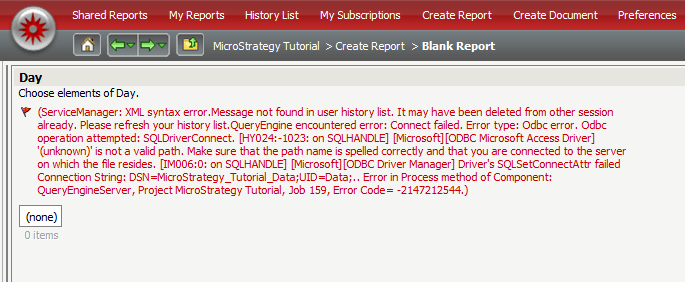
Sample Code/Error
(ServiceManager: XML syntax error.Message not found in user history list. It may have been deleted from other session already. Please refresh your history list.QueryEngine encountered error: Connect failed. Error type: Odbc error. Odbc operation attempted: SQLDriverConnect. '(unknown)' is not a valid path. Make sure that the path name is spelled correctly and that you are connected to the server on which the file resides. Driver's SQLSetConnectAttr failed Connection String: DSN=Strategy_Tutorial_Data;UID=Data;.. Error in Process method of Component: QueryEngineServer, Project Strategy Tutorial, Job 159, Error Code= -2147212544.)
CAUSE:
The out of the box Tutorial Warehouse DSN is pointed to \Program Files\MicroStrategy\Tutorial Reporting
In 64-bit Windows operating systems, the default location of the TUTORIAL_DATA_7200.mdb is in \Program Files (x86)\MicroStrategy\Tutorial Reporting.
ACTION:
Open the 32-bit ODBC Administrator by launching "odbcad32.exe" from \Windows\SysWOW64, and modify the path of the database by clicking the "Select" button. Locate the TUTORIAL_DATA_7200.mdb in \Program Files (x86)\MicroStrategy\Tutorial Reporting and save the DSN.
KB422403
