Attributes give users context for reporting on and analyzing data. While knowing your company’s total sales is useful, knowing when and where the sales took place provides the kind of analytical depth that users require on a daily basis.
For example, if sales data is stored in the data warehouse at the day level, a month attribute allows users to see their sales data summarized at the month level.
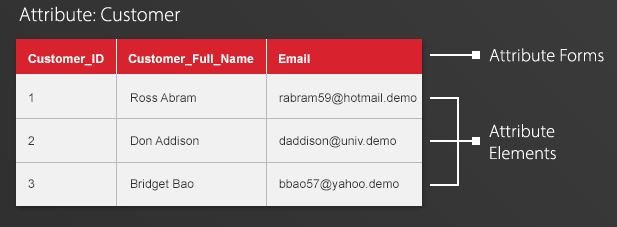
In Strategy, attributes are identified by the column headers of reports. Attributes can have many descriptors, or forms, shown as distinct columns that are different representations of the same attribute. For example, the attribute “Customer” might be associated with the forms “Email” and “Full Name.” Watch Video to learn overview of Strategy Attributes.