EducationSoftwareStrategy.com
StrategyCommunity

Knowledge Base

Product

Community

Knowledge Base

TopicsBrowse ArticlesDeveloper Zone

Product

Download SoftwareProduct DocumentationSecurity Hub

Education

Tutorial VideosSolution GalleryEducation courses

Community

GuidelinesGrandmastersEvents
x_social-icon_white.svglinkedin_social-icon_white.svg
Strategy logoCommunity

© Strategy Inc. All Rights Reserved.

LegalTerms of UsePrivacy Policy
  1. Home
  2. Topics

KB484781: Executing documents with dynamic text or html container in the Detail section results in a blank page if there is a derived unit in the dataset in MicroStrategy Web 2020 Update 2


Junlong Chen

Quality Engineer, Principal • MicroStrategy


This article addresses the blank page that is returned when executing a document with dynamic text or html container, with a derived unit in the dataset, in Web. This article also provides a solution and workaround to avoid this behavior.

Description


When running a document with dynamic text or html container in the Detail section in Strategy Web, a blank page is returned if there are derived units in the datasets. The dynamic text does not show in the document. 
 

ka04W000000XPAYQA4_0EM4W000001KEcA.jpeg

For other similar cases, the document throws the following error message when executed in Web:
No such interface supported
Steps to reproduce 

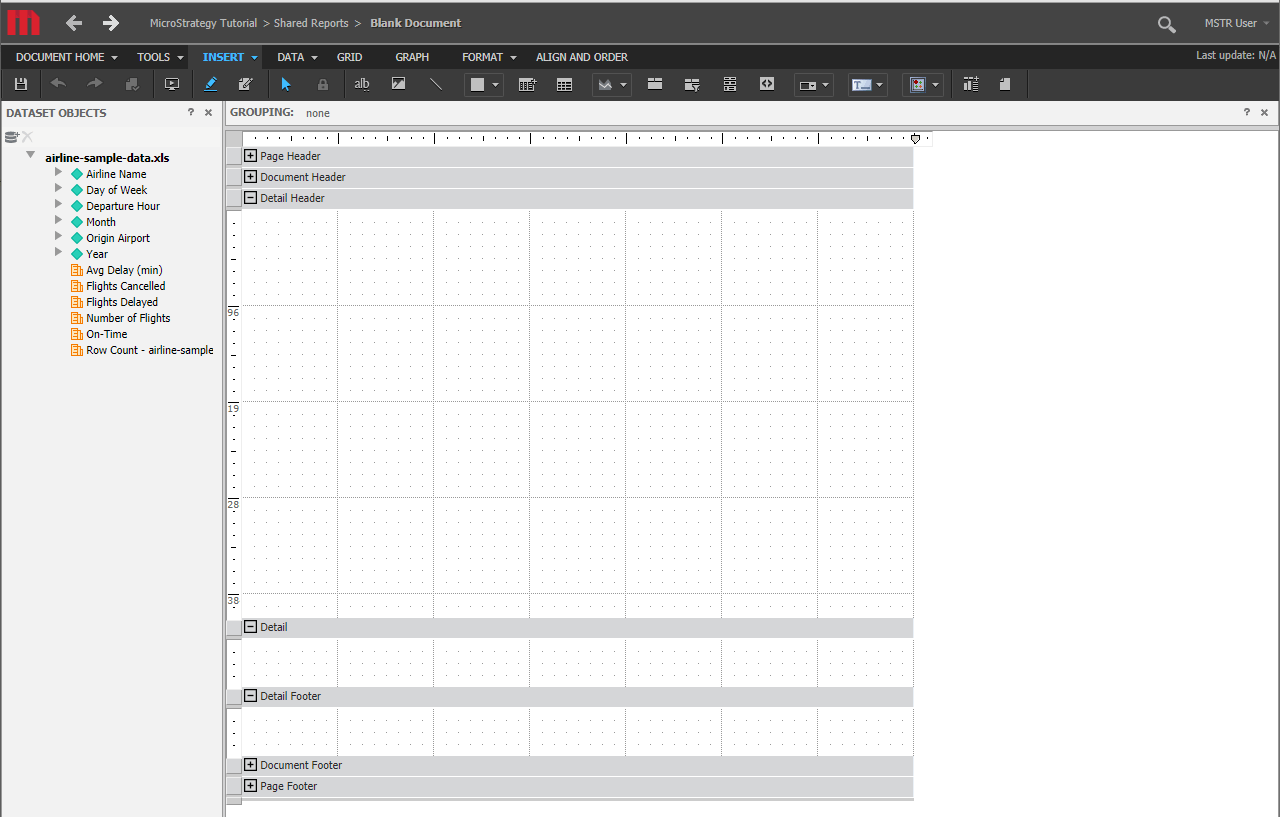
  • Create a new document with the sample file, "Airline Sample Data," in Strategy Web. 
ka04W000000XPAYQA4_0EM4W000001KEdr.jpeg
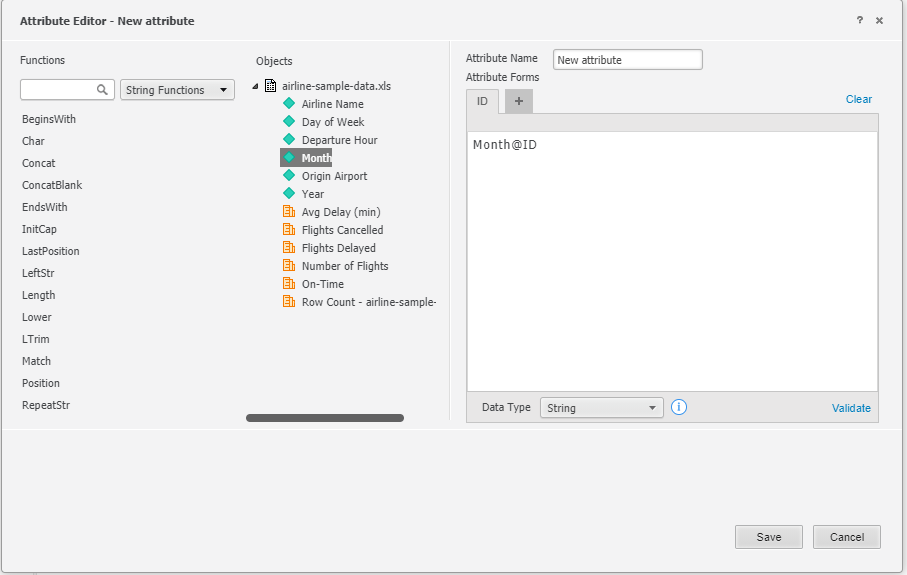
  • Create a derived attribute based on Month and change the data type to String. 
ka04W000000XPAYQA4_0EM4W000001KEe1.jpeg
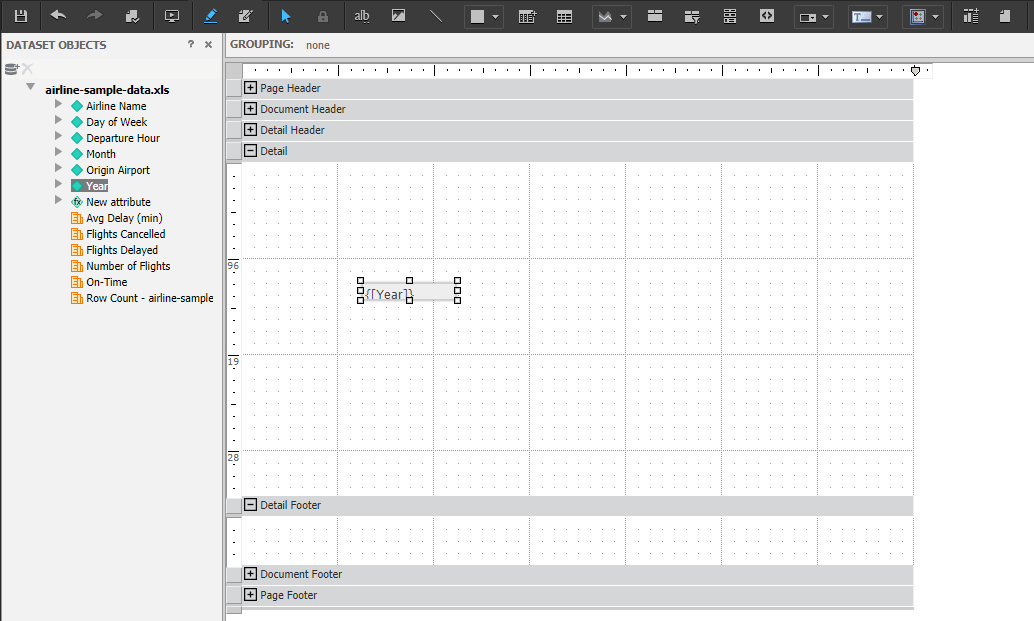
  • Add the dynamic text {Year} to the Detail section.
ka04W000000XPAYQA4_0EM4W000001KEe6.jpeg
  • Run the document. A blank page displays and the dynamic text does not show in the document. 
ka04W000000XPAYQA4_0EM4W000001KEeB.jpeg

Why is this happening? 


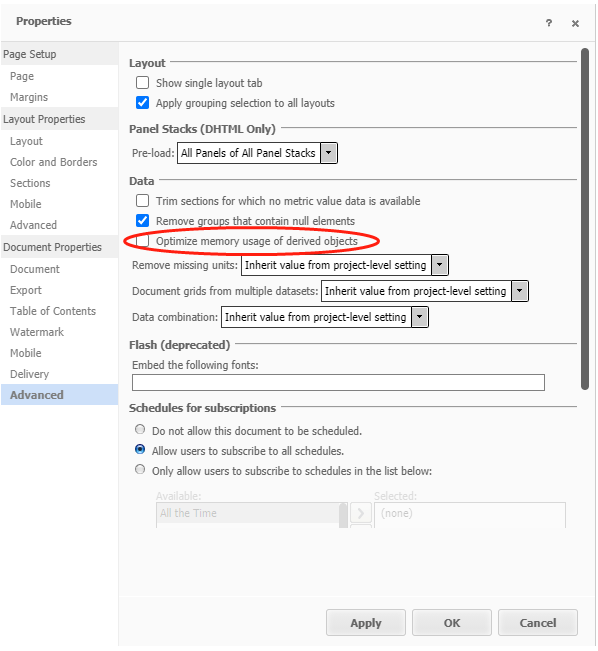
This is a problem exposed in documents with the introduction of the feature for optimizing memory usage for derived objects during document execution.
 

Solution 

This issue has been addressed in Strategy 2020 Update 3 and Strategy 2021. 
 
After upgrading to Strategy 2020 Update 3 or Strategy 2021, you should not experience this issue. However, you may experience performance degradation for documents with dynamic text or html container in the Detail section with a derived unit in the dataset. SQL and data remains unchanged. 
 

Workaround


In Strategy 2020 Update 2, there is an option to disable the Optimize memory usage of derived objects setting. 
ka04W000000XPAYQA4_0EM4W000001KEez.jpeg

Comment

0 comments

Details

Knowledge Article

Published:

December 23, 2020

Last Updated:

December 23, 2020