Amazon Aurora and MariaDB is listed as not certified in the Data Import functionality in web.
Reproduce steps:
Add External Data->Database->Build a query->Add DATA SOURCES
Issue:
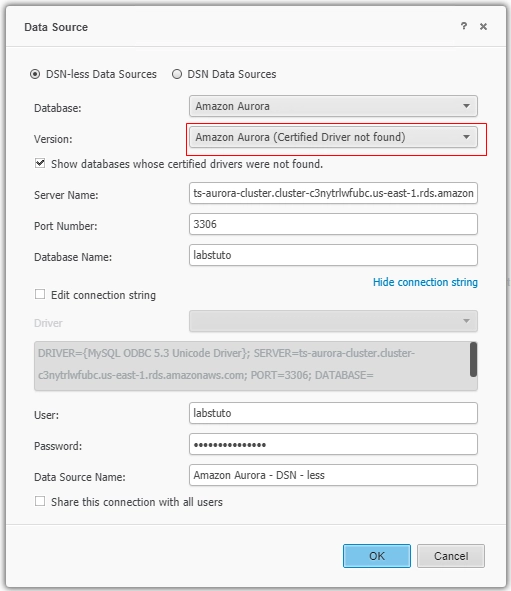
Amazon Aurora does not show up as certified drivers for DSN-less DI for web.
Also the default connection string shows incorrect driver
connection string: DRIVER={MySQL ODBC 5.3 Unicode Driver}; SERVER=ts-aurora-cluster.cluster-c3nytrlwfubc.us-east-1.rds.amazonaws.com; PORT=3306; DATABASE={labstuto};DriverUnicodeType=1;
Potential Workaround:
The error is gone after Intelligence Server is restarted.
The actual problem is that user need to restart IServer to update mysql driver installation status, but there is no proper warning pass to user.
