Starting with the release of MicroStrategy ONE (March 2024), dossiers are also known as dashboards.
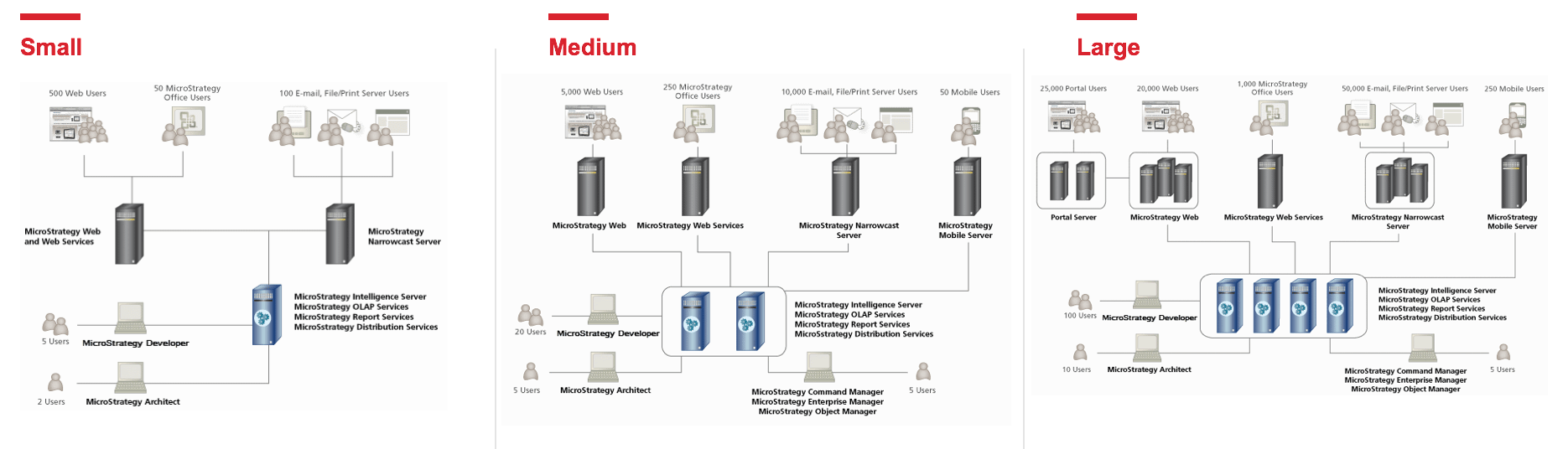
Deploying the MicroStrategy software platform is the first step towards an enterprise scale Business Intelligence system. The MicroStrategy platform supports components across a number of operating systems which can be combined together in order to support your BI needs. The MicroStrategy installation routines are scalable to support any size deployment whether you are deploying a single MicroStrategy node or a dozens of machines for a clustered environment.
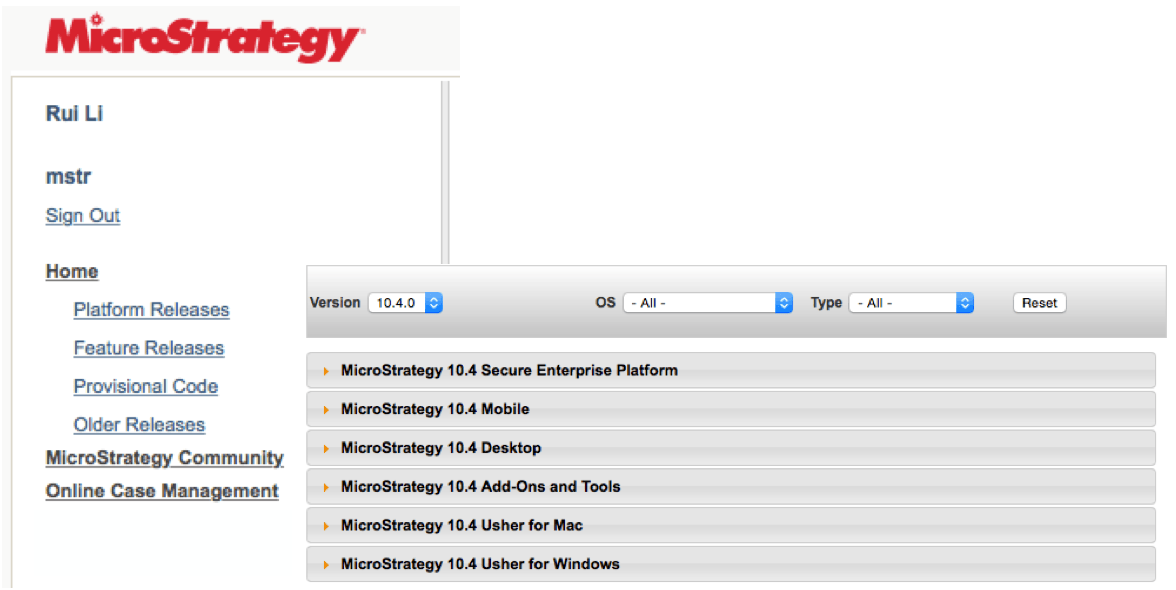
2. Select the release from the left hand side (Platform or Feature) and choose the version from the drop down in the middle and your release from the collapsible sections below.
3. It is recommended to place and unzip the installation package locally to the machine where you will be installing MicroStrategy instead of running the installation from a network or shared drive.
4. Before you begin the installation, obtain a license key from https://software.microstrategy.com or your Account Executive.
Installation Logic
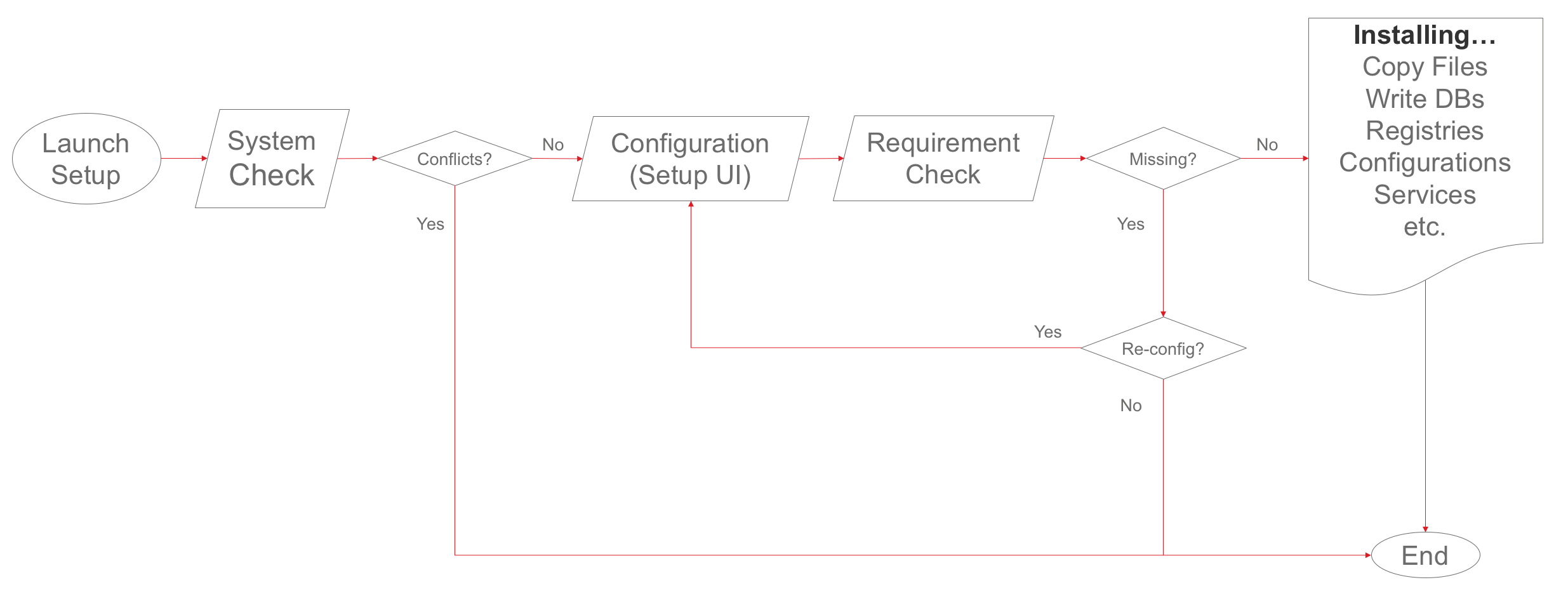
All of the MicroStrategy installations follow a similar logic path:
Product | Windows | Linux | macOS | AIX[1] | Solaris[1] |
Intelligence Server | x | x |
| x | x |
MicroStrategy Web | x | x |
| x | x |
MicroStrategy Web Services (Office) | x | x |
| x | x |
MSTR Mobile | x | x |
| x | x |
Desktop | x |
| x |
|
|
Developer | x |
|
|
|
|
MicroStrategy Tools (Object Manager, Command Manager, Enterprise Manager, Integrity Manager, System Manager) | x | x |
| x | x |
Narrowcast Server | x |
|
|
|
|
Integrated 3rd Party Components (Tomcat, MySQL) | x |
|
|
|
|
Usher Security Platform | x | x |
|
|
|
[1] AIX and Solaris are supported on 10.4 and prior releases.
Installation Package | Mac | Windows | Linux | AIX | Solaris |
Secure Enterprise Platform |
| InstallShield | Java | Java | Java |
Desktop | Packages (.pkg) | InstallShield |
|
|
|
Health Center |
| InstallShield | Java | Java | Java |
MicroStrategy Office |
| InstallShield |
|
|
|
R Integration Pack | Packages (.pkg) | InstallShield | Java | Java | Java |
Runtime |
| InstallShield |
|
|
|
Usher Paxton adapter |
| InstallShield |
|
|
|
Usher Tyco Adapter |
|
| Java |
|
|
Usher for Windows and Mac | Packages (.pkg) | InstallShield |
|
|
|
setup.exe --ResponseFile="C:\response.ini" -s -f1"C:\setup.iss" -f2"C:\setup.log"
setup.sh -console
setup.sh -silent -options <path>/options.txt
For more details on programmatic installation including example options files, please see our Silent Installation White Paper: A Technical Guide to Troubleshooting and UsageService Name | Default Port |
Apache Kafka | 9092 |
Apache Tomcat 8.0 Tomcat8 | 8080 |
Apache Tomcat 8.0 usherGW | 9501 |
Apache Tomcat 8.0 usherIDM | 1443 & 2443 |
Apache ZooKeeper | 2181 |
Apache2.4 | 443 |
Memcached | 11211 |
MongoDB | 27017 |
MySQL | 3306 |
Redis | 6379 |
MicroStrategy Collaboration/Realtime Service | 3000 |
MicroStrategy Intelligence Server | 34952 |
MicroStrategy PDFExport Service | 20100 |
MicroStrategy REST Server | 7070 |
MicroStrategy Usher Analytics Log Consumer |
|
MicroStrategy Distribution Manager |
|
MicroStrategy Enterprise Manager Data Loader |
|
MicroStrategy Execution Engine |
|
MicroStrategy Health Agent |
|
MicroStrategy Listener |
|
MicroStrategy Logging Client |
|
MicroStrategy Logging Consumer |
|
MicroStrategy Logging Server |
|
MicroStrategy Master Health Agent |
|
MicroStrategy MongoDB SQL Engine |
|
MicroStrategy NC PDF Formatter |
|
MicroStrategy SMTP Service |
|
MicroStrategy System Monitor |
|
Service Name | Default Port |
Apache Kafka | 9092 |
Apache Tomcat (Dossier Web) | 8080 |
Apache Tomcat (usherGW) | 9501 |
Apache Tomcat (usherIDM) | 443 & 1443 |
Apache ZooKeeper | 2181 |
MongoDB | 27017 |
Redis | 6379 |
MicroStrategy Collaboration/Realtime Service | 3000 |
MicroStrategy Intelligence Server Log Consumer |
|
MicroStrategy PDFExport Service | 20100 |
MicroStrategy REST Server | 7070 |
MicroStrategy Usher Analytics Log Consumer |
|
MicroStrategy Health Agent | 44440 |
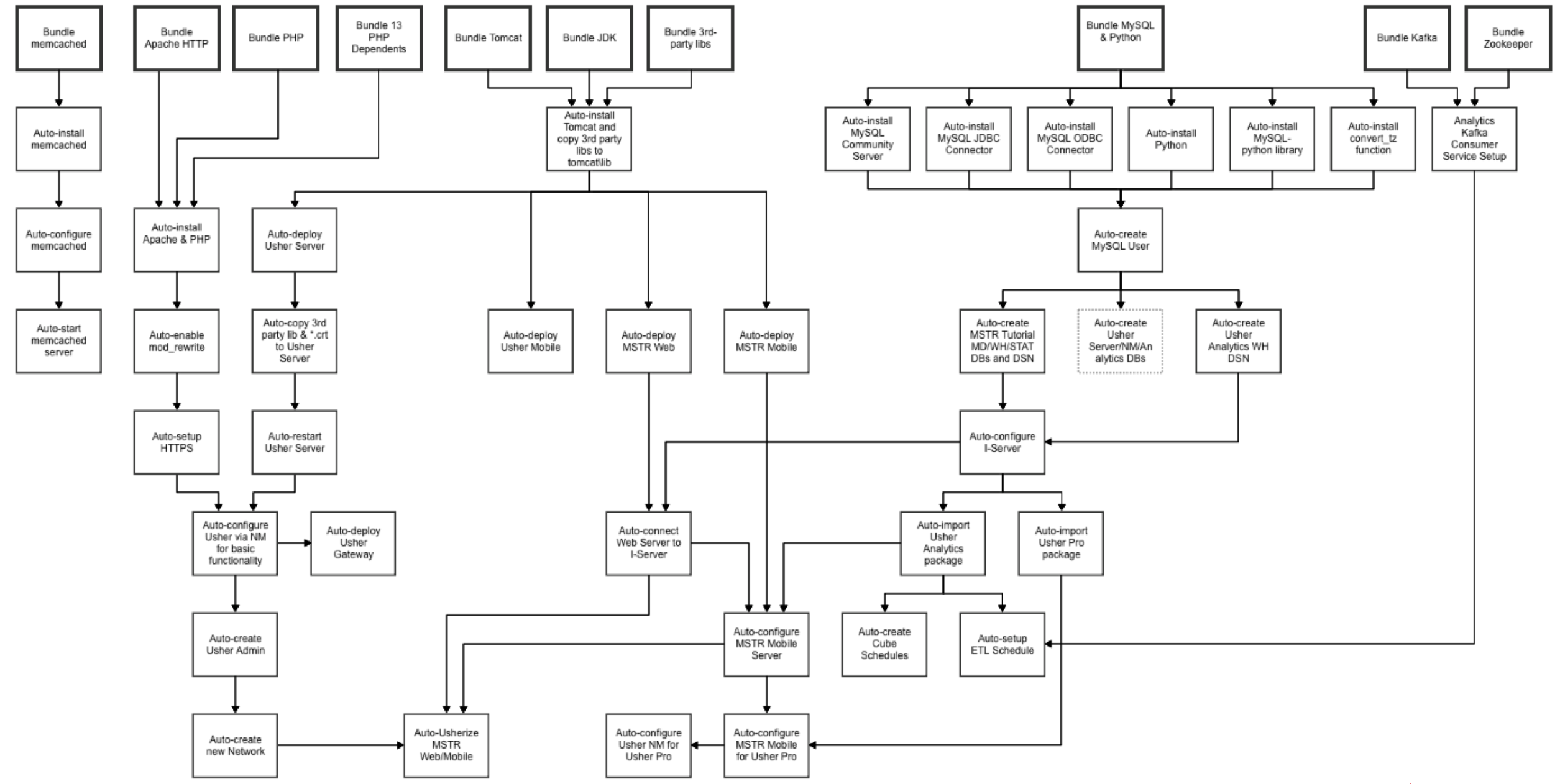
Detailed Logic for Linux Installation:
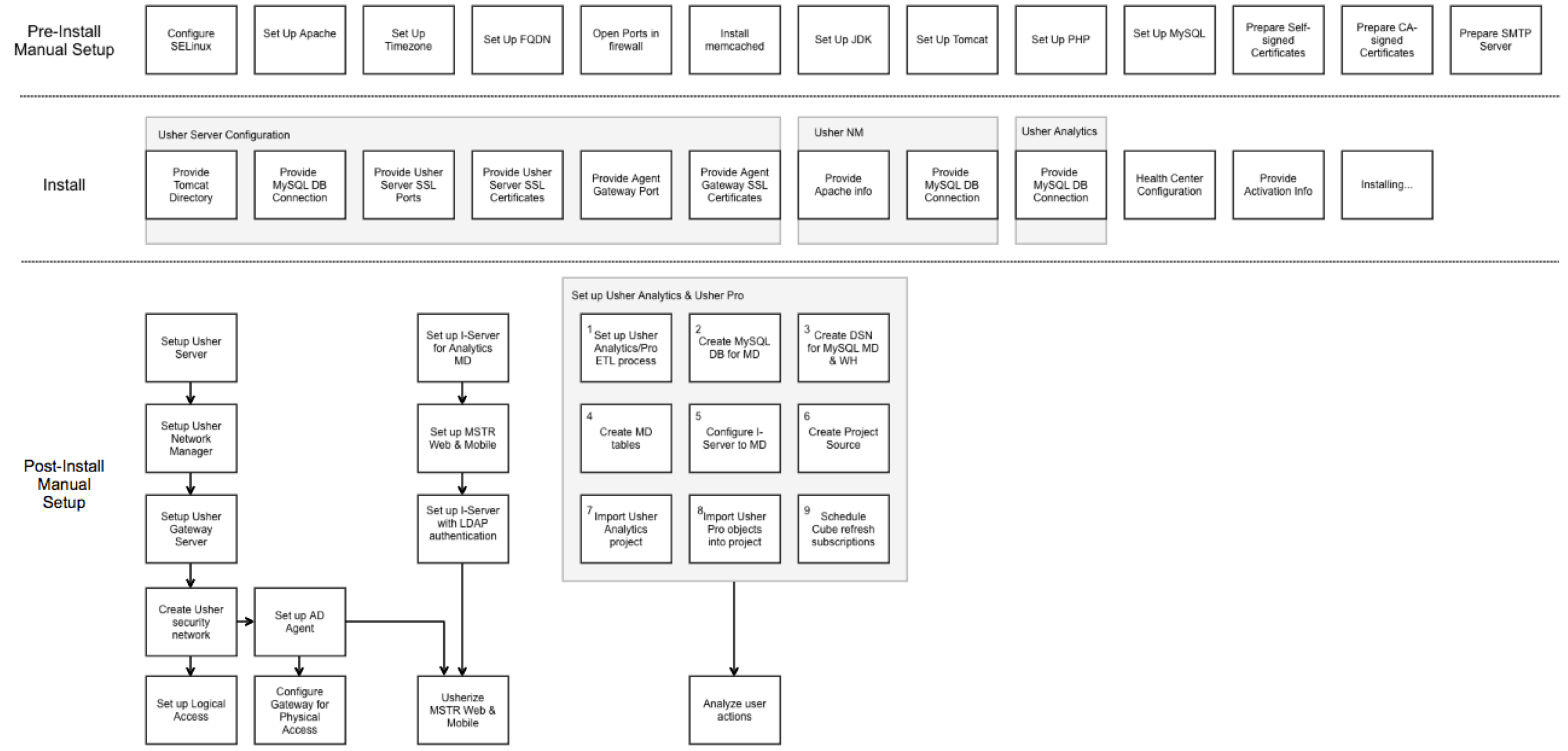
Included here is an installation flow diagram for the Linux installation along with common steps which need to be taken after installation.