SUMMARY
This issue has been classified as a defect by Strategy. The impact is limited to grids in Strategy Web 9.4.1 that use a custom border. There is a workaround available in the current document. A solution/code fix for this issue is not available in current releases but is being reviewed for a future Strategy release
SYMPTOM
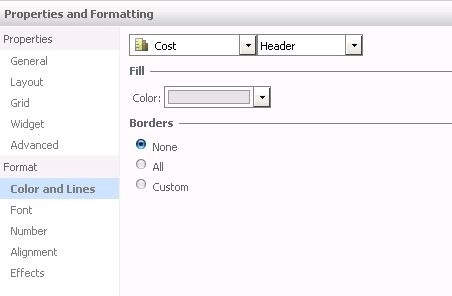
The user has created a Custom Border on a grid in Strategy Web. When the user edits the Grid and selects Advanced Formatting > Colors and Lines > Borders, the Borders show as None.
STEPS TO REPRODUCE
1.In the Strategy Tutorial Project, create a report with the Year attribute and the Cost and Profit metrics
2. Create a document with the report. Insert a grid where Cost and Profit are placed in the rows and Year in the columns.
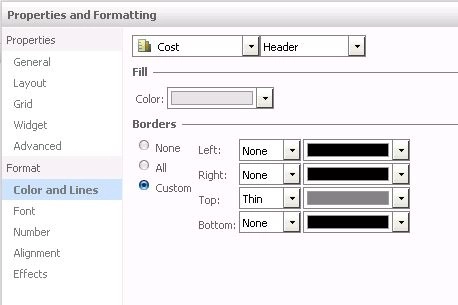
3. Run the document in editable mode. Right Click on the Cost metric and select Advanced Formatting > Colors and Lines > Borders. For Cost Header, set the top border to thin and gray and the other sides to None.
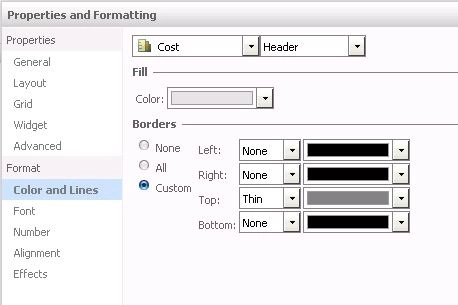
4. Save the document and re-open it. The border layout for the Cost header in the grid is consistent with the setting in step 3.
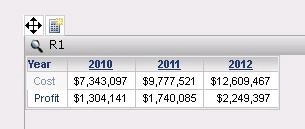
5. In editable mode, right click the Cost Metric and select Advanced Formatting > Colors and Lines > Borders. The border shows as None even though a custom border has been created
ACTION
Currently, this issue is being reviewed by our Technology team for a potential code fix on an upcoming Strategy release
WORKAROUND
In the Advanced Formatting > Colors and Lines > Borders window, select the Custom radio button. The Custom borders will be shown.