SYMPTOM:
User is unable to modify an expression form of an existing attribute form group. After clicking on the Modify button on the attribute editor, user receives the following error in Strategy Developer.
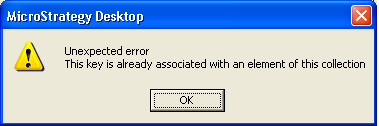
Sample Code/Error
Unexpected error
This key is already associated with an element of this collection
CAUSE:
The error occurs because duplicate column objects exist in user's environment. Two or more form expressions with the exact same expression were created to map to different set of source tables, for example

Please refer to the following knowledge base article for more details on the above issue
KB4100-8X-1936 - Automatic mapping does not recognize a source table with the same column name in MicroStrategy Architect 8.x
ACTION:
Please contact Strategy Technical Support for further assistance with this issue.
