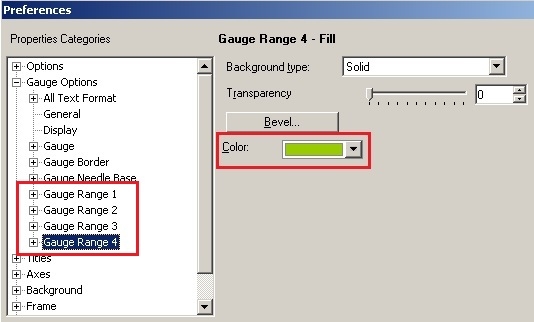
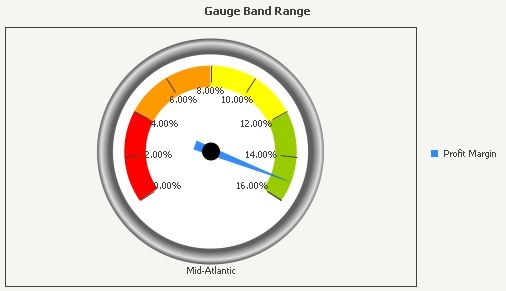
In some scenarios, it is required to display Gauge color according to Y-axis value in a Gauge graph in Strategy Desktop, as shown on page 472 of Strategy Product Manual: Advanced Reporting Guide. Part of the graph is also shown below:
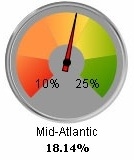
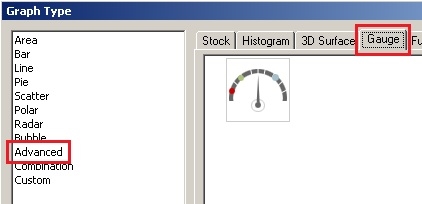
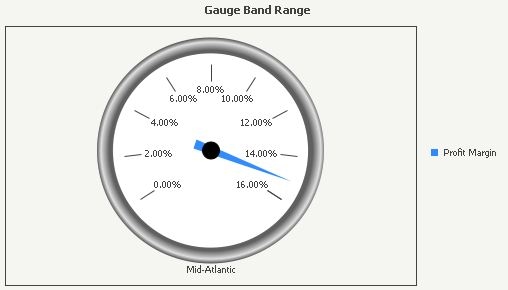
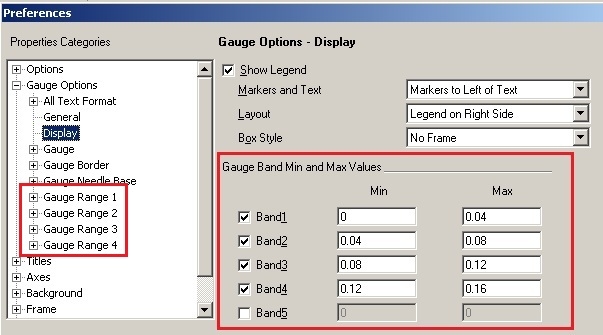
In order to format color according to Y-axis value, Gauge Band is used. In this Technical Note, attribute Region with only Mid-Atlantic along with metric Profit Margin are used in the graph as the example. For the steps below to achieve this:
NOTE 1:
Under Properties Categories -> Gauge Options -> General -> Gauge Style, if Old style is selected as shown below:
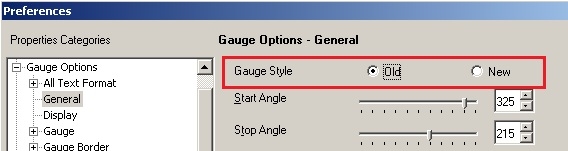
The Gauge graph will perform like discussed in Technical Note:
KB10266: What are Quality Bands in Gauge Graphs and how are they set up?
NOTE 2:
If max and min values on Gauge graph need to be modified, right mouse click on the graph -> Gauge Options, under Properties Categories -> Axes -> Y -> Grids and Scales -> Use Manual Setting, enter Maximum and Minimum Values, as shown below:
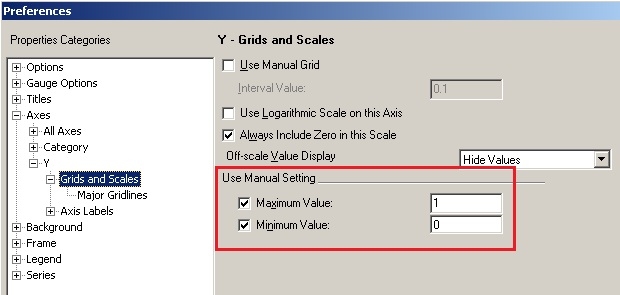
To be noticed that after this operation, Gauge Band Min and Max values need to be updated accordingly.
