SYMPTOM:
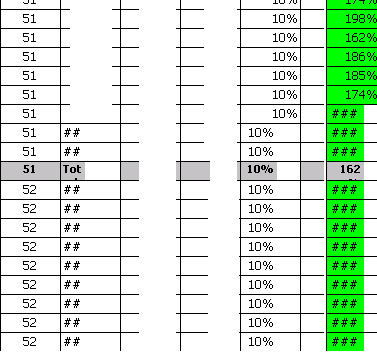
When large documents are delivered via email subscriptions to Excel through Distribution Services in Strategy Web 9.x , they lose formatting when rendered after a certain number of rows. This behavior is determined by the amount of data in the exported document and there is no specific number of rows, after which the formatting is lost. The issue happens in Excel subscriptions only and is not seen in PDF subscriptions.
STEPS TO REPRODUCE:
In Strategy 9.x:
CAUSE:
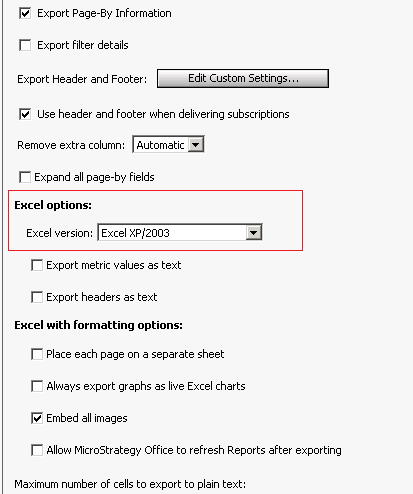
The Excel version in the 'Excel Option' section in the Strategy Web Preferences is set to 'Excel XP/2003'. Distribution Services determines what Excel format or version to use for subscription deliveries based on what is defined in the ‘Excel Options’ section of the ‘Export Reports’ option in the Strategy Web Preferences.
Note: It does not matter what version of Excel is used for opening the document. The formatting is already done by the Intelligence Server before Distribution Services deliveres the subscription.
There is a limitation in Microsoft Excel 2003 where the application is not able to handle the formatting of large amounts of data past a certain point.
ACTION:
Change the Excel version in the 'Excel Option' section of the 'Export Options' in the Strategy Web Preferences to 'Excel 2007 or newer versions'.
