EducationSoftwareStrategy.com
StrategyCommunity

Knowledge Base

Product

Community

Knowledge Base

TopicsBrowse ArticlesDeveloper Zone

Product

Download SoftwareProduct DocumentationSecurity Hub

Education

Tutorial VideosSolution GalleryEducation courses

Community

GuidelinesGrandmastersEvents
x_social-icon_white.svglinkedin_social-icon_white.svg
Strategy logoCommunity

© Strategy Inc. All Rights Reserved.

LegalTerms of UsePrivacy Policy
  1. Home
  2. Topics

KB42430: "The editing of a metric that does not require SQL execution, such that the new formula will require SQL execution, is not allowed" error message appears when editing a derived metric in MicroStrategy 9.x.


Community Admin

• Strategy


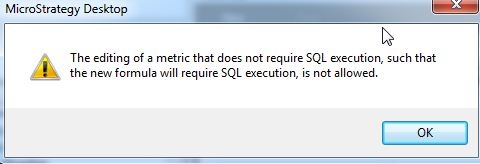
When a user tries to edit a derived metric and change certain aspects of the formula, that user may be prompted with the message: The editing of a metric that does not require SQL execution, such that the new formula will require SQL execution, is not allowed

SYMPTOM:
 
When a user tries to edit a derived metric and change certain aspects of the formula, that user may be prompted with the message:
 

ka04W000000OhhwQAC_0EM440000002Cwo.jpeg


The editing of a metric that does not require SQL execution, such that the new formula will require SQL execution, is not allowed
 
STEPS TO REPRODUCE:
 
Using Tutorial Data:
 
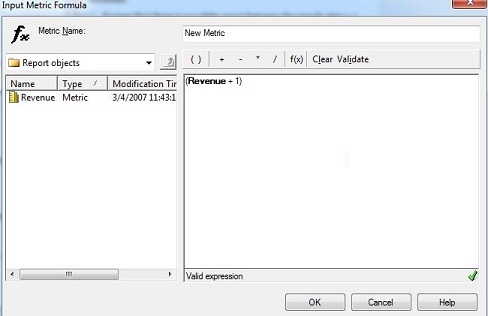
1. Create a report with Revenue metric on it.
2. Create a derived metric of Revenue+1
 

ka04W000000OhhwQAC_0EM440000002Cwr.jpeg

 
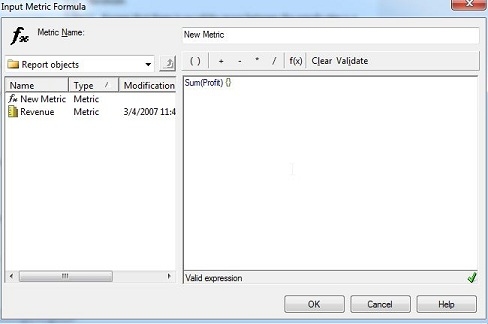
3. Click OK, and then re-edit the derived metric. This time click the function f(x) button and select SUM() and the Profit Fact. Or you can type in Sum(profit) and then select the Profit Fact after validation.
 

ka04W000000OhhwQAC_0EM440000002Cwh.jpeg

 
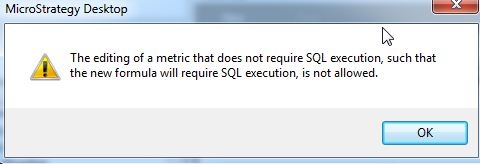
4. Click OK and the Strategy will prompt this error message:
ka04W000000OhhwQAC_0EM440000002Cwq.jpeg

 
The editing of a metric that does not require SQL execution, such that the new formula will require SQL execution, is not allowed
 
CAUSE:
 
There are certain objects that are not allowed in derived metrics. More information can be found on derived metrics in Product Manuals.
 
In the above situation, new SQL had to be generated in order for the fact table to be used because that fact table was not being used in this report, and since derived metrics does not generate new SQL, users will see that error message.
 
ACTION:
 
This is by design. Either create a new derived metric if enounters this message or use objects that are already in the report objects window.


Comment

0 comments

Details

Knowledge Article

Published:

April 21, 2017

Last Updated:

April 21, 2017