EducationSoftwareStrategy.com
StrategyCommunity

Knowledge Base

Product

Community

Knowledge Base

TopicsBrowse ArticlesDeveloper Zone

Product

Download SoftwareProduct DocumentationSecurity Hub

Education

Tutorial VideosSolution GalleryEducation courses

Community

GuidelinesGrandmastersEvents
x_social-icon_white.svglinkedin_social-icon_white.svg
Strategy logoCommunity

© Strategy Inc. All Rights Reserved.

LegalTerms of UsePrivacy Policy
  1. Home
  2. Topics

KB440361: Line color in graph changed when all values of a metric hit the threshold


Community Admin

• Strategy


When a threshold is defined in a metric to show the highlighted data marker in a line graph, it should be only the data marker to display the color defined in the threshold. The line color should stay the same. However, it is not always the case. In a scenario when all the values of the metric reach the threshold, not only the data marker color get changed but also the line color as well.

Steps to reproduce:

  1. Create a dataset with Year attribute and Cost metric in Tutorial.
  2. Create a RS document based on this dataset.
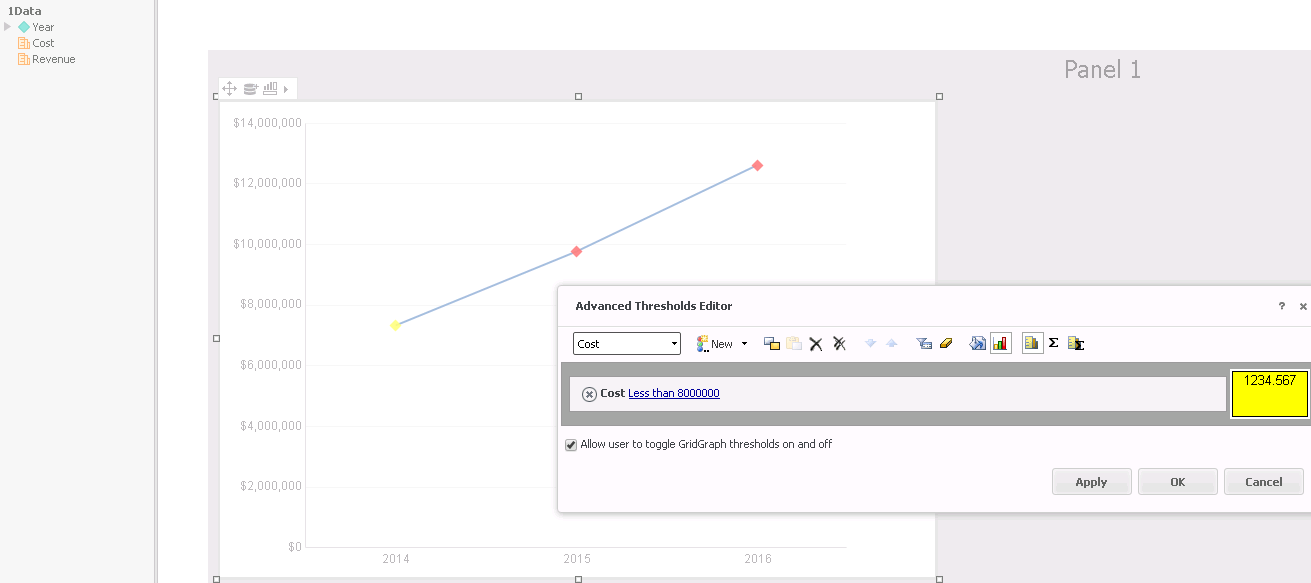
  3. Define a threshold: Cost value less than 8000000 and fill color is Yellow
  4. Create a line graph like the below
ka04W000000Ob4sQAC_0EM44000000A5uN.png

Notice: There is a yellow dot show the threshold correct. The line remains the same color.
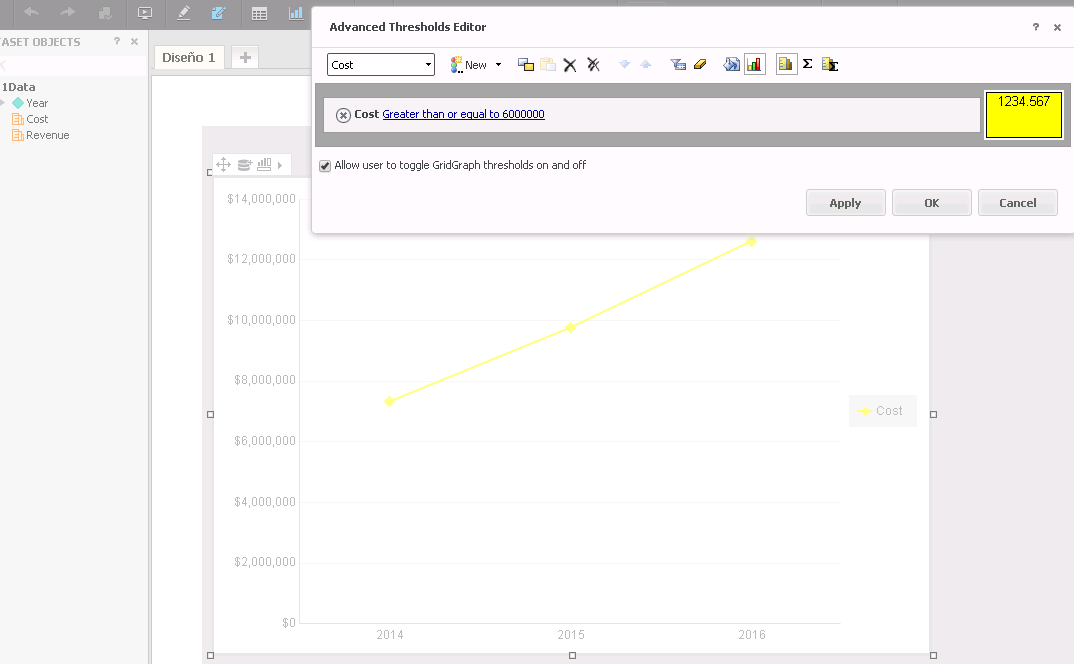
  1. Change the threshold to: Cost greater than 6000000
ka04W000000Ob4sQAC_0EM44000000A5uS.png

Notice: all the line color become yellow.
The line color should stay the same while the data markers show the threshold color.
RESOLUTION
Current behavior is by design. When two markers meet the threshold condition, the connecting line will show the defined threshold color. 
 
We have no plan to change this design in near future.
Article Reference Number: 
  KB440361


Comment

0 comments

Details

Knowledge Article

Published:

March 27, 2018

Last Updated:

December 10, 2018