SUMMARY:
This article explains incorrect behavior for smart metrics displaying unexpected metric values due to a code change for introducing improved join behavior. The issue only affects smart metrics.
SYMPTOM:
Incorrect metric value displayed when dependent metric isn't placed in the same grid in Strategy 10.x. In this example, the SLA% metric is showing the correct value because the 'Violatedcase' metric is in the grid.
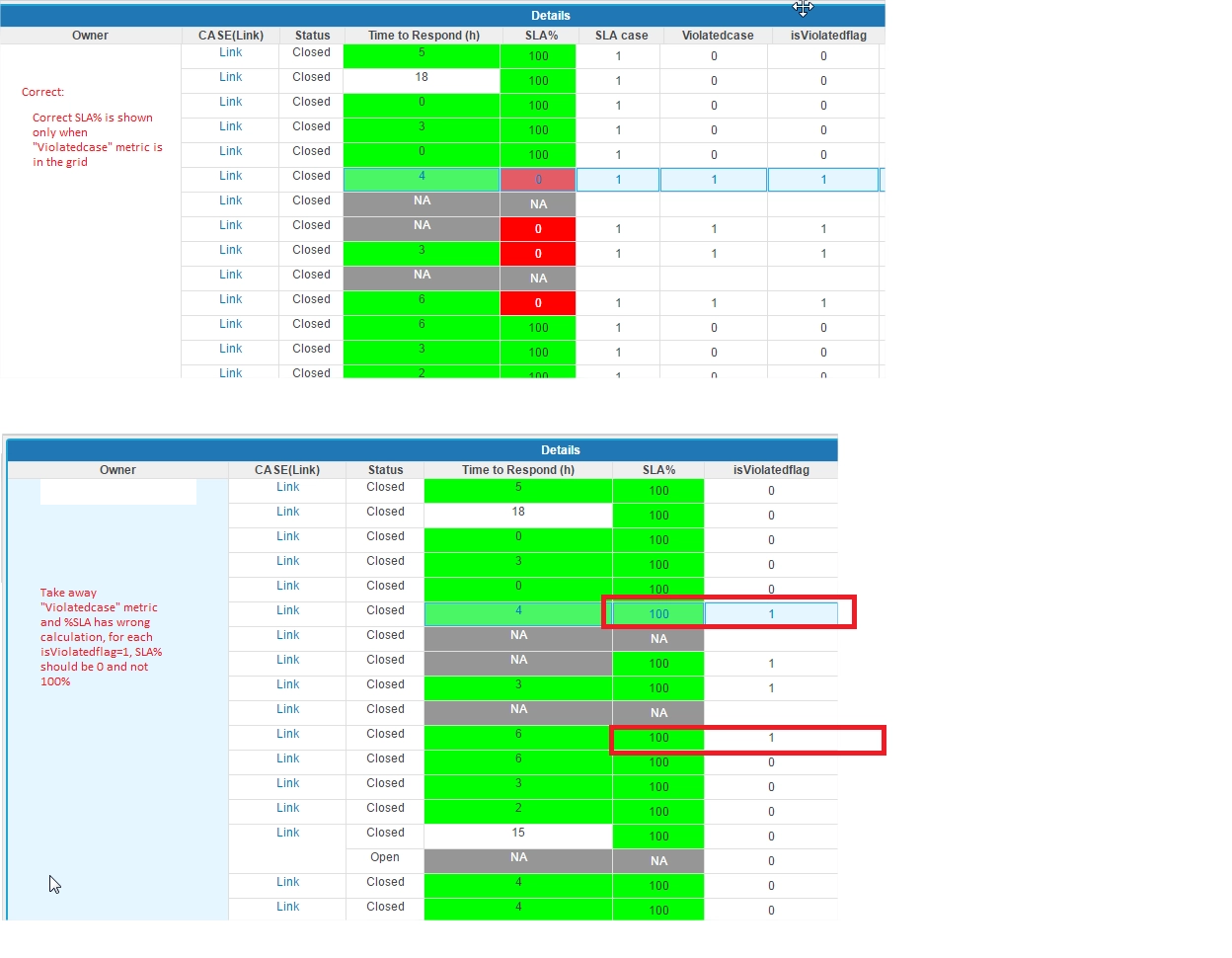
When you take the 'Violatedcase' metric off of the grid, the 'SLA%' metric has a wrong calculation. For each 'isViolatedFlag' metric in which =1, then the %SLA metric value should = 0 and not 100%.
CAUSE:
This is a known defect in 10.x
ACTION:
This issue has been fixed in Strategy 10.8 and higher. Please upgrade to the newest release to take advantage of this fix.
Strategy reference numbers for this technical note are KB440559 and DE63693.
