Starting with the release of Strategy ONE (March 2024), dossiers are also known as dashboards.
SYMPTOM:
In-Memory Data Import Cube Auto Join in Strategy 10.x does not consider the partitioned table when the template attribute(s) is not related to partitioned attribute.
STEPS TOP REPRODUCE:
1. Create an In-Memory data import cube with the following tables:
Table1: Item_CCTR_MNTH_SLS (delete relationships, if any)
Table2: LU_CALL_CTR (delete relationships, if any)
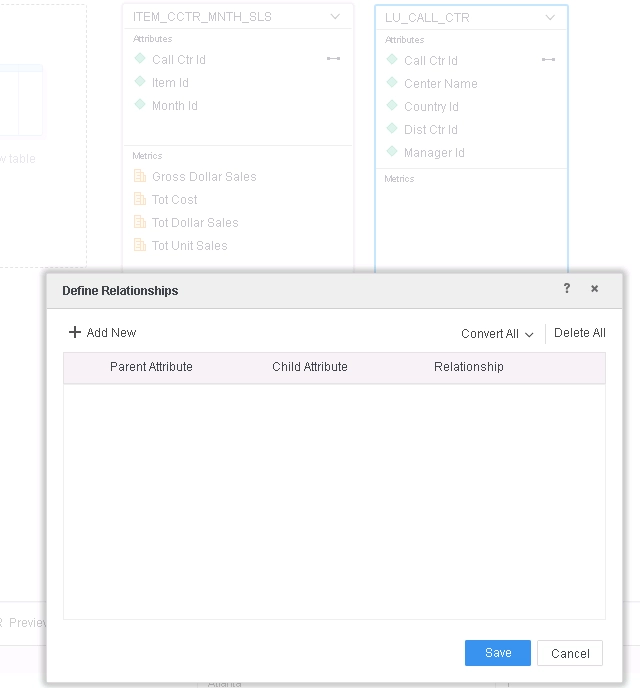
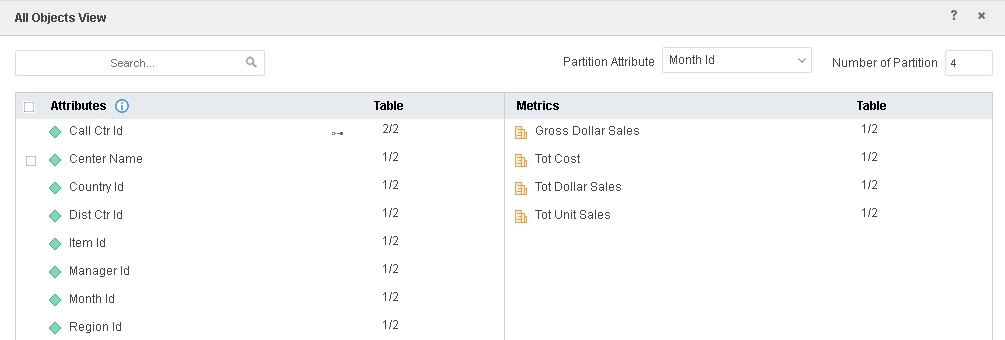
2. Set Month Id as the partition attribute.
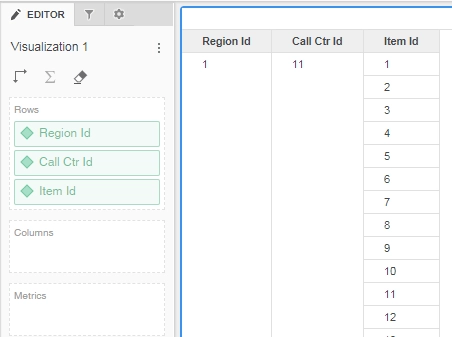
3. Create a Dossier with Region Id, Call Ctr Id, Item Id attributes.
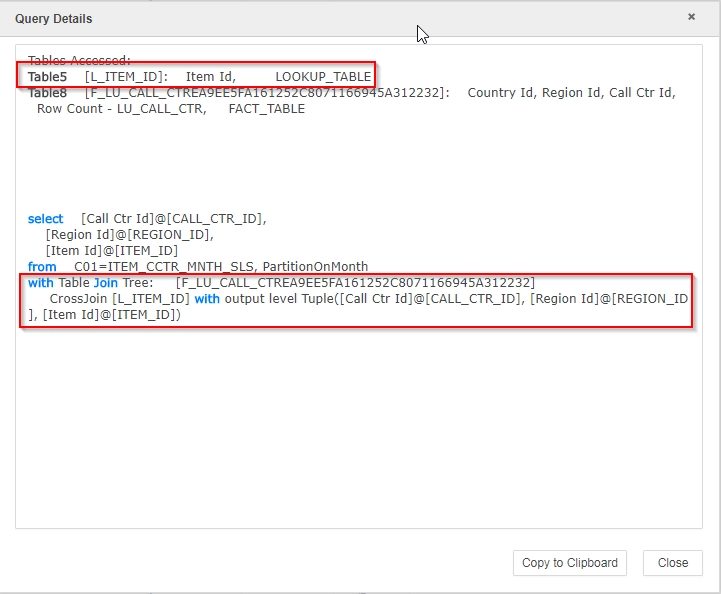
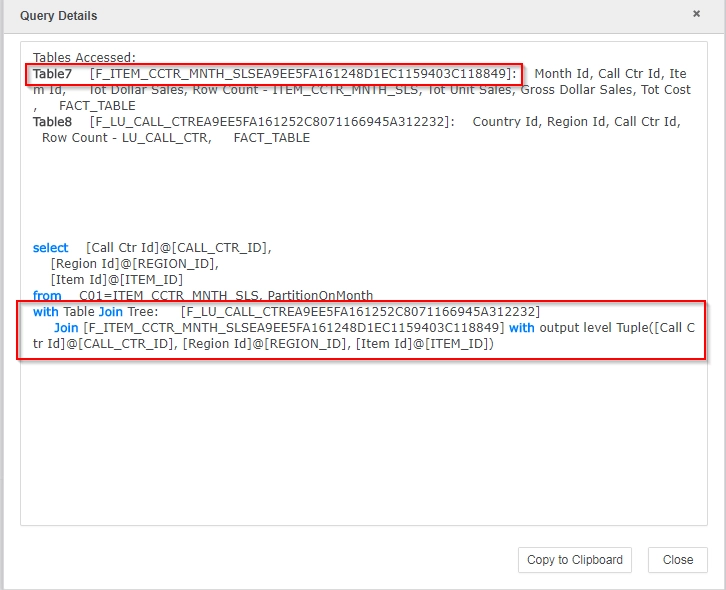
4. View Query Details, notice that the partitioned table is not being used for Auto Join therefore creating a cross-join compared to a regular VI Dashboard/Dossier that isn't source from an In-Memory cube.
Query Details for In-Memory Data Import Cube
CAUSE:
This is a known issue in Strategy 10.x regarding the Auto Join behavior for partitioned table using In-Memory Data Import Cube.
ACTION:
This issue has been fixed in Strategy Web 10.11.
If you are upgrading to Strategy 11.0 or above, to pick up the fix, enable project level setting "Data Engine Version" to 11. This property can only be enabled through Workstation. For more details on enabling the setting, refer to Change Data Engine Version.
If you are upgrading to Strategy 10.9 / 10.10 / 10.11: To pick up the fix, enable the Feature Flag "Defect fixes that may impact Data, SQL, MDX, CSI" within the Web Preferences -> Project Defaults. For more details on enabling Feature Flags refer to What are the Feature Flag options and what do they accomplish in MicroStrategy Web 10.8 and up. Starting Strategy 11.0, this Feature Flag is removed and replaced with project level setting called "Data Engine Version".
Strategy reference numbers for this technical note are KB440707 and DE83305.
