SUMMARY
From Strategy documentation: "Project sources represent a connection to a metadata database or a Strategy Intelligence Server. The project source stores the location of the metadata repository or the Strategy Intelligence Server definition that is used to run the project. Through a project source, you can create, manipulate, and administer Strategy projects."
DESCRIPTION:
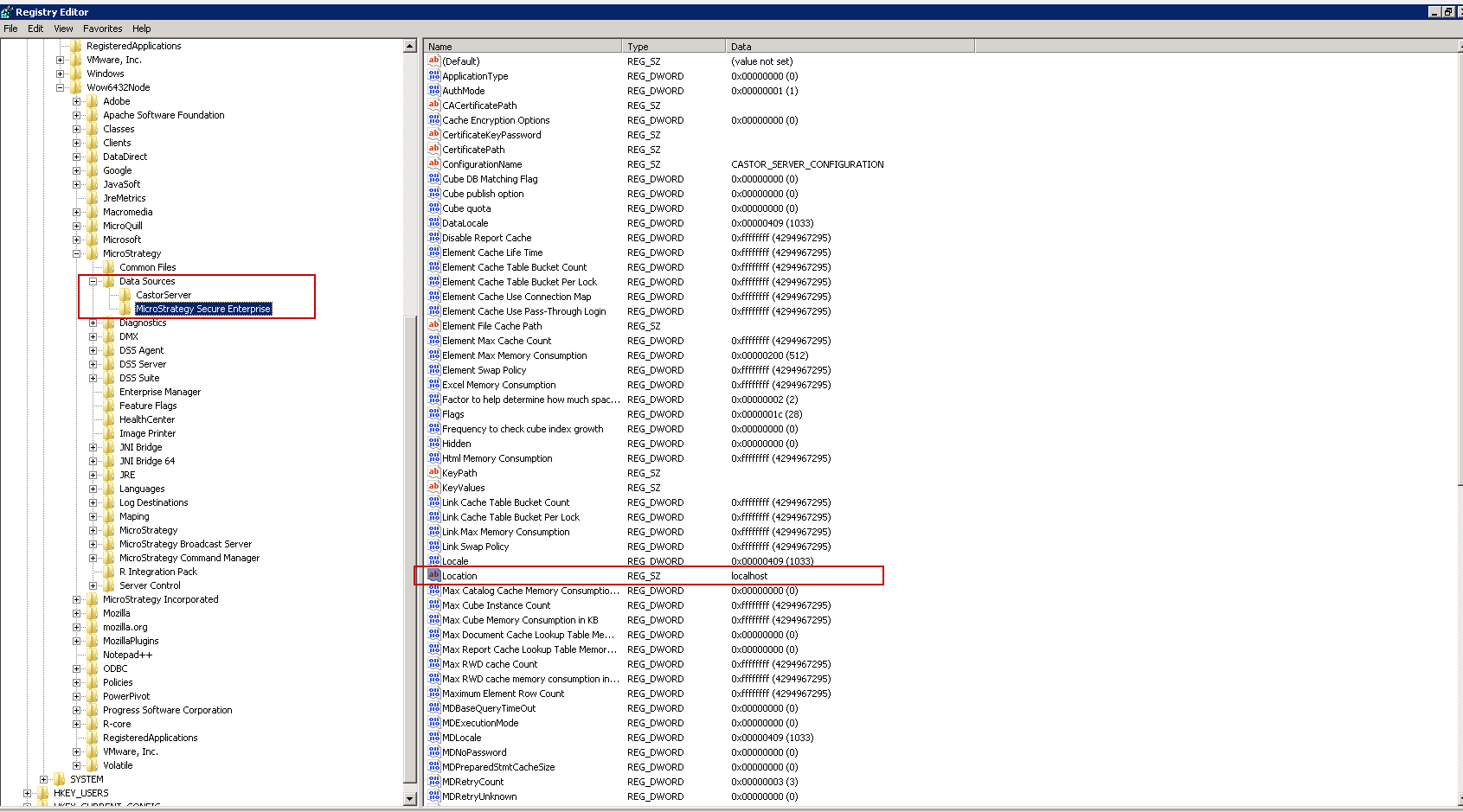
Information about the hostname or IP where the different Project Source Names point to can be found in the Registry.
A different Registry entry is created for every PSN.
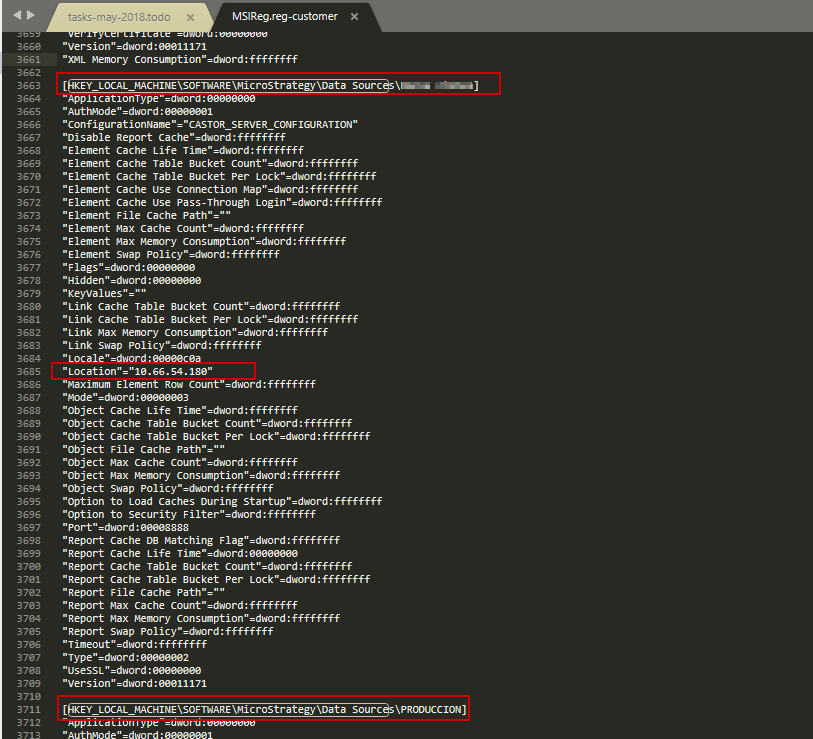
The name of the server or its IP is detailed in the "Location" key in the Registry.
In a Windows system, the Registry key is: [HKEY_LOCAL_MACHINE\SOFTWARE\Wow6432Node\MiroStrategy\DataSources\<DATA SOURCE NAME>]
In Linux systems, this information can be found in the registry file, which is located in "<$HOME_DIRECTORY>\MSIReg.reg" under the key "[HKEY_LOCAL_MACHINE\SOFTWARE\MicroStrategy\Data Sources\<DATA SOURCE NAME>"
KB441259
