Starting with the release of Strategy ONE (March 2024), dossiers are also known as dashboards.
Before Strategy 11.0, If a Dossier
The view filter will not be correctly applied.
This case is built upon Strategy Tutorial project.
1. Create a New Dossier. Add New Data. Choose Databases. Import “CITY_MNTH_SLS” and “LU_MONTH” tables from the Tutorial warehouse and save the dataset as "Connect Live".
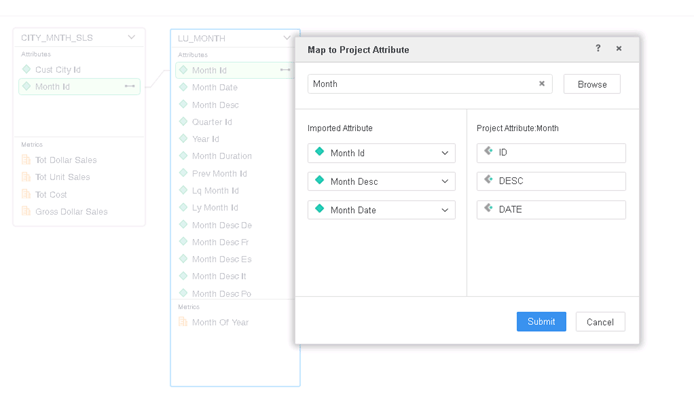
2. Edit dataset and right click the Month Id in LU_MONTH to map it to Project Attribute Month.
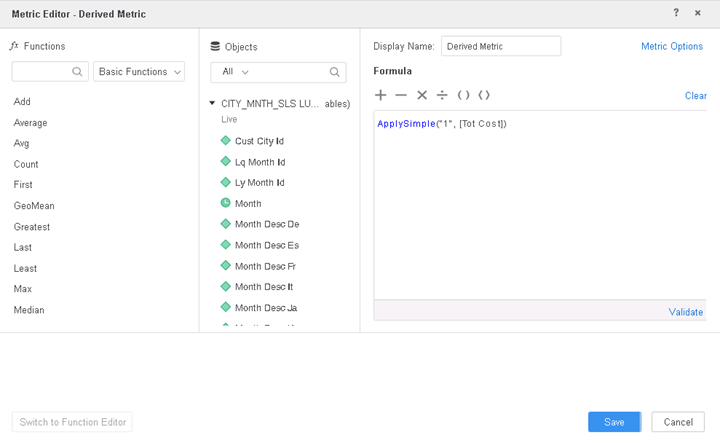
3. Create a derived metric with formula like “ApplySimple("1", [Tot Cost])”. Tot Cost is used in this case but any other metric will work.
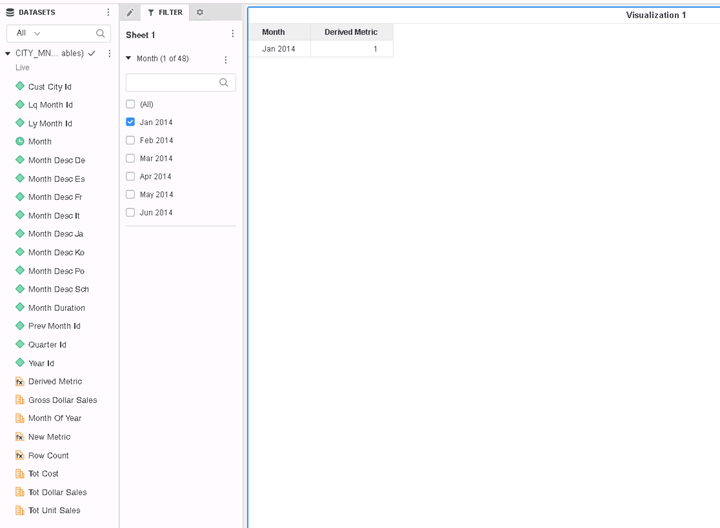
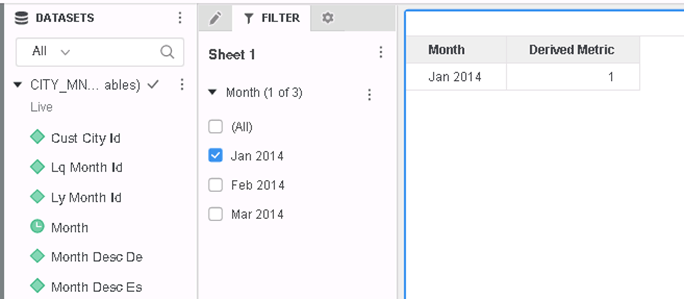
4. Drag the Month and the derived metric into the grid. Create a view filter on Month and pick only one element, e.g., "Jan 2014".
5. In Strategy Developer, create a user with security filter on Month. In the security filter, choose Jan 2014, Feb 2014, Mar 2014. Assign this Security Filter to a user.
6. Login as the user with the security filter and run the dossier. The view filter doesn’t apply.
If the dossier is using MDX datasets, the error "MDX Engine encountered an exception" may appear, and user may find error in log similar to:
[DSSError]
[HOST:XXX][SERVER:XXX][PID:XXX][THR:XXX][Engine][Error][0x80042207][UID:XXX][SID:XXX][CDSSSQLEngineServer.cpp:GenSQLs4Template at line:0] MDX Engine encountered an exception[[MDX] Report contains recursive attribute and normal attribute(s) from same hierarchy]
This is a known defect before Strategy 11.0.
When Security Filter and View filter use related attributes, the view filter will be ignored when derived metric contains ApplySimple() function.
To resolve this defect, upgrade to Strategy 11.0 or above. In the new fix, view filters will be applied correctly.
When upgrading to Strategy 11.0 or above, enable the project level setting Data Engine Version to 11. This property can only be enabled through Workstation. For more details on enabling the setting, see Change Data Engine Version .
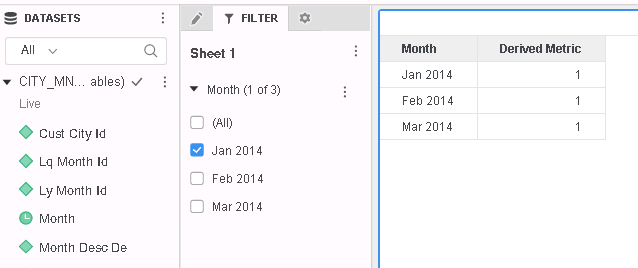
After the fix is apply, view filters will be applied correctly as below.
The fix for above defect may trigger an unspecified error in 11.0 with Data Engine Version 11 when the grid contains a derived metric which contains a fact expression without any aggregation.
To resolve this error, upgrade to Strategy 11.1 or above and enable the project level setting Data Engine Version to 11.
Strategy Internal Reference number for this technical note is KB442157 and DE95975.
