Starting with the release of Strategy ONE (March 2024), dossiers are also known as dashboards.
SYMPTOM
Using Data Combination setting as "Min relation..." a dossier with derived attributes based on multiple attributes fails with "Unspecified error".
STEPS TO REPRODUCE:
1. This example uses Strategy Tutorial to demonstrate the problem and the fix.
2. Create a standard report like the following:
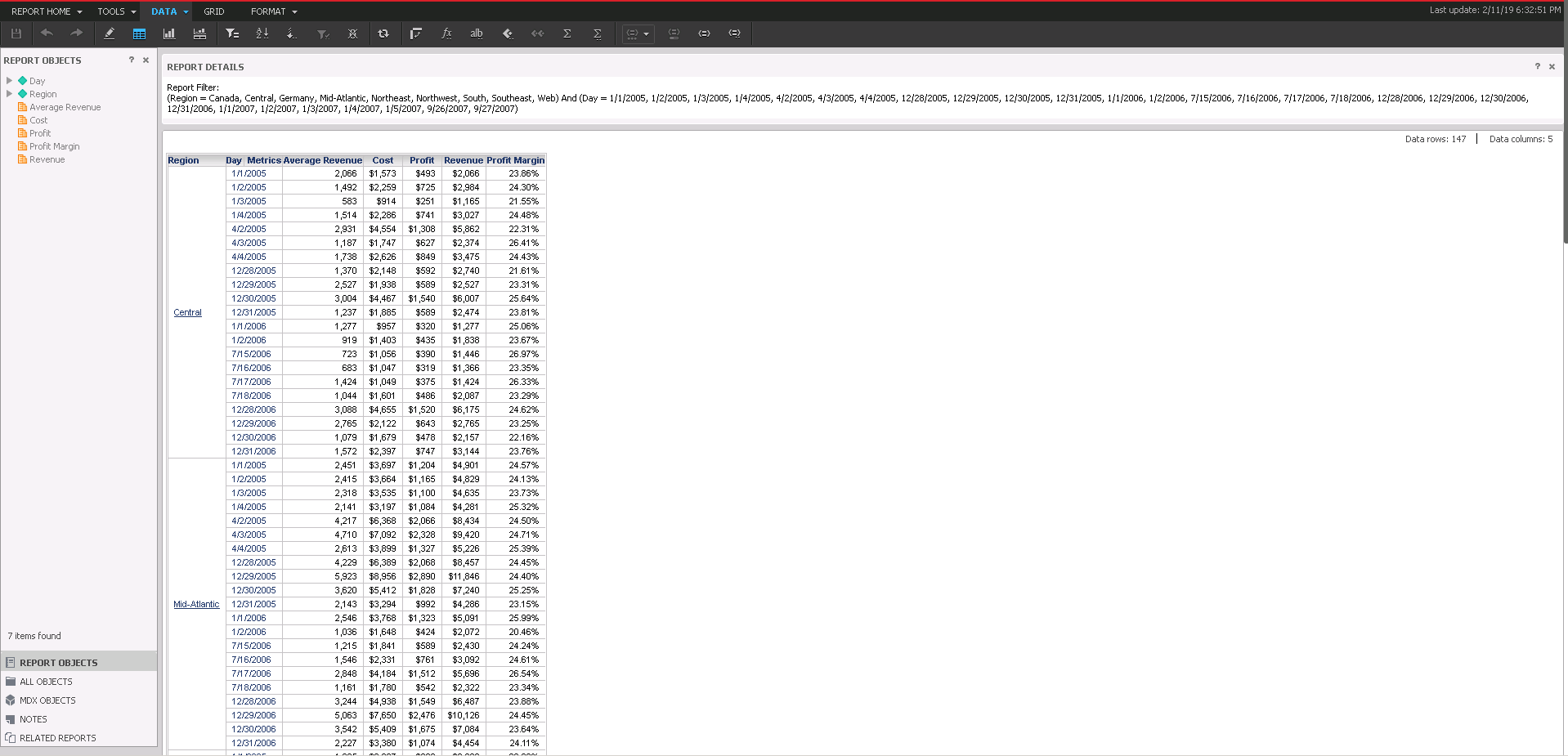
3. Create a dossier using the above report and create following derived metrics:
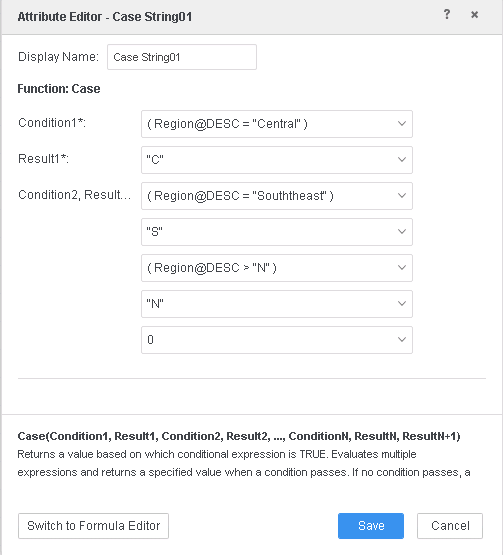
Case String01 = Case((Region@DESC="Central"), "C", (Region@DESC="Souththeast"), "S", (Region@DESC>"N"), "N", 0)
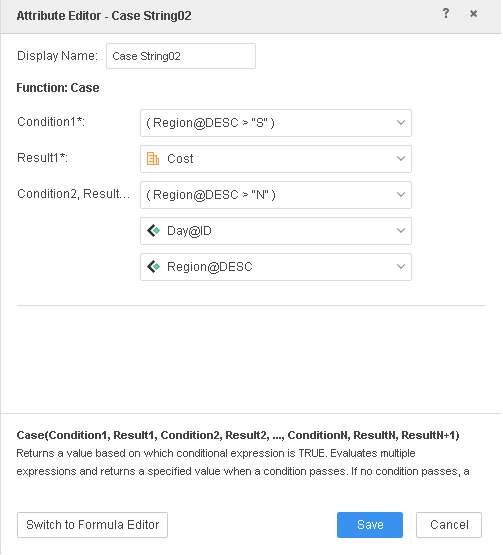
Case String02 = Case((Region@DESC>"S"), Cost, (Region@DESC>"N"), [Day@ID], [Region@DESC])
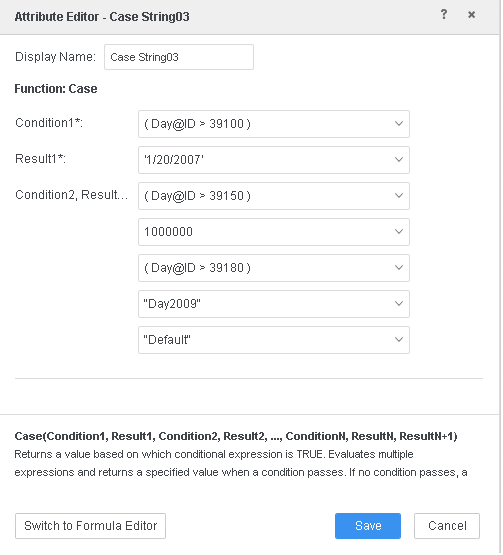
Case String03= Case((Day@ID>39100), '1/20/2007', (Day@ID>39150), 1000000, (Day@ID>39180), "Day2009", "Default")
4. Create a visualization like the following:
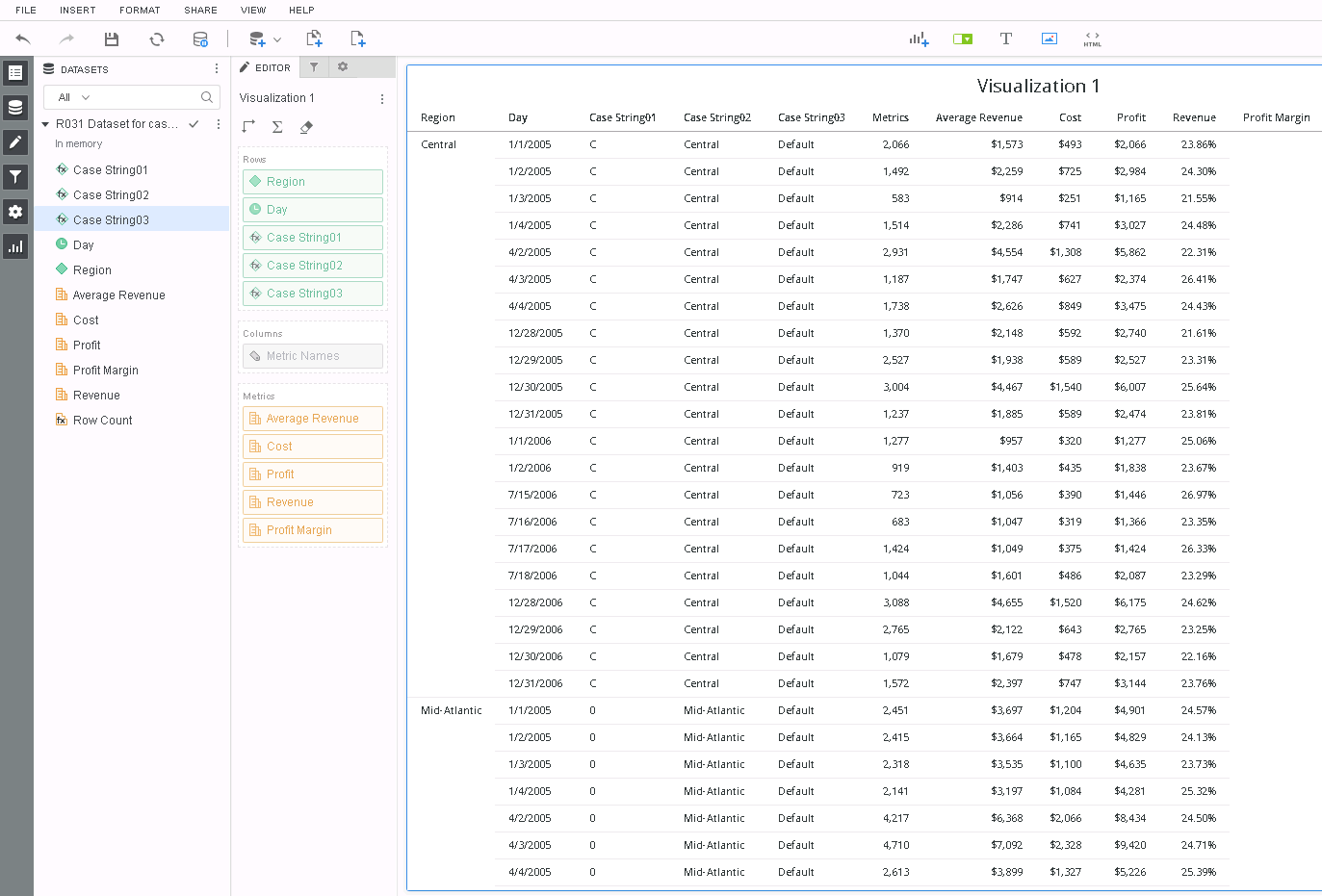
5. Go to Query Details and following CSI is observed:
*********   Visualization Summary Start  **********
Time Spent: 0.077 sec(s)
Query Execution Start Time: 2/11/2019 6:40:47 PM
Query Execution End Time: 2/11/2019 6:40:47 PM
Note: The total 'Time Spent' above may be greater than the summation of the individual step execution times below.There are preparation tasks for each step that are not individually measured.

*********   Visualization Summary End

**********************   Individual Step Start   ************
Number of Rows Returned: 21
Time Spent: 0.002 sec(s)
Query Execution Start Time: 2/11/2019 6:40:47 PM
Query Execution End Time: 2/11/2019 6:40:47 PM
select    [Case String03]@[ID],    [Day]@[DAY_DATE]
from    RELATION0-<Case String03, Day>to    Ex7_tempcube0
************   Individual Step End     ************

************   Individual Step Start   ************
Number of Rows Returned: 147
Time Spent: 0.001 sec(s)
Query Execution Start Time: 2/11/2019 6:40:47 PM
Query Execution End Time: 2/11/2019 6:40:47 PM
select    [Region]@[REGION_ID],    [Day]@[DAY_DATE],
[Case String02]@[ID]
from    R031 Dataset for case functions R-D-PRCto    Ex7_tempcube1
************   Individual Step End     ************

************   Individual Step Start   ************
Number of Rows Returned: 147
Time Spent: 0.001 sec(s)
Query Execution Start Time: 2/11/2019 6:40:47 PM
Query Execution End Time: 2/11/2019 6:40:47 PM
select    [Region]@[REGION_ID],    [Day]@[DAY_DATE],
[Case String02]@[ID]from    Ex7_tempcube1
to    RELATION5-<Region, Day, Case String02>
************   Individual Step End     ************

************   Individual Step Start   ************
Time Spent: 0.000 sec(s)
Query Execution Start Time: 2/11/2019 6:40:47 PM
Query Execution End Time: 2/11/2019 6:40:47 PM
Drop    Ex7_tempcube1
************   Individual Step End     ************

************   Individual Step Start   ************
Number of Rows Returned: 147
Time Spent: 0.001 sec(s)
Query Execution Start Time: 2/11/2019 6:40:47 PM
Query Execution End Time: 2/11/2019 6:40:47 PM
select    [Case String02]@[ID],    [Region]@[REGION_ID],
[Day]@[DAY_DATE]
from    RELATION5-<Region, Day, Case String02>
to    Ex7_tempcube2
************   Individual Step End     ************

************   Individual Step Start   ************
Number of Rows Returned: 7
Time Spent: 0.001 sec(s)
Query Execution Start Time: 2/11/2019 6:40:47 PM
Query Execution End Time: 2/11/2019 6:40:47 PM
select    [Case String01]@[ID], [Region]@[REGION_ID]
from    RELATION3-<Case String01, Region>
to    Ex7_tempcube3
************   Individual Step End     **********

*********** Some SQL for some of the Runtime Datasets might be unavailable at this time. *********

************   Individual Step End     ************

************   Individual Step Start   ************
Number of Rows Returned: 147
Time Spent: 0.002 sec(s)
Query Execution Start Time: 2/11/2019 6:40:47 PM
Query Execution End Time: 2/11/2019 6:40:47 PM
select    [Case String03]@[ID],    [Case String02]@[ID],    [Case String01]@[ID],    [Region]@[REGION_ID],    [Day]@[DAY_DATE]
from    Full Outer Join(
                    Ex7_tempcube3,
Full Outer Join(                                    Ex7_tempcube0,                                     Ex7_tempcube2                                   ) on Day                   ) on Region
to    RELATION6-<Case String03, Case String02, Case String01, Region, Day>

************   Individual Step End     ************

************   Individual Step Start   ************
Time Spent: 0.000 sec(s)
Query Execution Start Time: 2/11/2019 6:40:47 PM
Query Execution End Time: 2/11/2019 6:40:47 PM
Drop    Ex7_tempcube0
************   Individual Step End     ************

************   Individual Step Start   ************
Time Spent: 0.000 sec(s)
Query Execution Start Time: 2/11/2019 6:40:47 PM
Query Execution End Time: 2/11/2019 6:40:47 PM
Drop    Ex7_tempcube3
************   Individual Step End     ************

************   Individual Step Start   ************
Number of Rows Returned: 147
Time Spent: 0.003 sec(s)
Query Execution Start Time: 2/11/2019 6:40:47 PM
Query Execution End Time: 2/11/2019 6:40:47 PM
select    *    from
Left Outer Join(                    R031 Dataset for case functions R-D-PRC,                     RELATION6-<Case String03, Case String02, Case String01, Region, Day>                   )
on Day, Region, Case String02
to    Ex7_tempcube4
************   Individual Step End     ************

************   Individual Step Start   ************
Number of Rows Returned: 147
Time Spent: 0.007 sec(s)
Query Execution Start Time: 2/11/2019 6:40:47 PM
Query Execution End Time: 2/11/2019 6:40:47 PM
select    [Day]@[DAY_DATE],    [Region]@[REGION_ID],
    [Region]@[REGION_NAME],    [Case String03]@[ID],
    [Case String02]@[ID],    [Case String01]@[ID],
    [Revenue],    [Profit],    [Cost],    [Average Revenue]
from    Ex7_tempcube4
************   Individual Step End     ************

************   Individual Step Start   ************
Time Spent: 0.001 sec(s)
Query Execution Start Time: 2/11/2019 6:40:47 PM
Query Execution End Time: 2/11/2019 6:40:47 PM
Drop    Ex7_tempcube4
************   Individual Step End     ************
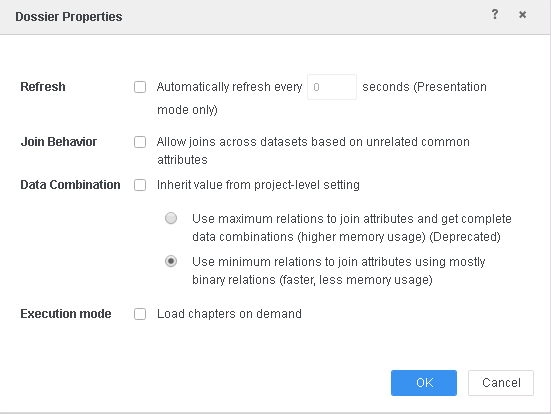
Note that the visualization fails to execute.
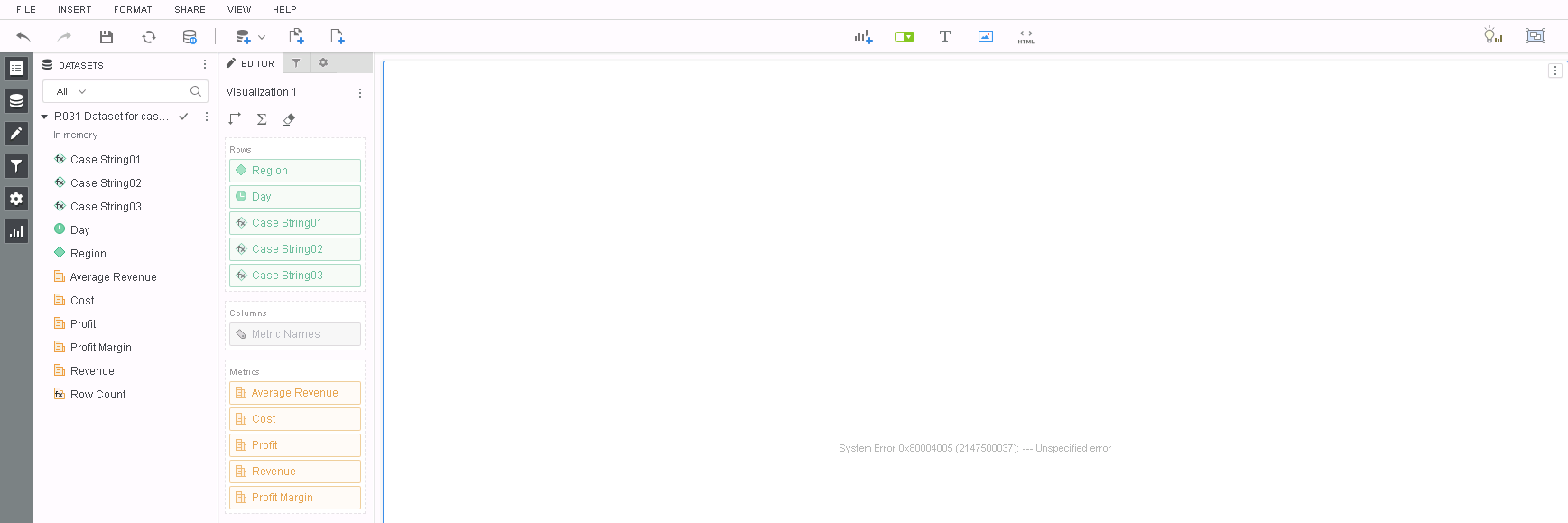
Go to Query Details and following CSI is observed:
*********   Visualization Summary Start  **********
Time Spent: 0.045 sec(s)
Query Execution Start Time: 2/11/2019 6:54:05 PM
Query Execution End Time: 2/11/2019 6:54:05 PM
Note: The total 'Time Spent' above may be greater than the summation of the individual step execution times below. There are preparation tasks for each step that are not individually measured.
*********   Visualization Summary End    ***********

***********   Individual Step Start   ************
Number of Rows Returned: 147
Time Spent: 0.003 sec(s)
Query Execution Start Time: 2/11/2019 6:54:05 PM
Query Execution End Time: 2/11/2019 6:54:05 PM
select	[Day]@[DAY_DATE],	[Region]@[REGION_ID],
	[Region]@[REGION_NAME],	[Case String02]@[ID],
	[Revenue],	[Profit],	[Cost],	[Average Revenue]
from	R031 Dataset for case functions R-D-PRC
to	Ex10_tempcube0
************   Individual Step End     ************

************   Individual Step Start   ************
Number of Rows Returned: 21
Time Spent: 0.001 sec(s)
Query Execution Start Time: 2/11/2019 6:54:05 PM
Query Execution End Time: 2/11/2019 6:54:05 PM
select	[Case String03]@[ID],	[Day]@[DAY_DATE]
from	RELATION0-<Case String03, Day>
to	Ex10_tempcube1
************   Individual Step End     ************

************   Individual Step Start   ************
Number of Rows Returned:
Time Spent:
Query Execution Start Time: 2/11/2019 6:54:05 PM
Query Execution End Time: select	[Case String03]@[ID],
	[Case String01]@[ID],	[Region]@[REGION_ID],	[Day]@[DAY_DATE]
from	Ex10_tempcube1
to	RELATION7-<Case String03, Case String01, Region, Day>
************   Individual Step End     ************
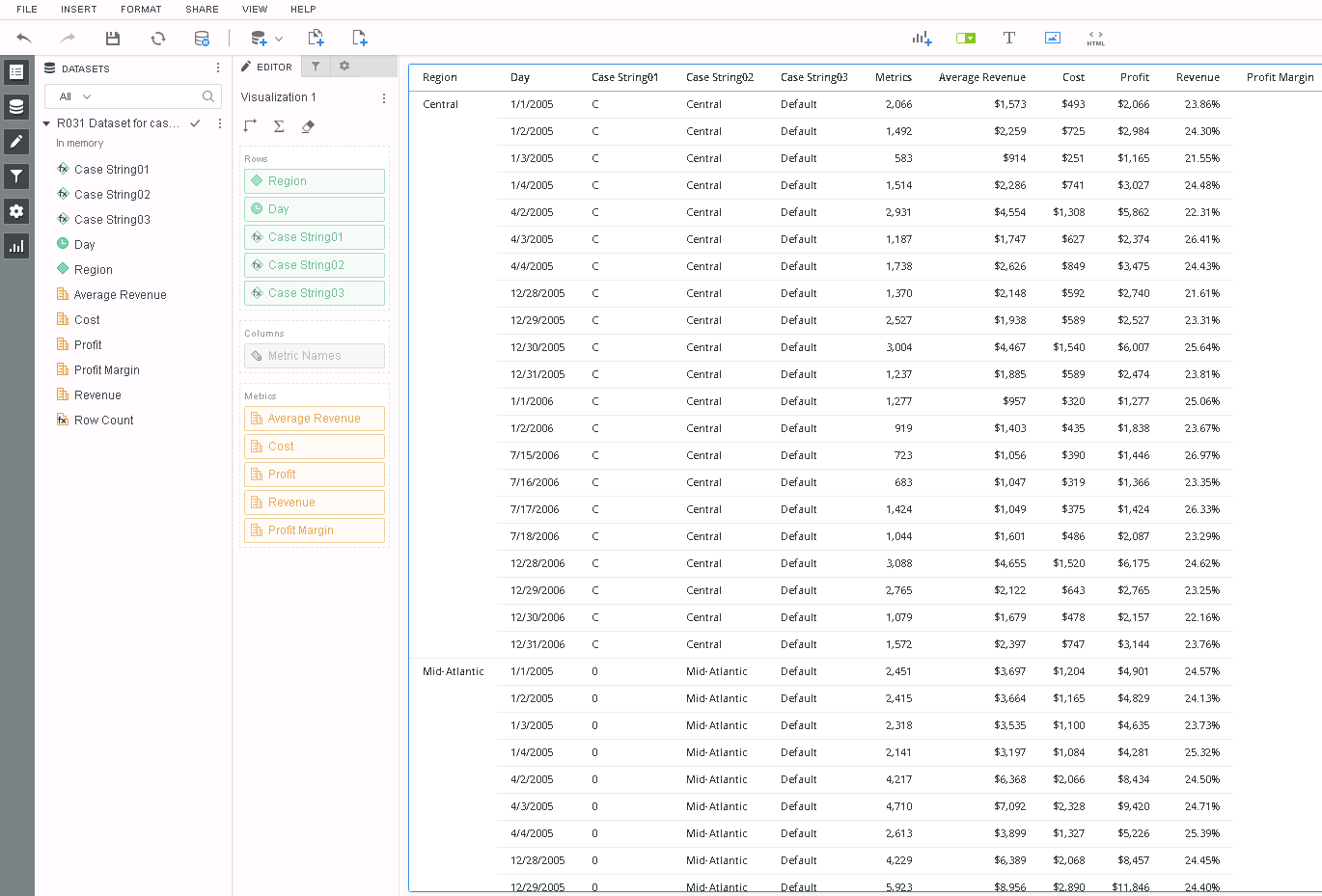
Go to Query Details and following CSI is observed:
*********   Visualization Summary Start  **********
Time Spent: 0.049 sec(s)
Query Execution Start Time: 2/11/2019 7:03:45 PM
Query Execution End Time: 2/11/2019 7:03:45 PM
Note: The total 'Time Spent' above may be greater than the summation of the individual step execution times below.There are preparation tasks for each step that are not individually measured.
*********   Visualization Summary End    *********

*************   Individual Step Start   ************
Number of Rows Returned: 147
Time Spent: 0.003 sec(s)
Query Execution Start Time: 2/11/2019 7:03:45 PM
Query Execution End Time: 2/11/2019 7:03:45 PM
select    [Day]@[DAY_DATE],    [Region]@[REGION_ID],
    [Region]@[REGION_NAME],    [Case String02]@[ID],
    [Revenue],    [Profit],    [Cost],    [Average Revenue]
from    R031 Dataset for case functions R-D-PRC
to    Ex10_tempcube0
************   Individual Step End     ************

************   Individual Step Start   ************
Number of Rows Returned: 147
Time Spent: 0.002 sec(s)
Query Execution Start Time: 2/11/2019 7:03:45 PM
Query Execution End Time: 2/11/2019 7:03:45 PM
select    *    from
Left Outer Join(                    Ex10_tempcube0,
                     RELATION0-<Case String03, Day>                   ) on Day
to    Ex10_tempcube1
************   Individual Step End     ************

************   Individual Step Start   ************
Time Spent: 0.000 sec(s)
Query Execution Start Time: 2/11/2019 7:03:45 PM
Query Execution End Time: 2/11/2019 7:03:45 PM
Drop    Ex10_tempcube0
************   Individual Step End     ************

********* Some SQL for some of the Runtime Datasets might be unavailable at this time. *********
************   Individual Step End     ************

************   Individual Step Start   ************
Number of Rows Returned: 147
Time Spent: 0.006 sec(s)
Query Execution Start Time: 2/11/2019 7:03:45 PM
Query Execution End Time: 2/11/2019 7:03:45 PM
select    *    from
Left Outer Join(                    Ex10_tempcube1,
                     RELATION3-<Case String01, Region>                   )
 on Region
************   Individual Step End     ************

************   Individual Step Start   ************
Time Spent: 0.000 sec(s)
Query Execution Start Time: 2/11/2019 7:03:45 PM
Query Execution End Time: 2/11/2019 7:03:45 PM
Drop    Ex10_tempcube1
************   Individual Step End     ************
