Starting with the release of Strategy ONE (March 2024), dossiers are also known as dashboards.
STEPS TO REPRODUCE
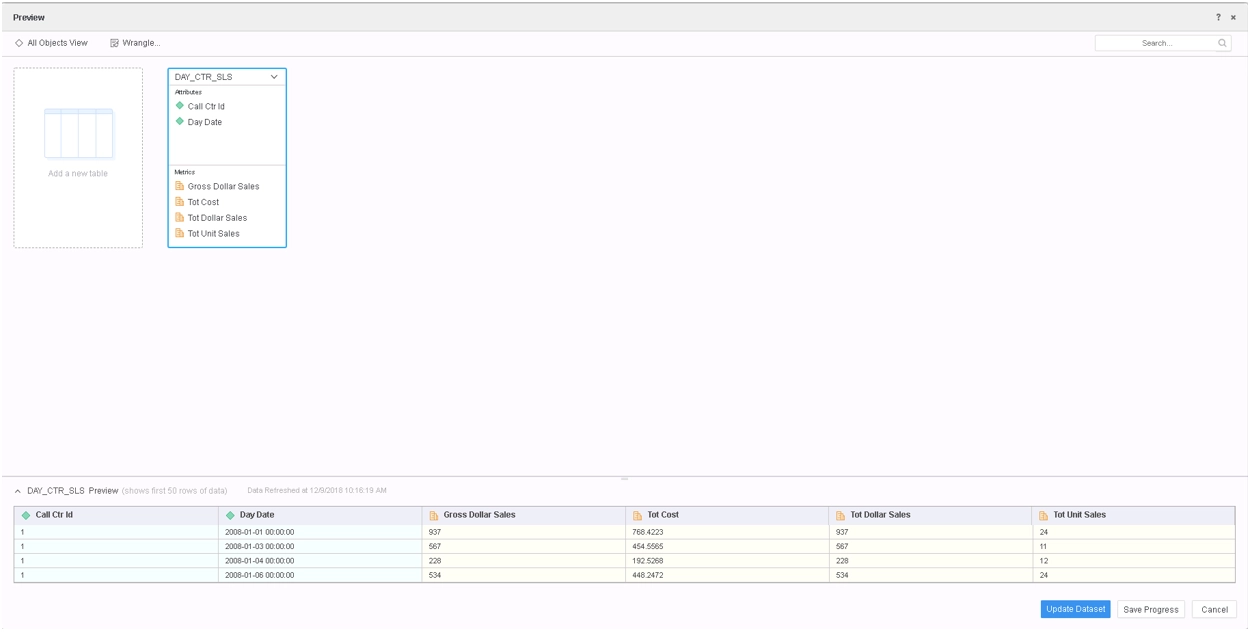
1. In Strategy Tutorial Project, create an In-Memory Intelligent Cube by importing the following Database Tables.
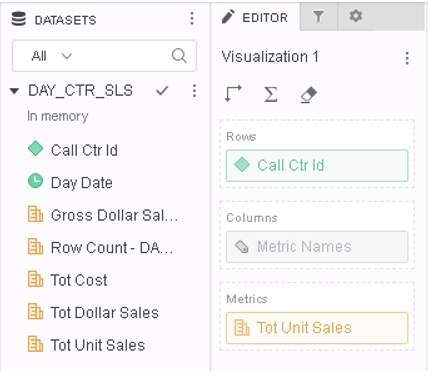
2. Publish the Cube, and create the following Dossier:
3. From Visualization context menu, select Edit Filter... option and define following filter.
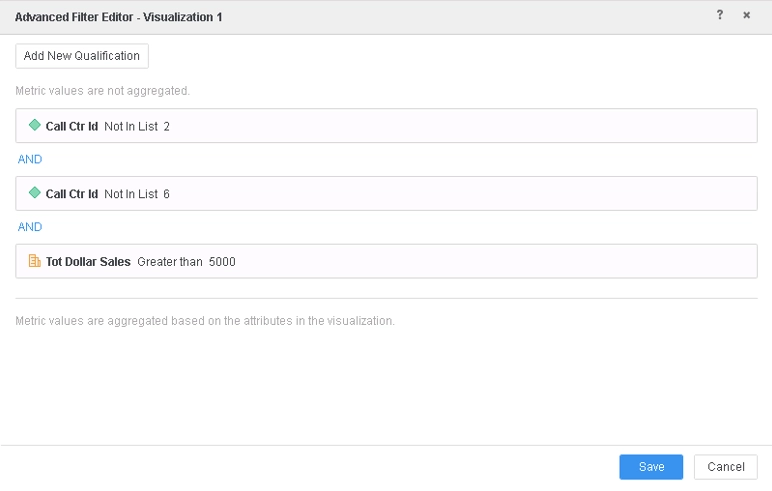
4. From Visualization context menu, select Query Details... option. Note the highlighted part of the CSI is not efficient.
Tables Accessed:
Table2    [F_DAY_CTR_SLS9428FDCC1679389DE01331052FD41625]:    Call Ctr Id, Day Date,     Tot Dollar Sales, Tot Unit Sales, Tot Cost, Row Count - DAY_CTR_SLS, Gross Dollar Sales,     FACT_TABLE
select    [Call Ctr Id]@[CALL_CTR_ID],
    sum([[F_DAY_CTR_SLS9428FDCC1679389DE01331052FD41625].Tot Unit Sales])@{[Call Ctr Id]} as [Tot Unit Sales]
from    DAY_CTR_SLS
with Table Join Tree:     [F_DAY_CTR_SLS9428FDCC1679389DE01331052FD41625]<([Call Ctr Id]@[CALL_CTR_ID] not in (2)
 and [Call Ctr Id]@[CALL_CTR_ID] not in (6)
 and [[F_DAY_CTR_SLS9428FDCC1679389DE01331052FD41625].Tot Dollar Sales] > 5000.0)>
Tables Accessed:
Table2    [F_DAY_CTR_SLS9428FDCC1679389DE01331052FD41625]:    Call Ctr Id, Day Date,     Tot Dollar Sales, Tot Unit Sales, Tot Cost, Row Count - DAY_CTR_SLS, Gross Dollar Sales,     FACT_TABLE

select    [Call Ctr Id]@[CALL_CTR_ID],
    sum([[F_DAY_CTR_SLS9428FDCC1679389DE01331052FD41625].Tot Unit Sales])@{[Call Ctr Id]} as [Tot Unit Sales]
from    DAY_CTR_SLS
with Table Join Tree:     [F_DAY_CTR_SLS9428FDCC1679389DE01331052FD41625]<([Call Ctr Id]@[CALL_CTR_ID] not in (2, 6)
 and [[F_DAY_CTR_SLS9428FDCC1679389DE01331052FD41625].Tot Dollar Sales] > 5000.0)>
